Home - AI Image Tools - Ideogram
Ideogram AI tool logo

Pricing model: $20.00 Per Month

Follow in social:

Ideogram

In-Depth Review, Pricing, Features, Pros & Cons

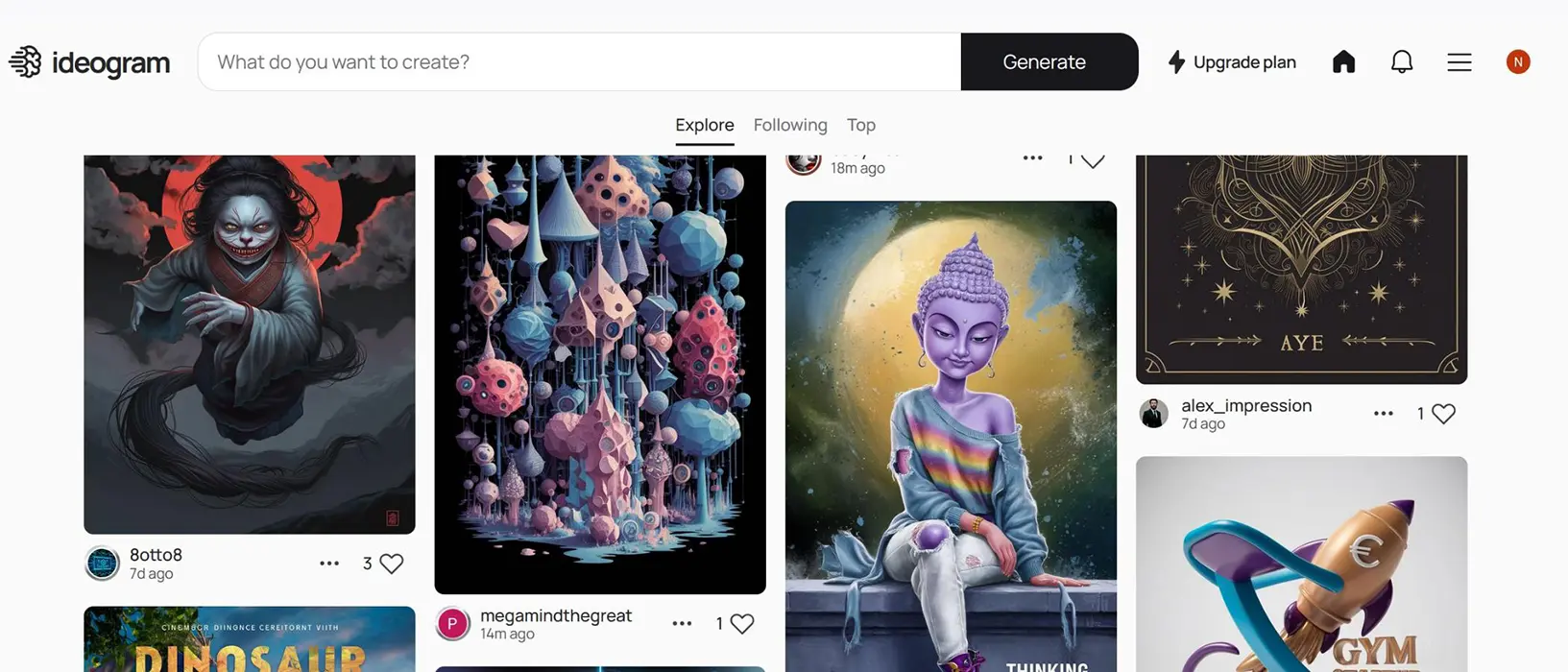
Ideogram AI is an AI-powered image generation and creative design platform that transforms text prompts into high-quality visuals. It specializes in text-rich graphics, typography, posters, and marketing designs, while offering image editing and other creative tools to help users turn ideas into polished visual content.
Use Case
Image Generation
Target Audience
Beginners
Marketers
Designers / Creators
Business / Teams
Output Type
Image
Pricing Model
Freemium
Subscription
Free Plan​
Yes
API Access
Yes
Platform / Access Type
Web App
Limitations
Free plan limited
Usage Limit
Feature Restrictions
Plan Restrictions
Team & Collaboration
Individual Only

Tool Overview

What Is Ideogram AI?

Ideogram AI is an AI-powered image generation and creative design platform that transforms text prompts into high-quality visuals. It helps users create realistic images, illustrations, posters, logos, marketing graphics, and other visual content without requiring advanced graphic design skills.

One of Ideogram’s key strengths is its ability to generate images containing readable text, making it particularly useful for typography-focused designs, promotional materials, social media graphics, and branded visual content. Users can describe their ideas in natural language and refine the results to better match their creative goals.

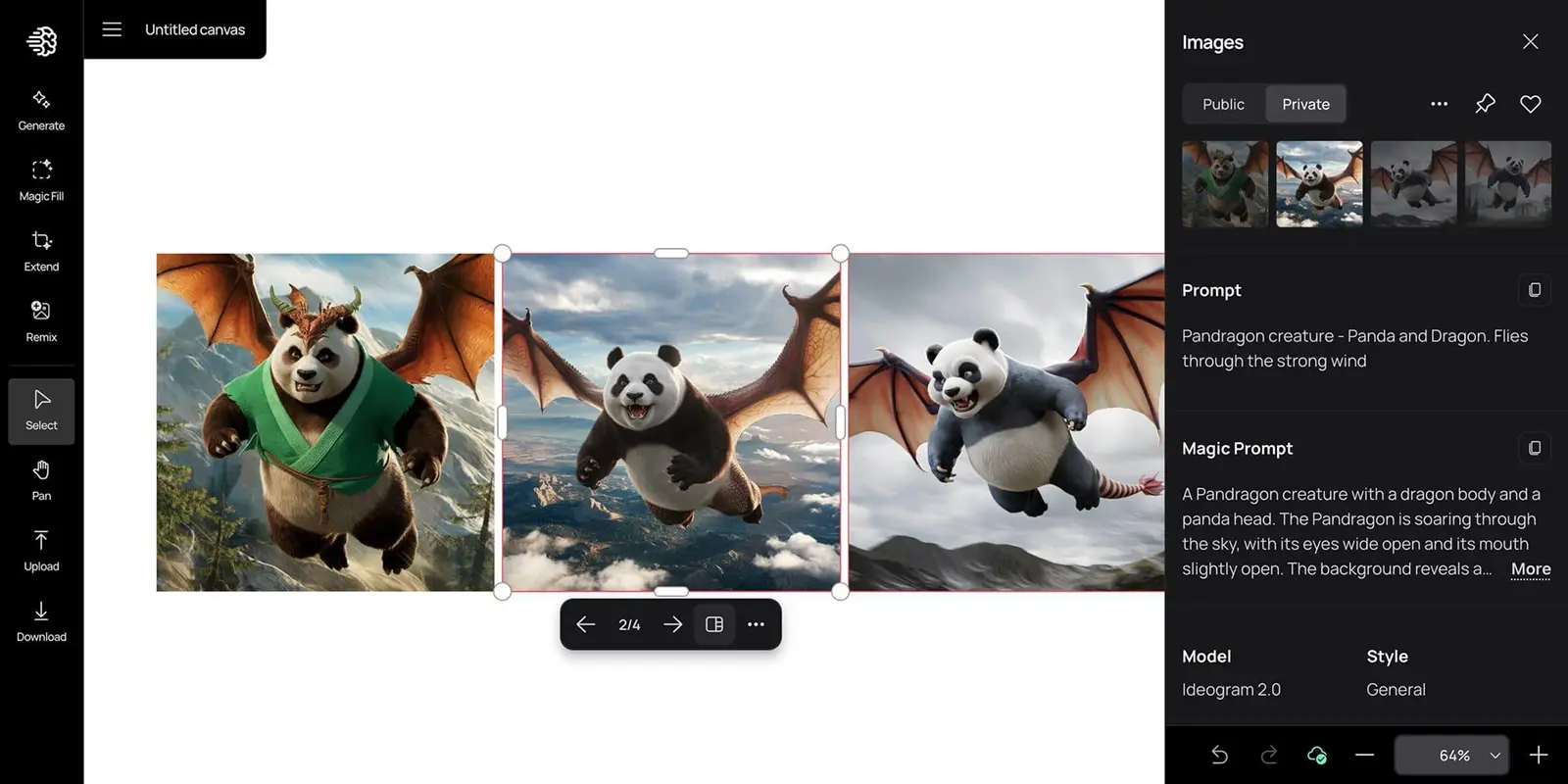
Beyond text-to-image generation, Ideogram offers tools for image editing, background removal, object removal, and resizing designs for different formats. Its creative workspace supports an iterative workflow, allowing users to generate images, make adjustments, and develop their ideas in one place. Developers can also integrate supported image generation and editing models into their applications through the Ideogram API.

Ideogram is suitable for content creators, marketers, designers, small businesses, and anyone who needs to produce visual content efficiently. Whether you want to create a promotional poster, experiment with a new visual concept, or generate images for a marketing campaign, Ideogram provides an accessible way to turn written ideas into visual assets.

What Can You Use Ideogram AI For?

Ideogram AI supports a variety of visual creation tasks, from generating images with AI to producing typography-focused designs and refining existing graphics. Its capabilities make it useful for creators, marketers, designers, and businesses that need visual content for digital and commercial projects.

Creating AI-Generated Images

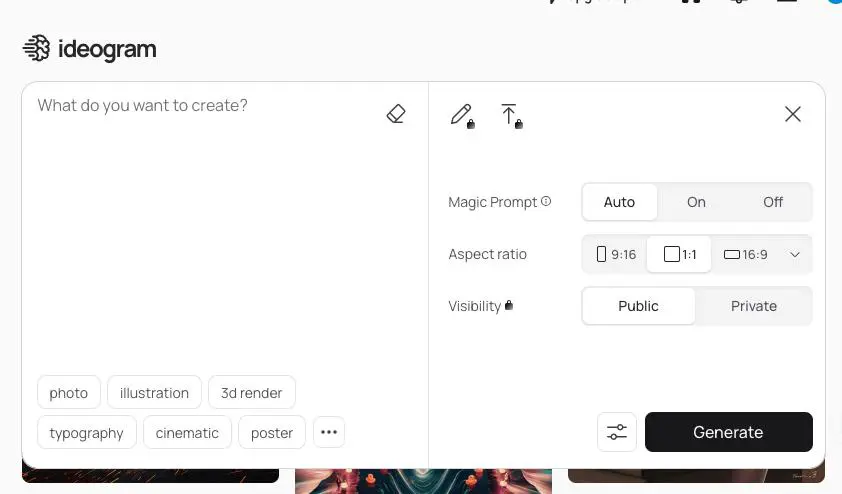
Generate original images from text prompts by describing the subject, artistic style, composition, lighting, and colors you want. Ideogram can help you explore concepts ranging from realistic scenes and product visuals to illustrations and creative artwork.

Designing Posters and Promotional Graphics

Create posters, event announcements, advertising graphics, and promotional materials that combine imagery with headlines and other text. Ideogram is particularly useful for designs where typography and visual composition need to work together.

Creating Social Media Content

Produce graphics for social media posts, campaign visuals, thumbnails, and other digital content. Ideogram’s image generation and design tools can help creators develop different visual concepts and adapt assets to their content needs.

Developing Logo Concepts and Brand Visuals

Explore logo concepts, typography treatments, icons, and visual directions for a new brand or project. Ideogram can help generate initial ideas and variations, although final logos should be checked carefully for text accuracy, originality, and suitability for commercial use.

Creating Product Images and E-Commerce Graphics

Generate product-focused visuals, prepare product photos with transparent backgrounds, and create graphics for online stores and marketing campaigns. Background removal can also help isolate products for catalogs, advertisements, and marketplace listings.

Designing Merchandise and Print-on-Demand Products

Create artwork for merchandise such as T-shirts, stickers, posters, and other printed products. Transparent image generation and editing can help users prepare reusable designs and experiment with different colors or visual elements.

Editing and Refining Existing Images

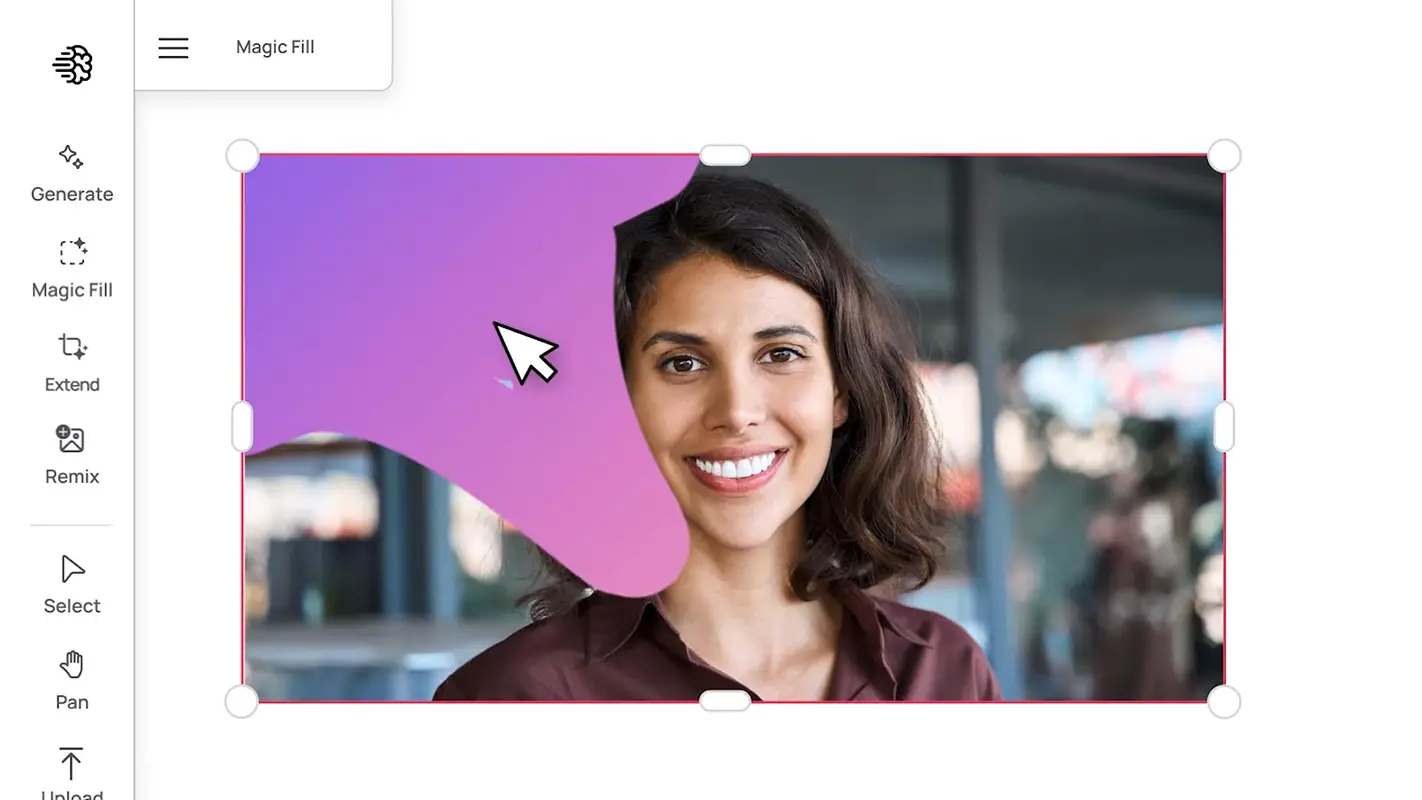
Modify images by describing the changes you want or using available editing tools. Depending on the workflow, you can refine selected elements, remove unwanted objects, change visual details, or explore alternative versions of an existing design.

Creating Book Covers and Typography-Based Designs

Develop book covers, editorial graphics, title treatments, and other layouts where text is a central visual element. Ideogram’s text-rendering capabilities make it a useful option for experimenting with the relationship between lettering, imagery, and composition.

Adapting Designs for Different Formats

Resize and rework creative assets for different placements, aspect ratios, and campaign requirements. This is useful when a single visual concept needs to be adapted for multiple social platforms, advertising placements, or digital marketing materials.

Who Is Ideogram AI For?

Ideogram AI is designed for people who want to create high-quality visual content without relying entirely on traditional graphic design workflows. Its image generation, typography, and editing capabilities make it useful for a wide range of creative and professional users.

Designers and Digital Artists

Designers and digital artists can use Ideogram to explore visual concepts, experiment with different artistic styles, and develop initial design ideas. Its text-rendering capabilities are especially useful when creating typography-based compositions, posters, and other graphics.

Marketers and Advertising Professionals

Marketing teams can use Ideogram to create campaign visuals, promotional graphics, advertising concepts, and social media creatives. It can help accelerate brainstorming and produce multiple visual directions for a campaign before final assets are selected.

Content Creators and Social Media Managers

Content creators can generate thumbnails, post graphics, channel artwork, and other visuals for digital platforms. Ideogram is particularly useful when an image needs to communicate a message through both visual elements and readable text.

Small Business Owners and Entrepreneurs

Small business owners can use Ideogram to develop promotional materials, product graphics, event posters, and early branding concepts. It provides an accessible way to experiment with visual identity and marketing content without requiring advanced design skills.

E-Commerce Sellers

Online sellers can use Ideogram to create product-focused marketing images, promotional banners, and supporting graphics for their stores. Background removal and image editing tools can also help prepare visual assets for different sales channels.

Beginners Exploring AI Image Generation

Beginners can use Ideogram to turn written descriptions into images without needing extensive experience with professional design software. By adjusting prompts and experimenting with styles, they can explore different creative directions and gradually improve their results.

Print-on-Demand Creators

Creators who design merchandise can use Ideogram to develop artwork concepts for apparel, stickers, posters, and other printed products. Before selling the final designs, they should review image quality, print resolution, licensing terms, and any relevant intellectual property concerns.

Developers Building Creative Applications

Developers can use Ideogram’s API to integrate supported image generation capabilities into their applications and workflows. This can be useful for products that generate visual assets automatically, although the available models, features, and usage limits depend on the API documentation and applicable plan.

Key Features

AI Image Generation

Turn text prompts into original images, illustrations, and creative visuals. Describe your subject, composition, colors, and preferred style to generate images tailored to your ideas.

Accurate Text Rendering

Create images that incorporate readable text, headlines, and lettering. This feature makes Ideogram especially useful for posters, advertisements, book covers, and typography-focused designs.

Typography and Graphic Design

Explore text-based compositions, stylized lettering, and promotional graphics. Ideogram helps users develop visual concepts in which typography is an essential part of the design.

Editable Text Layers

Use the Layerize Text feature to separate text from supported generated designs into editable layers. This allows you to revise wording, adjust fonts, and change text sizes without recreating the entire design.

AI Image Editing

Refine existing images by describing the changes you want to make. Supported editing workflows let users modify visual elements while preserving other parts of the original composition.

Background Removal and Replacement

Remove image backgrounds to isolate a subject or replace the original background with a newly generated scene. These tools are useful for product visuals, advertising creatives, and compositing.

Object Removal

Remove unwanted objects from images and fill the affected areas to create a cleaner composition. This can help prepare images for marketing materials and other creative projects.

Image Reframing and Resizing

Adapt visual assets to different aspect ratios and dimensions. Reframing and dedicated resizing tools help users repurpose designs for different digital channels and advertising formats.

Custom Image Models

Eligible users can work with custom image models to generate visuals that better match a particular brand or creative direction. Availability depends on the model and applicable plan.

API Integration

Integrate supported image-generation and editing capabilities into applications and automated workflows using the Ideogram API. Developers can build image-generation features into their own products without requiring users to work directly in the Ideogram interface.

Ideogram AI Pricing & Plans

Ideogram AI offers a free plan for exploring AI image generation, along with paid subscriptions for users who need more priority credits, faster generation queues, private image generation, and advanced creative features. Its plans cater to individual creators, professional designers, and teams with different content production needs.

Paid subscriptions are available with monthly or annual billing, with annual plans offering a lower effective monthly price. The right plan depends on how frequently you generate images, whether you need private generations, and whether you require collaboration features or higher usage limits.

Pricing & Plans

Free plan $0

Explore Ideogram and try AI image generation before upgrading. - Weekly credits for eligible accounts - Access to image generation - One running or queued generation - Limited access to premium features

Plus - $20/month

A good fit for creators who use Ideogram regularly and want more control over their image-generation workflow. - 2,400 priority credits per month - Private image generation - Unlimited slow credits - Large generation queue - Option to purchase additional credits

Pro - $60/month

Designed for high-volume creative work and users who need more generation capacity. - 7,500 priority credits per month - Private image generation - Unlimited slow credits - Batch generation - Quality export - Largest generation queue

Team - $30/month

Built for teams that need shared administration and collaboration features. - 3,600 priority credits per user per month - Collaboration features - Central billing and administration - Large generation queue - Plus plan features

Enterprise - Custom pricing

For organizations that need tailored capacity, custom models, and enterprise-level arrangements. - Custom credit allocation - Private custom models trained on visual data - Volume discounts for API usage - Enterprise contract options


Features Free
$0
Free forever*
Plus
$20
Per month
Pro
$60
Per month
Team
$30
Per user/month
Enterprise
Custom
Contact sales
Credits & Generation
Weekly slow credits Eligible accounts Unlimited Unlimited Unlimited Per contract
Priority credits — 2,400/month 7,500/month 3,600/user/month Custom
Running & queued generations 1 Up to 8 Up to 32 Not specified Custom
Unlimited slow generation — ✓ ✓ ✓ ✓
Image Features
Private generations — ✓ ✓ ✓ ✓
Batch generation — — ✓ Plan dependent Custom
Quality export — — ✓ Plan dependent Custom
Generation queue Standard Large Largest Largest Custom
Team & Enterprise
Collaboration features — — — ✓ ✓
Central billing & administration — — — ✓ ✓
Custom model training — — Limited Limited ✓
Volume discounts on API — — — — ✓

Free plan availability and included features may vary.
Team requires a minimum of two users. API usage may be billed separately.
Prices shown are monthly billing rates in USD. Confirm current plan
details with the official Ideogram pricing page before publishing.

User Environment

FAQ

What Is Ideogram AI Used For? +
Ideogram AI is used to generate images from text prompts and create visual content such as posters, advertisements, social media graphics, illustrations, and typography-focused designs. It also provides tools for editing images and refining creative assets.
Is Ideogram AI Free to Use? +
Yes, Ideogram offers a free plan that allows users to explore its image-generation capabilities. The free plan has usage limitations, while paid subscriptions provide additional credits and access to more features.
Can Ideogram AI Generate Images With Text? +
Yes. Ideogram is particularly known for generating images that contain readable text, making it useful for posters, promotional graphics, headlines, and other typography-focused designs. Results may still require review and correction.
Does Ideogram AI Offer an API? +
Yes. Ideogram provides API access for supported image-generation and editing capabilities. Developers should consult the official API documentation for current endpoints, pricing, model availability, and usage limits.
Can Ideogram AI Create Logos? +
Ideogram can generate logo concepts, lettering styles, and branding ideas. However, generated logos may need manual refinement, and users should check originality, trademark conflicts, and commercial-use requirements before adopting a design.
Can I Use Ideogram AI Images Commercially? +
Commercial use depends on Ideogram's current terms, the applicable subscription, and any restrictions associated with the content or model used. Review the official terms before using generated images in advertisements, products, or other commercial projects.
Does Ideogram AI Support Image Editing? +
Yes. Ideogram offers image-editing workflows and creative tools that can help users modify images, remove unwanted elements, and refine visual compositions. The specific editing options available may depend on the tool and plan.
What Are the Main Limitations of Ideogram AI? +
Ideogram may produce imperfect text, inconsistent visual details, or results that do not fully match a prompt. Free-plan usage is limited, and some features require a paid subscription. Important designs should be reviewed before publication.
Is Ideogram AI Suitable for Beginners? +
Yes. Users can generate images by describing what they want in natural language, without needing advanced graphic design skills. Learning to write more specific prompts and refine generated results can improve the quality of the output.
Which Is Better for Text in Images: Ideogram or Other AI Image Generators? +
Ideogram is a strong option when readable text and typography are central to the design. The best choice depends on the task, visual style, editing requirements, budget, and the results produced by each tool for a particular prompt.

Pros & Cons

Pros

  • Excellent Text Rendering: Ideogram is particularly useful for generating images that include readable text, headlines, and stylized typography.
  • Versatile Image Generation: Users can create illustrations, realistic visuals, posters, promotional graphics, and other creative assets from text prompts.
  • Built-In Creative Tools: Image editing, background removal, object removal, and other creative features help users refine their designs within the platform.
  • Beginner-Friendly Workflow: Users can generate visuals without advanced graphic design skills or complicated software.
  • Useful for Marketing and Branding: Ideogram can help marketers and businesses develop advertising concepts, social media graphics, and early-stage branding ideas.
  • API Integration: Developers can integrate supported image-generation capabilities into applications and automated workflows.
Cons

  • Free Plan Limitations: Free users have limited access to generation resources and certain features.
  • Imperfect Text Accuracy: Generated text may still contain spelling errors, distorted lettering, or inconsistent typography, requiring additional editing.
  • Variable Output Quality: Results depend on prompt clarity, image complexity, and the selected generation settings.
  • Limited Control Over Fine Details: Some designs may require repeated generations or manual editing to achieve precise layouts and consistent visual elements.
  • Advanced Features May Require a Paid Plan: Access to certain tools, higher usage limits, and additional capabilities depends on the current subscription.
  • Not a Complete Replacement for Professional Design Software: Complex layouts, precise brand guidelines, and production-ready assets may still require dedicated design tools.

Reviews

There are no reviews yet.

Be the first to review “Ideogram”

Your email address will not be published. Required fields are marked *

thirteen − 7 =