Home - AI Image Tools - Adobe Firefly
Adobe Firefly AI tool logo

Pricing model: $9.99 Per Month

Follow in social:

Adobe Firefly

Explore AI Image, Video, Audio & Design Tools

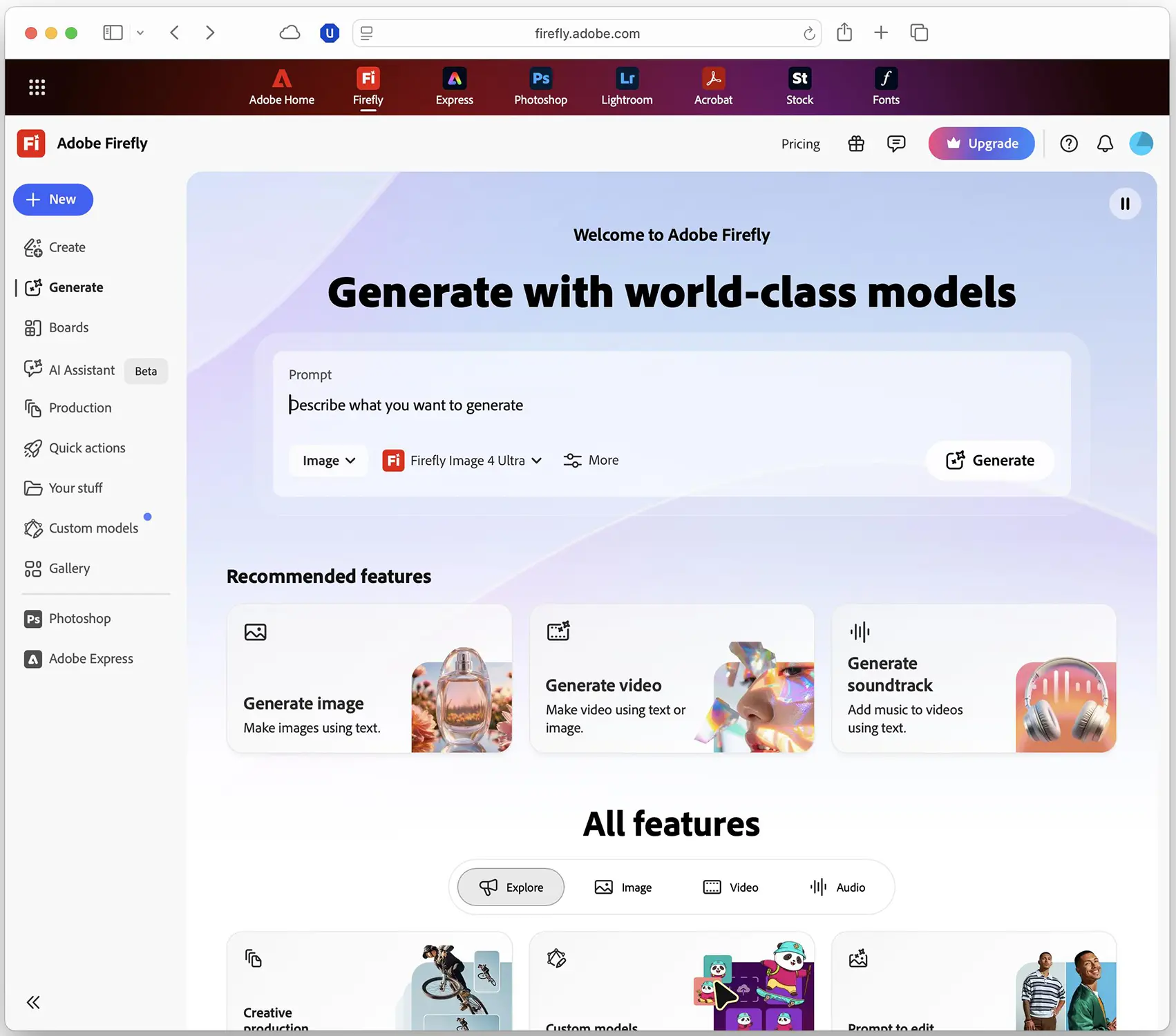
Adobe Firefly is an AI-powered creative platform for generating, editing, and enhancing images, videos, audio, and visual designs. It offers tools for text-to-image generation, AI-powered image editing, text-to-video and image-to-video creation, video editing, music and sound generation, speech generation, and vector graphics. Firefly also includes collaborative ideation tools and access to AI models from Adobe and other providers, helping designers, marketers, content creators, and businesses develop creative projects from initial ideas to polished visual content.
AI Audio Tools
Audio Tools
AI Video Tools
Video Tools
AI Image Tools
Image Tools
Use Case
Image Generation
Video Creation
Audio & Voice
Target Audience
Beginners
Marketers
Designers / Creators
Business / Teams
Students / Researchers
Output Type
Image
Video
Audio
Pricing Model
Freemium
Subscription
Free Plan​
Yes
API Access
Yes
Platform / Access Type
Web App
Mobile App
Limitations
Free plan limited
Quality limits
Usage Limit
Feature Restrictions
Plan Restrictions
Team & Collaboration
Enterprise
Team Workspace

Tool Overview

What Is Adobe Firefly?

Adobe Firefly is an AI-powered creative studio developed by Adobe that brings image generation, video creation, audio production, graphic design, and AI-assisted editing into one platform. It helps users turn text prompts, reference images, and existing creative assets into new content, while offering tools to refine and adapt results for different projects.

Unlike tools focused on a single type of output, Firefly combines its own generative AI models with selected third-party models, allowing users to explore different creative approaches within the same environment. Its capabilities include generating and editing images, creating videos from text or images, producing music and sound effects, generating speech, translating audio and video, working with vector graphics, and organizing concepts in collaborative mood boards.

Firefly also supports more advanced creative workflows through tools such as prompt-based editing, video editing, automated workflows, and AI Assistant features. Depending on the feature and available integration, users can continue refining their creations in Adobe applications such as Photoshop, Premiere Pro, and Adobe Express.

Adobe Firefly is designed for a wide range of users, from beginners creating everyday visual content to professional designers, marketers, video creators, and businesses developing creative assets for campaigns and commercial projects. Access to specific models and features may vary by plan, region, and product integration.

What Can You Use Adobe Firefly For?

Adobe Firefly supports a wide range of creative tasks, from generating individual assets to developing complete visual and multimedia projects. Its main use cases include:

AI Image Generation

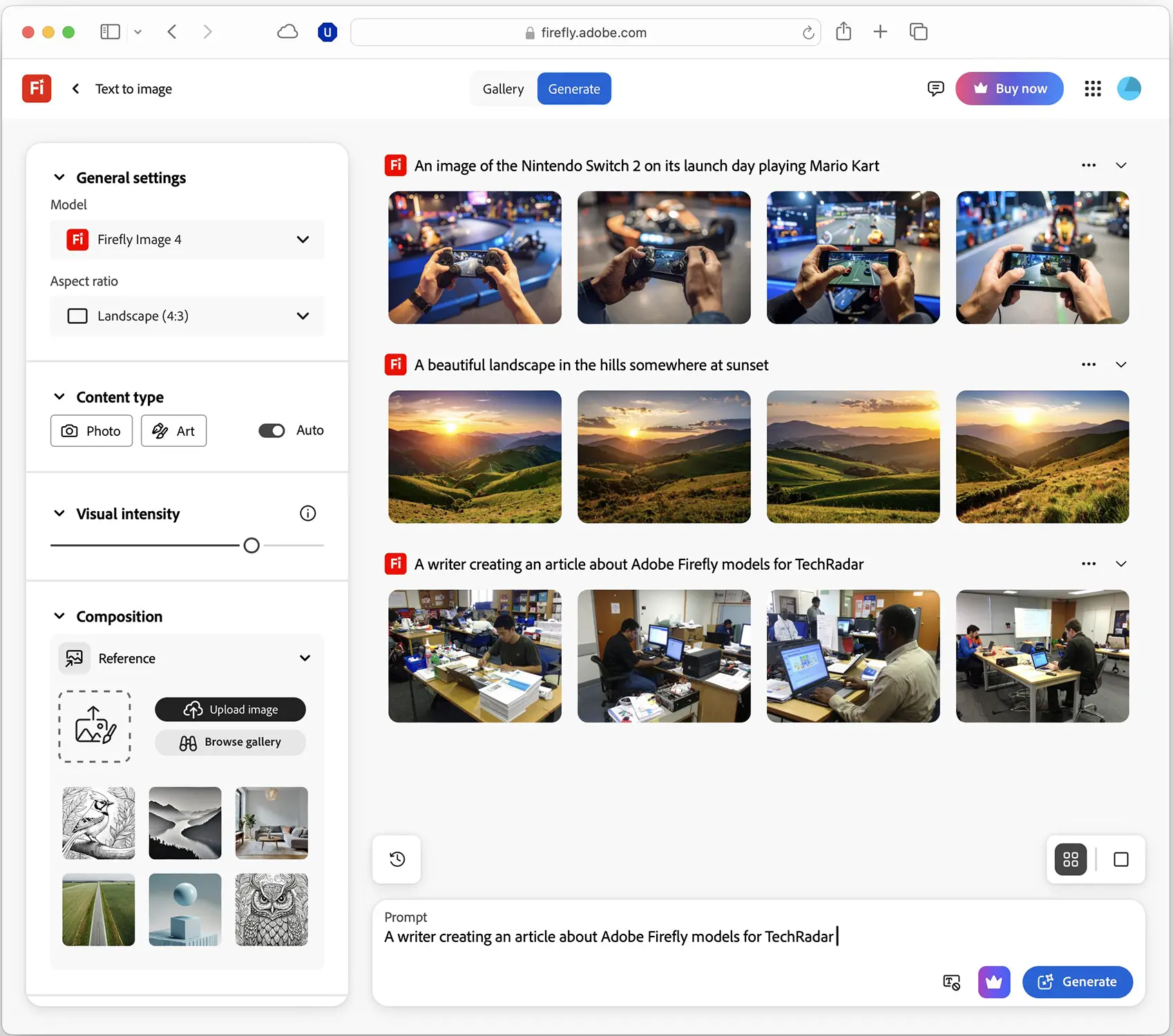
Create original images from text descriptions for advertising, websites, blogs, social media, product concepts, and digital artwork. Firefly provides controls for visual style, composition, and other image characteristics to help users refine their results.

AI Image Editing and Enhancement

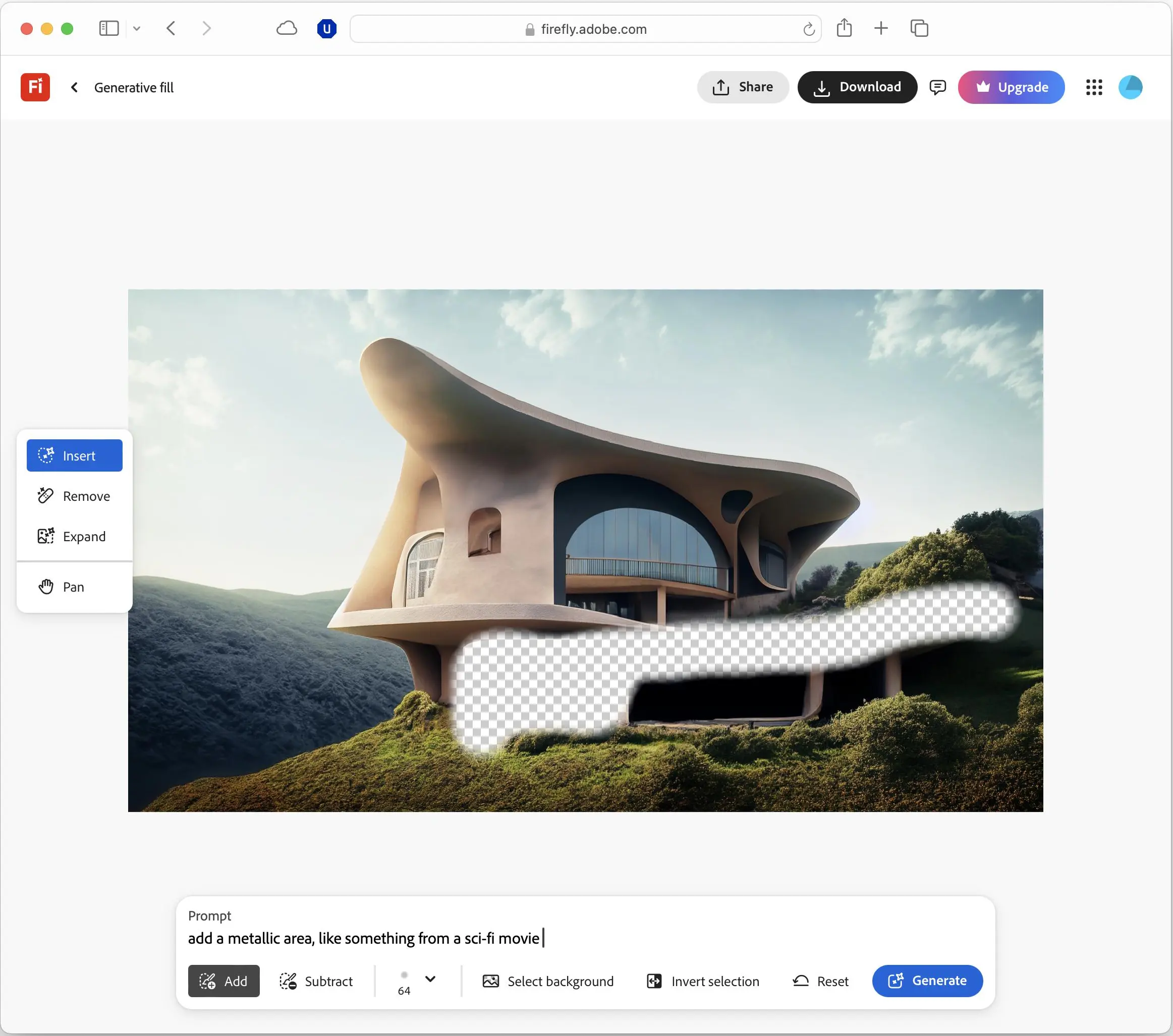
Edit existing or AI-generated images using text prompts and dedicated editing tools. Depending on the workflow, you can remove unwanted objects, replace elements, expand image backgrounds, remove backgrounds, and upscale images to improve their quality or adapt them to different formats.

AI Video Generation

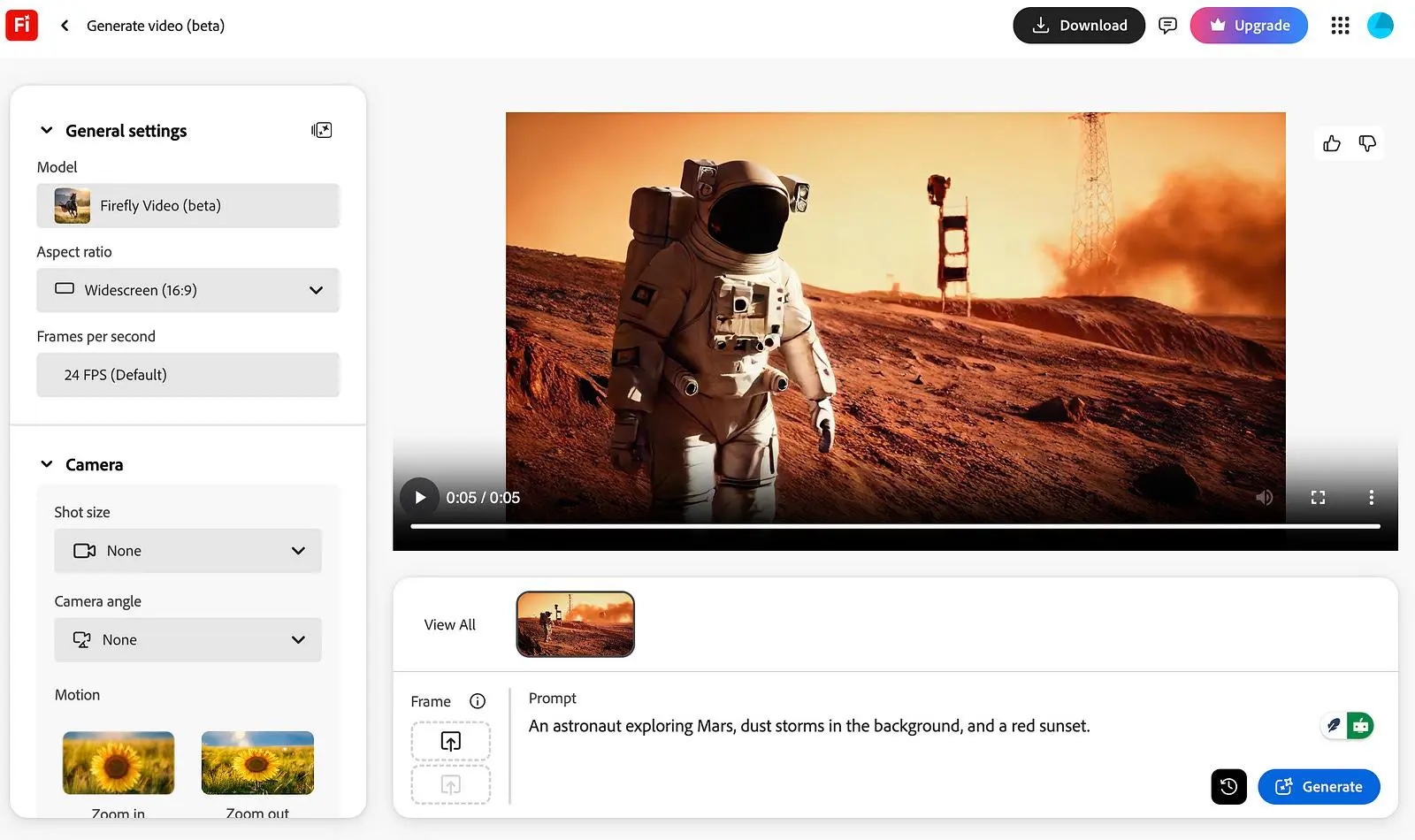
Generate short video clips from text prompts or still images. Firefly’s video tools support creative experimentation with motion, camera movement, visual styles, and different aspect ratios, making them useful for promotional videos, social media content, and visual storytelling.

AI Video Editing and Enhancement

Modify video footage with AI-assisted editing tools. Depending on the available feature, you can make prompt-based changes, generate additional footage, create visual effects, upscale video, and assemble clips into a more complete sequence using Firefly’s web-based video editing workflows.

AI Music and Sound Generation

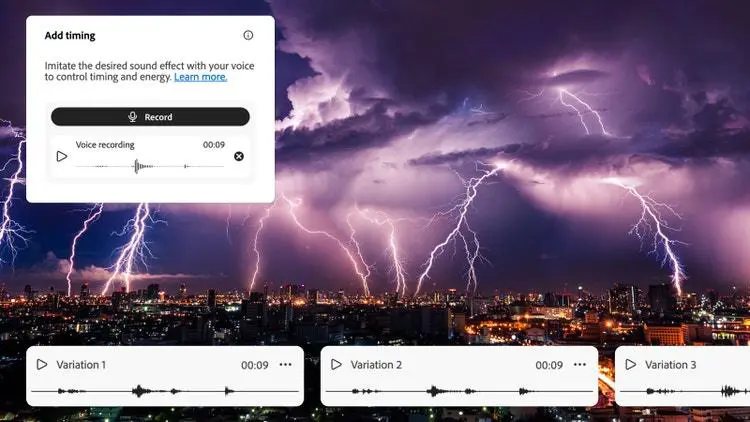
Generate music and sound effects for videos, advertisements, presentations, and other creative projects. Firefly includes tools for creating sound effects from text descriptions or voice input, as well as music-generation capabilities for suitable creative workflows.

AI Voice Generation and Audio Editing

Create voiceovers and narration from text, refine spoken audio, and work with speech-related tools. These capabilities can support explainer videos, tutorials, promotional content, and other projects that need generated or enhanced audio.

Audio and Video Translation

Translate supported audio and video content into other languages to help creators reach international audiences. Available tools can preserve aspects of the original voice and delivery, depending on the feature and supported languages.

Vector Graphics and Design Assets

Generate and refine vector-based artwork for illustrations, icons, logos concepts, and other design projects. These capabilities can help designers explore visual directions and prepare scalable assets for use in graphic design workflows.

AI-Powered Graphic Design and Marketing Content

Develop creative assets for digital campaigns, social media posts, advertisements, product presentations, and branded content. Firefly can help users explore concepts, produce visual variations, and adapt creative materials for different placements and formats.

Mood Boards and Creative Ideation

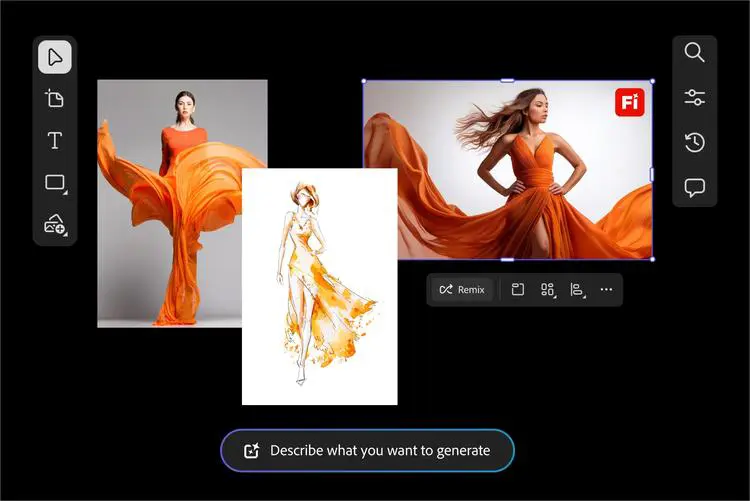
Use Firefly Boards to collect reference images, organize concepts, explore visual directions, and remix creative assets on a shared canvas. This is useful during brainstorming, art direction, campaign planning, and early-stage design.

Storyboarding and Visual Story Development

Plan scenes and visual sequences before producing a video. Storyboard-based workflows help creators arrange ideas, explore shots, and develop a clearer direction before moving into video generation or editing.

Product Visualization and Mockups

Create product concepts, promotional imagery, and visual mockups for packaging, merchandise, advertising, and online stores. AI-generated assets can help teams explore presentation styles before investing in full photography or production.

Automated Creative Workflows

Use supported workflow tools to connect creative steps, automate repetitive image-generation or editing tasks, and produce variations more efficiently. These capabilities can be particularly useful for teams handling large volumes of visual content.

Conversational AI-Assisted Creation

Use Firefly AI Assistant, where available, to describe a desired outcome in natural language and coordinate creative tasks across supported Adobe tools and models. This can help users move through multistep projects without manually managing every editing step.

Multi-Model Creative Experimentation

Explore selected generative AI models from Adobe and partner providers within Firefly. Depending on the task and available access, users can compare different approaches to image, video, or other creative outputs without relying on a single model for every project.

High-Volume Content Production

Develop multiple creative variations for campaigns, product catalogs, social media, and other recurring content needs. Supported templates and workflow features can help teams standardize repetitive tasks and adapt assets for different audiences or channels.

Feature availability, supported formats, model access, and usage limits may vary by plan, region, and product version.

Who Is Adobe Firefly For?

Adobe Firefly is designed for users who want to create, edit, and produce visual or multimedia content with the help of generative AI. Its range of tools makes it useful for both beginners and experienced creative professionals.

Designers and Digital Artists

Designers can use Firefly to generate visual concepts, edit images, explore artistic styles, create vector graphics, and develop design assets. It can support early-stage ideation as well as parts of a professional creative workflow.

Content Creators and Social Media Managers

Content creators can produce images, short videos, music, sound effects, and other assets for social media, blogs, online communities, and digital publications. Firefly can also help adapt content to different formats and visual styles.

Marketers and Advertising Professionals

Marketing teams can use Firefly to develop campaign concepts, promotional graphics, product imagery, advertisements, and video content. Generating multiple creative variations can help teams explore different messages and visual directions.

Video Creators and Filmmakers

Video professionals can use Firefly’s video-generation and editing capabilities to experiment with scenes, create supplementary footage, develop storyboards, and produce supporting audio. It can assist with creative development, although generated content may still require conventional editing and post-production.

Businesses and Creative Teams

Businesses can use Firefly to develop branded content, product visuals, marketing materials, and internal presentations. Its integration with Adobe’s creative ecosystem can also support workflows that involve multiple creative applications and team members.

E-commerce Owners and Product Marketers

Online store owners can create product concepts, promotional images, campaign visuals, and lifestyle-style imagery for product pages and advertisements. AI-generated assets can help explore different presentations, but product representations should be checked for accuracy.

Illustrators and Graphic Designers

Illustrators can explore visual styles, generate references, create vector artwork, and develop alternative compositions. Firefly can accelerate experimentation while allowing designers to refine the final result in compatible design applications.

Audio Creators and Podcasters

Creators who need narration, music, or sound effects can use supported Firefly audio tools to develop audio assets for videos, podcasts, explainers, and other multimedia projects. Specific capabilities depend on the selected tool and availability.

Educators and Students

Students and educators can use Firefly to create illustrations, presentation visuals, storyboards, and educational media. It can help communicate ideas visually, though users should review generated content for accuracy and suitability.

Creative Professionals Using Adobe Applications

Users who already work with applications such as Photoshop, Illustrator, Premiere Pro, and Adobe Express may benefit from Firefly’s integration with Adobe’s broader creative ecosystem. Available AI features vary by application, subscription, and workflow.

Beginners Exploring Generative AI

Beginners can use Firefly to experiment with text prompts, generate creative concepts, and make visual content without mastering every traditional production technique. More advanced editing and professional workflows may require additional skills or compatible Adobe applications.

Key Features

AI Image Generation

Create detailed images from text prompts and explore different visual styles, compositions, lighting, and creative directions.

AI Image Editing

Modify existing images with generative tools. Remove unwanted objects, replace elements, expand backgrounds, and refine visual details using text prompts.

AI Video Generation

Generate video clips from text descriptions or still images, with options for supported resolutions, aspect ratios, motion, and visual styles.

AI Video Editing

Edit videos using AI-assisted tools, including prompt-based changes, object removal or addition, background changes, and other supported refinements.

AI Music Generation

Create music for videos and other creative projects using text-based instructions and available music-generation controls.

AI Speech Generation

Turn written scripts into voiceovers and narration for tutorials, advertisements, presentations, and multimedia content.

AI Sound Effects

Generate sound effects by describing a sound, providing reference audio, or recording an imitation through a microphone. Add the resulting effects to suitable video and audio projects.

Audio and Video Translation

Translate supported audio recordings and video dialogue into other languages, helping creators adapt content for international audiences.

Video Upscaling

Improve the resolution and visual clarity of supported video clips using integrated AI upscaling tools, including partner technology where available.

AI Animation Generation

Create animations from supported text prompts, images, or sketches to explore motion and develop animated creative content.

AI Vector Graphics

Generate scalable vector artwork and design assets for illustrations, icons, and graphic design projects.

Firefly Boards

Collect references, arrange visual concepts, remix creative assets, and develop mood boards on a visual canvas for brainstorming and creative planning.

Storyboard Generation

Turn text and images into visual storyboards, organize shots, and plan scenes before moving into video production.

Text-to-Avatar Video

Create presenter-style videos using supported AI avatars, voices, accents, and backgrounds for training, educational, and marketing content.

AI Sticker Generation

Create sticker-style graphics from text prompts or subjects in reference images for messaging, social media, and other visual projects.

Multiple AI Models in One Platform

Access selected generative models from Adobe and third-party providers, including supported models from Google, OpenAI, Kling AI, and others. Model availability and capabilities depend on the specific feature and plan.

Adobe Creative Cloud Integration

Continue refining AI-generated assets in compatible Adobe applications, including Photoshop, Illustrator, Premiere Pro, and Adobe Express, depending on the workflow.

Firefly AI Assistant

Use conversational instructions to coordinate supported creative tasks across Adobe applications. The AI Assistant can help with multistep workflows, such as preparing social media assets, retouching portraits, and creating product mockups. Availability may depend on the plan and feature release status.

Automated Creative Workflows

Use supported workflow features and guided creative processes to streamline repetitive tasks, generate variations, and prepare assets for different formats or channels.

Adobe Firefly offers a free plan and four paid subscription tiers for individuals: Standard, Pro, Pro Plus, and Premium. Each plan provides access to AI-powered creative tools, with different monthly generative credit allowances and levels of access to premium features, partner models, and additional Adobe applications.

Pricing & Plans

Free Plan - $0/month

Explore Adobe Firefly's image, video, and audio tools with limited daily generations. This plan is suitable for beginners who want to test the platform before committing to a subscription. Limited free daily generations Access to selected image, video, and audio models An introduction to Firefly's generative AI features Limited access to premium features

Standard - $9.99/month

Generative Credits: 2,000 per month Firefly Standard is designed for individual creators who primarily need AI-generated images and vector graphics, with some capacity for premium creative tasks. Unlimited access to eligible standard image-generation features 2,000 monthly generative credits for premium features Access to supported video and audio generation tools Access to selected third-party AI models Access to Firefly on the web and mobile

Pro - $19.99/month

Generative Credits: 4,000 per month Firefly Pro offers a larger credit allowance and additional Adobe applications for creators who work across multiple types of media. All eligible standard Firefly image-generation features 4,000 monthly generative credits Access to premium image, video, and audio features Adobe Express Premium Full access to Photoshop on the web and mobile Access to selected AI models and promotional unlimited-generation offers where available

Pro Plus - $49.99/month

Generative Credits: 10,000 per month Firefly Pro Plus is intended for creators who need a higher volume of AI-generated content and broader access to selected models. 10,000 monthly generative credits Unlimited access to eligible standard image-generation features Access to premium video, audio, and partner-model features Adobe Express Premium Full access to Photoshop on the web and mobile Access to selected unlimited-generation promotions, subject to their terms

Premium - $199.99/month

Generative Credits: 50,000 per month Firefly Premium is designed for high-volume creative production and users who regularly work with premium generative features. 50,000 monthly generative credits Unlimited access to eligible standard image-generation features Access to premium creative features and supported partner models Unlimited access to the Adobe Firefly Video Model in the Generate Video feature Adobe Express Premium Full access to Photoshop on the web and mobile Higher capacity for video generation, audio and video translation, and sound-effect creation

Understanding Adobe Firefly Generative Credits

Generative credits are used for eligible premium AI features, including video generation, speech generation, and some third-party models. The number of credits consumed depends on the feature, model, output, and other factors.

Paid Firefly plans provide unlimited access to eligible standard image and vector-generation features, while premium features consume credits. Once a monthly credit allowance is exhausted, users can wait for the next renewal, upgrade their subscription, or purchase an eligible credit add-on.

Important: Prices and promotional offers can change. The prices above are the standard US monthly prices shown by Adobe, before any applicable taxes or temporary discounts. Check Adobe’s official Firefly plans and pricing page before purchasing. Features, model access, and promotional terms may vary by region and subscription.


Feature Free Standard Pro Pro Plus Premium
Monthly Price (USD) $0 $9.99 $19.99 $49.99 $199.99
Generative Credits Limited daily generations 2,000 / month 4,000 / month 10,000 / month 50,000 / month
Standard Image Features Limited access Unlimited eligible features Unlimited eligible features Unlimited eligible features Unlimited eligible features
5-Second Video Generations Limited Up to 20 Up to 40 Up to 100 Unlimited access to Firefly Video Model*
Audio & Video Translation Limited Up to 6 min Up to 13 min Up to 33 min Up to 166 min
Sound Effect Generation Limited Up to 200 Up to 400 Up to 1,000 Up to 5,000
Music Generation Limited Up to 100 min Up to 200 min Up to 500 min Up to 2,500 min
Adobe Express Premium No No Included Included Included
Photoshop on Web & Mobile No No Full access Full access Full access

*Unlimited access applies to the Adobe Firefly Video Model in the Generate Video feature, subject to Adobe’s plan terms. Credit usage and feature availability vary by model and workflow. Prices are standard US monthly prices before tax; verify current details on Adobe’s official pricing page.


User Environment

FAQ

What is Adobe Firefly used for? +
Adobe Firefly is a generative AI platform for creating and editing images, videos, audio, vector graphics, and other creative assets. It also offers tools for visual brainstorming and AI-assisted creative workflows.
Is Adobe Firefly free to use? +
Yes. Adobe Firefly offers a free plan with limited access to generative features. Users can upgrade to a paid plan for additional generative credits and access to more advanced capabilities.
Can Adobe Firefly generate videos? +
Yes. Firefly includes AI video-generation tools that can create clips from text prompts or images. It also offers supported video-editing and enhancement features. Access and usage limits depend on the selected plan and feature.
Can Adobe Firefly generate music and sound effects? +
Yes. Firefly provides audio-related tools, including music and sound-effect generation. Other supported audio features include speech generation and audio-related editing workflows.
Can I use Adobe Firefly-generated content commercially? +
Adobe states that content generated with its Firefly models can be used in commercial projects, subject to the applicable terms. For features marked as beta, check the specific feature's terms. If you use a third-party model within Firefly, review that model provider's usage terms before using the output commercially.
Does Adobe Firefly require design experience? +
No. Beginners can use text prompts and guided tools to generate creative content without advanced design skills. More complex editing and professional workflows may require experience with tools such as Photoshop, Illustrator, or Premiere Pro.
What are Adobe Firefly Generative Credits? +
Generative Credits are used for eligible AI-powered features across supported Adobe products. The number of credits consumed depends on the feature and model. Monthly allowances vary by subscription, and unused monthly credits generally do not roll over.
Does Adobe Firefly work with Photoshop and Illustrator? +
Yes. Firefly-powered features are available in compatible Adobe applications, including Photoshop and Illustrator. Integration and available capabilities depend on the application, subscription, and specific feature.
Can Adobe Firefly use AI models from other companies? +
Yes. Firefly provides access to selected third-party generative AI models for supported workflows. The available models and output types can vary, and the usage terms of a third-party model may differ from Adobe's own Firefly models.
Is Adobe Firefly suitable for professional content creation? +
Yes. Firefly can support professional workflows for marketing, graphic design, video production, and other creative projects. However, users should review generated results for quality, accuracy, brand consistency, and usage rights before publishing them.
What is the difference between Adobe Firefly and Photoshop? +
Adobe Firefly is a generative AI platform with tools for creating and editing multiple types of content, including images, video, and audio. Photoshop is an image-editing application that includes Firefly-powered generative features alongside traditional photo manipulation and design tools.
Where can I access Adobe Firefly? +
You can access the Firefly web application at firefly.adobe.com. Some Firefly-powered features are also available in compatible Adobe applications and services. Availability may depend on your subscription and region.

Pros & Cons

Pros

  • Wide Range of Creative Tools: Supports image generation, video creation, audio production, vector graphics, and AI-assisted editing within one ecosystem.
  • Beginner-Friendly Interface: Offers guided tools and prompt-based workflows that make generative AI more accessible to users without advanced design skills.
  • Adobe Creative Cloud Integration: Works with compatible Adobe applications, helping users move AI-generated assets into established design and editing workflows.
  • Multiple AI Models: Provides access to selected third-party models alongside Adobe's own models, giving users more options for different creative tasks.
  • Commercial Use Options: Adobe provides commercial-use guidance for content generated with its Firefly models, subject to applicable terms and feature-specific restrictions.
  • Useful Image Editing Features: Tools such as Generative Fill and Generative Expand help users modify existing images and adapt them to different layouts.
  • Video and Audio Capabilities: Goes beyond image generation with supported tools for video creation, music, sound effects, and speech-related tasks.
  • Flexible Subscription Options: Offers a free plan and several paid tiers for users with different creative needs and usage levels.
Cons

  • Generative Credit Limits: Many premium features consume credits, and intensive video or audio workflows can use them quickly.
  • Feature Availability Varies: Not every tool, model, or integration is available in every plan, region, or Adobe application.
  • Inconsistent AI Results: Generated images, videos, and audio may contain visual artifacts, inaccuracies, or other issues that require manual correction.
  • Limited Creative Control in Some Workflows: Prompt-based generation may not provide the precise control available through traditional editing or specialist production software.
  • Subscription Costs Can Add Up: Users who need large amounts of premium generation or several Adobe applications may face higher recurring costs.
  • Third-Party Model Restrictions: Models provided by external companies can have different terms, capabilities, and usage restrictions.
  • Professional Editing May Still Be Necessary: Complex design, branding, video production, and audio projects may require additional software and experienced human review.
  • Learning Curve for Advanced Workflows: Although basic tools are accessible to beginners, getting consistent results from detailed prompts and advanced creative features can take practice.

Reviews

There are no reviews yet.

Be the first to review “Adobe Firefly”

Your email address will not be published. Required fields are marked *

five × 1 =