Home - AI Image Tools - Recraft
Recraft AI tool logo

Pricing model: $12.00 Per Month

Follow in social:

Recraft

Create AI Images, Editable Vectors & Professional Designs

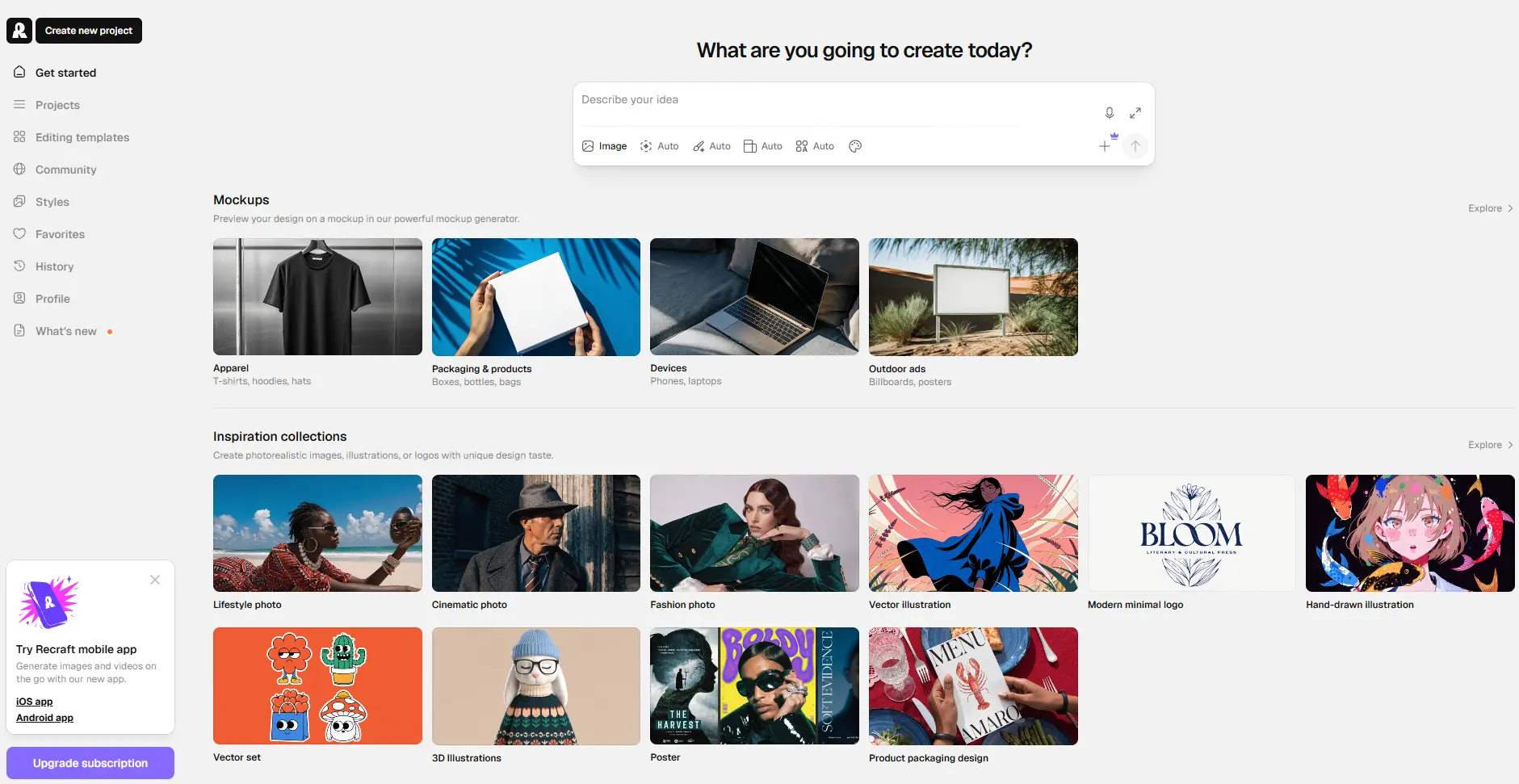
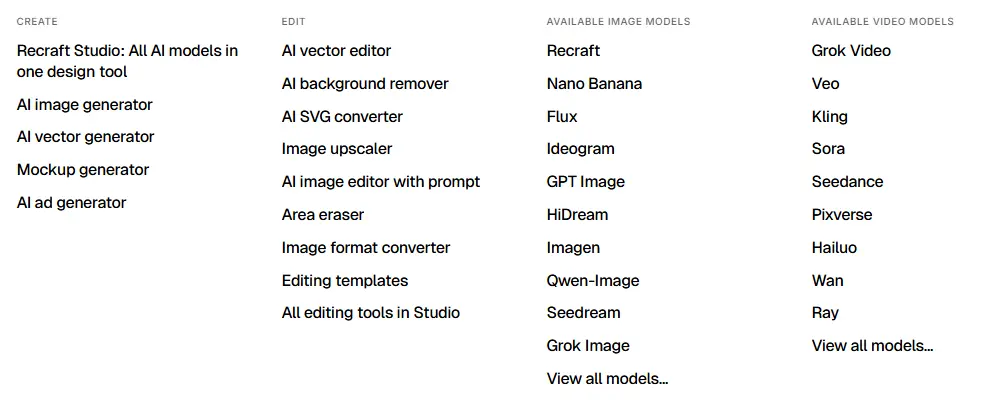
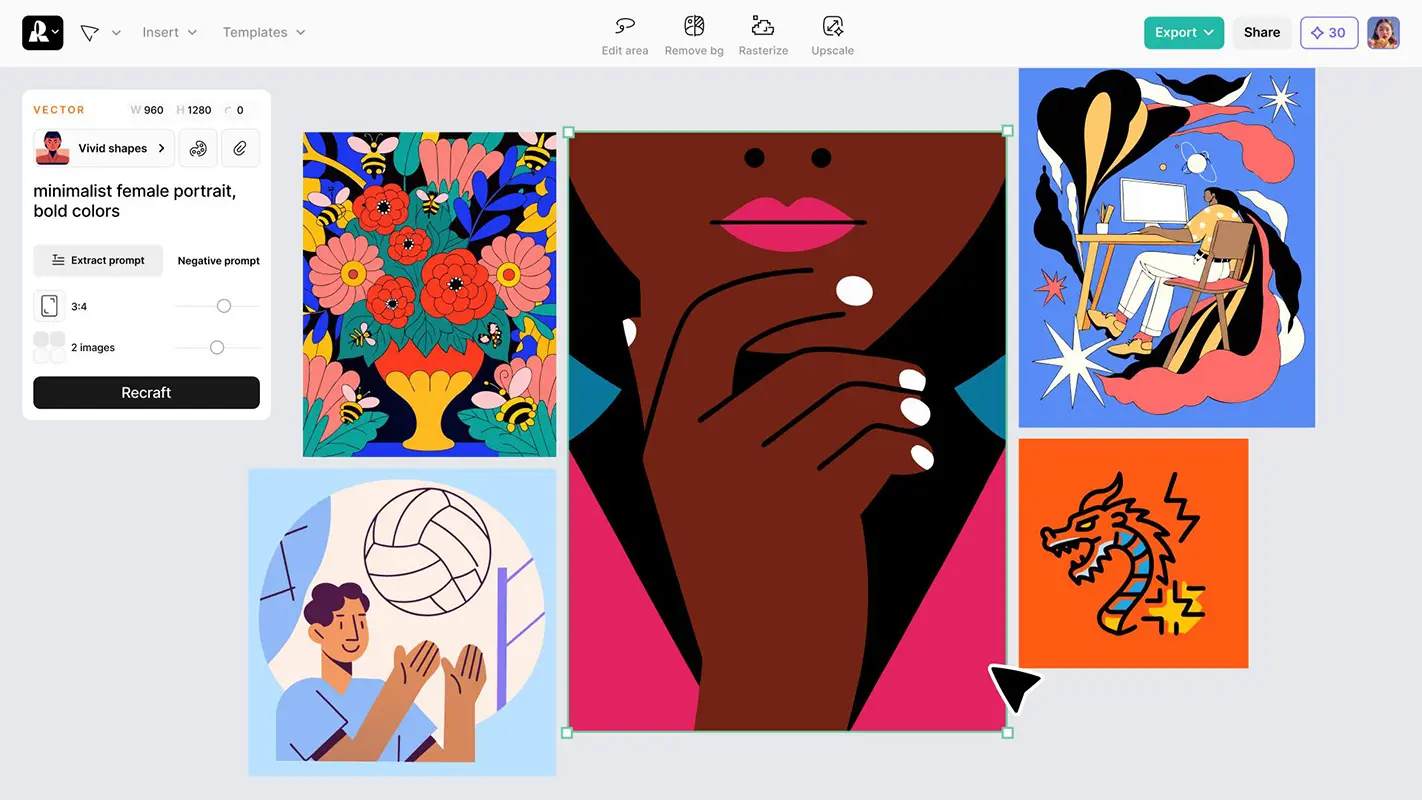
Recraft AI is an AI-powered design platform for generating and editing images, vector graphics, and creative assets. It helps users create illustrations, logos, icons, marketing visuals, and product mockups from text prompts, with tools for image editing, background removal, and vectorization. Recraft combines AI generation with design-focused controls to help creators and businesses produce visuals for digital and print projects.
Use Case
Image Generation
Target Audience
Beginners
Marketers
Designers / Creators
Business / Teams
Output Type
Image
Pricing Model
Freemium
Free Plan​
Yes
API Access
Yes
Platform / Access Type
Web App
Mobile App
Limitations
Free plan limited
Usage Limit
Feature Restrictions
Plan Restrictions
Team & Collaboration
Team Workspace

Tool Overview

What Is Recraft AI?

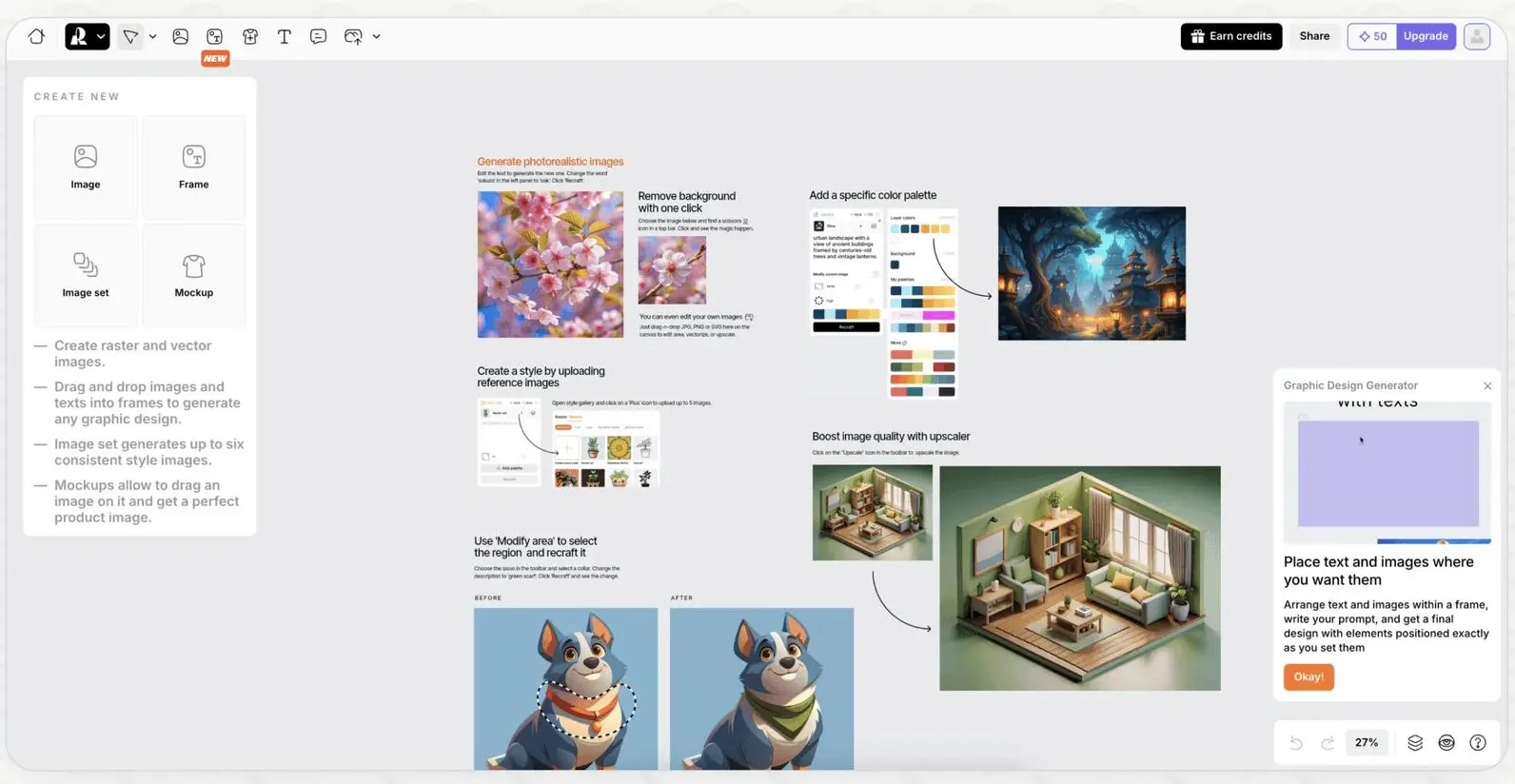
Recraft AI is an AI-powered design platform that helps users generate, edit, and refine visual content using text prompts and creative tools. It supports the creation of illustrations, vector graphics, icons, logos, marketing materials, and other digital assets, making it useful for both creative exploration and professional design workflows.

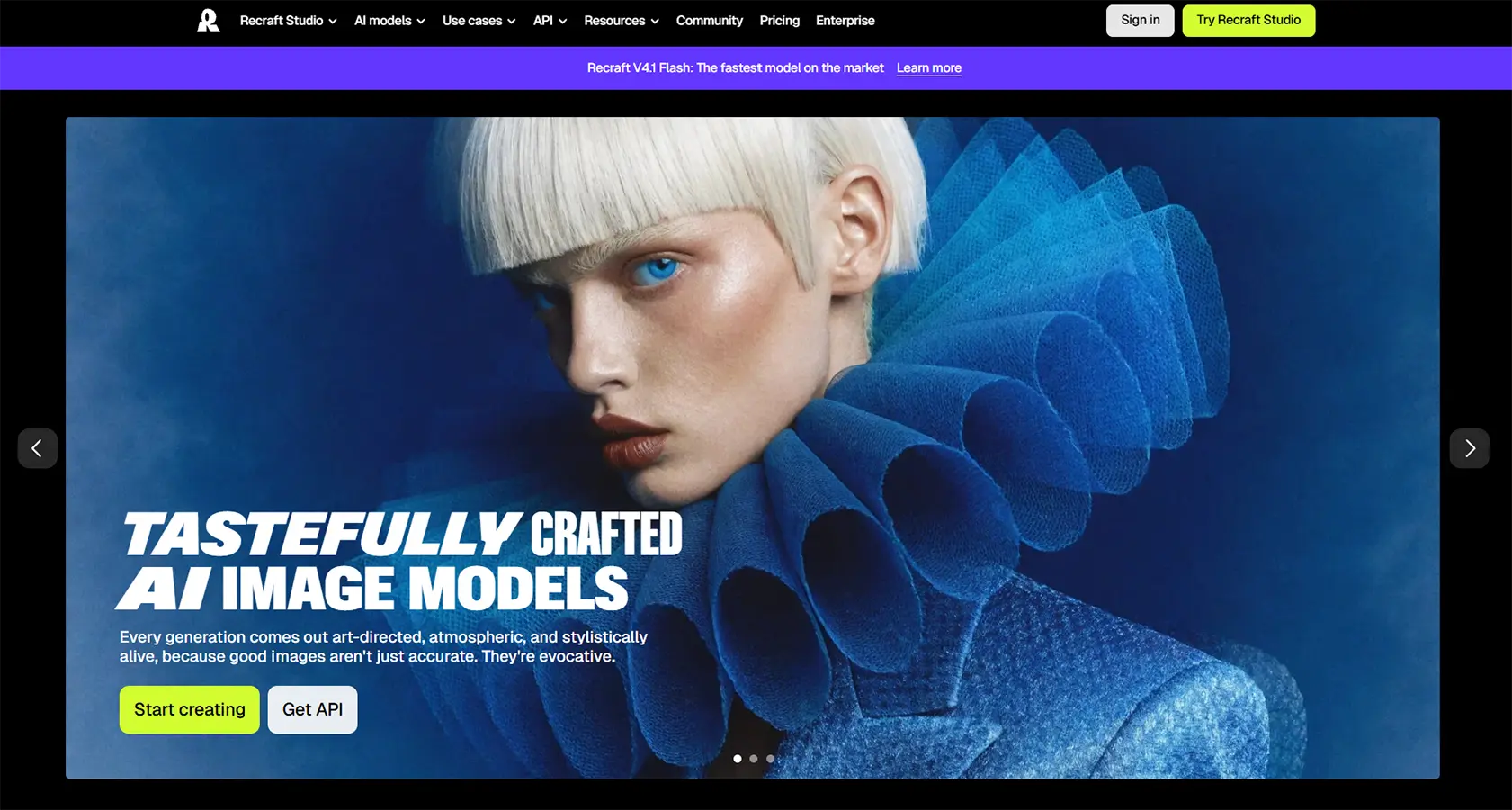
One of Recraft’s key strengths is its focus on design-oriented output. In addition to generating raster images, the platform supports vector-based graphics, which are particularly valuable for logos, icons, illustrations, and assets that may need to be resized without losing visual quality. Users can also explore different visual styles, adjust generated content, and refine designs to better match their creative goals.

Recraft AI is designed for a broad range of users, including graphic designers, marketers, content creators, entrepreneurs, and businesses that need custom visual assets. Its editing and image-generation capabilities can help users develop concepts, create campaign graphics, and produce consistent visual content without relying entirely on manual design work.

Although Recraft can speed up many creative tasks, generated designs may still require manual review and refinement. Text accuracy, precise brand requirements, and production-ready details should be checked before using the final assets in professional projects.

What Can You Use Recraft AI For?

Recraft AI supports a wide range of visual design tasks, from generating original images to creating editable vector graphics and marketing assets. Its design-focused tools make it useful for professionals and beginners who want to turn creative ideas into practical visual content.

Generating AI Images and Illustrations

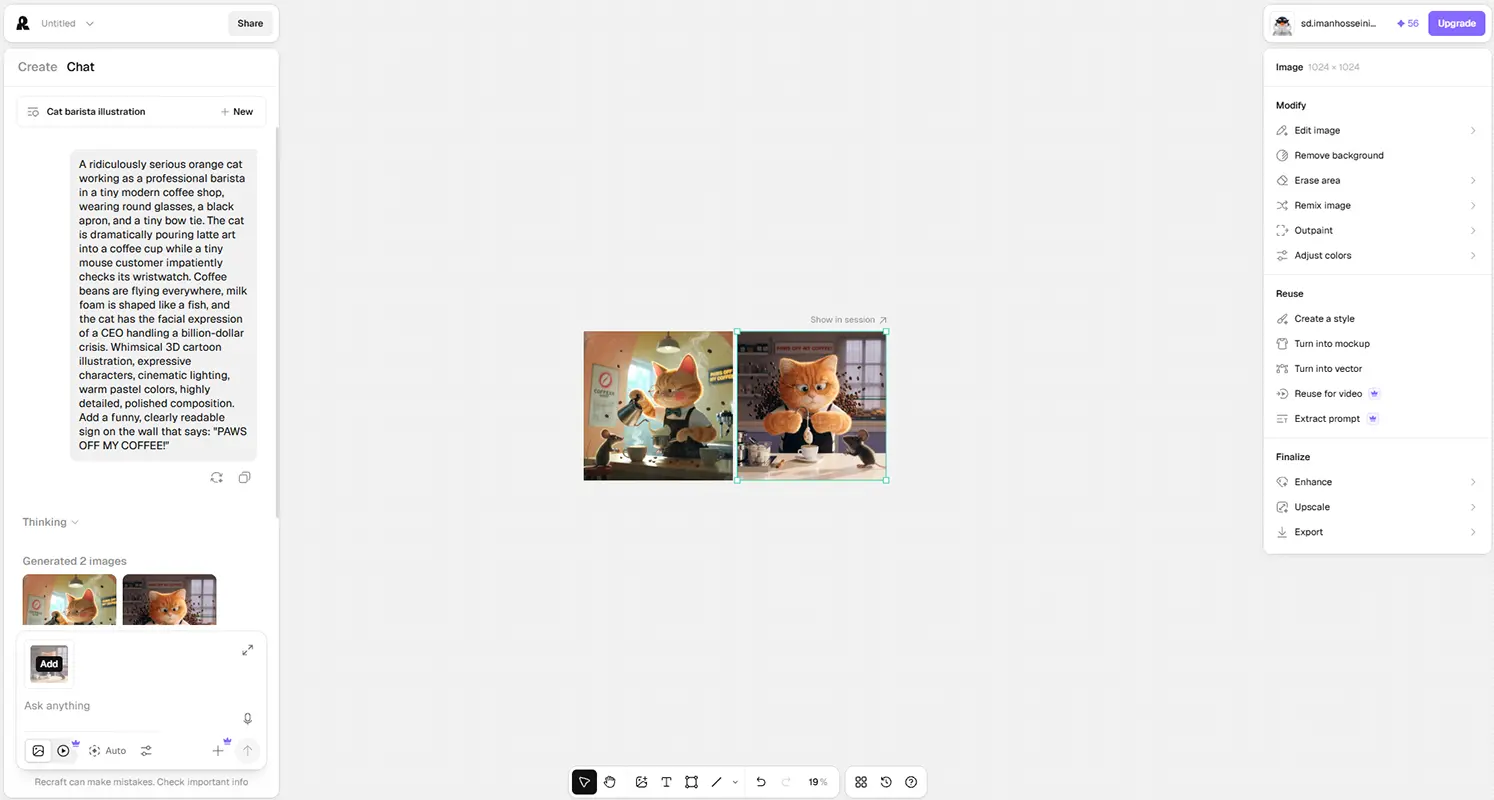
Create original images and illustrations from text prompts by describing the subject, composition, colors, lighting, and visual style you want. Recraft can help you explore different artistic directions, from realistic imagery to stylized illustrations for digital projects.

Creating Vector Graphics

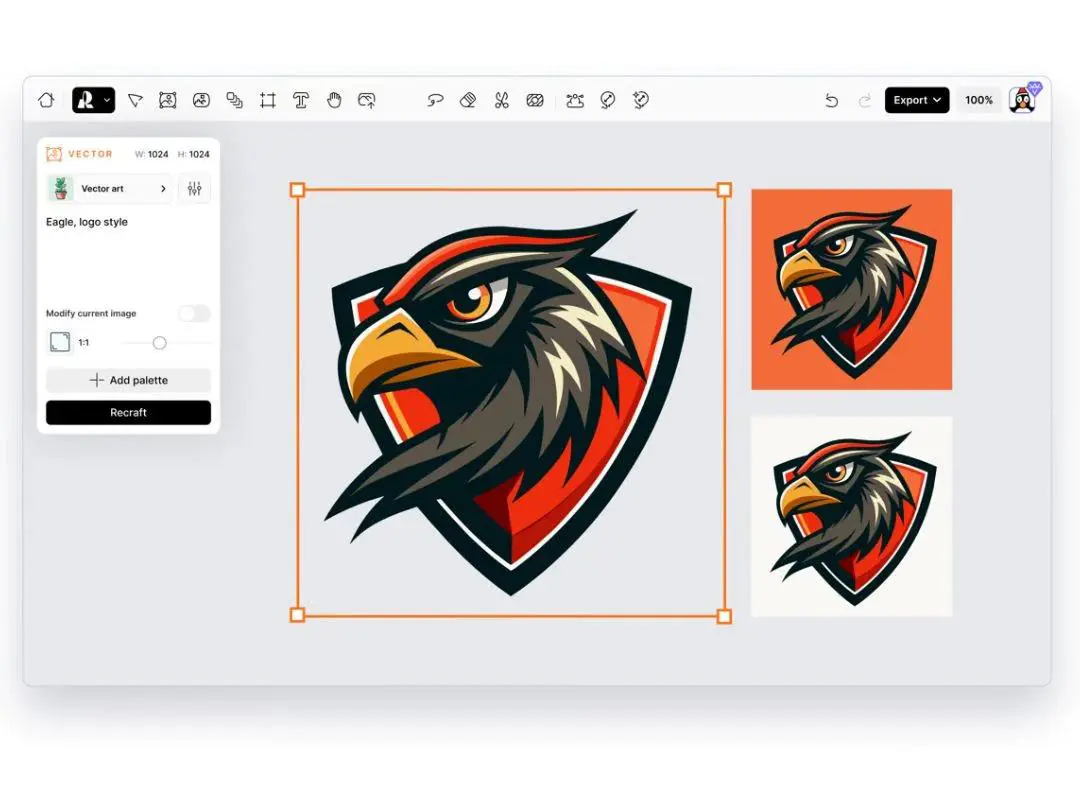
Generate vector graphics for logos, icons, illustrations, and other design assets. Vector output is especially useful when graphics need to be resized for different applications while maintaining clean edges and visual clarity.

Designing Logos and Brand Assets

Explore logo concepts, symbols, typography treatments, and visual identities for new or existing brands. Recraft can help designers develop initial ideas and experiment with different styles, although final logos should be reviewed for originality, readability, and trademark considerations.

Creating Icons and UI Elements

Develop icons, interface illustrations, and supporting graphics for websites, mobile applications, and digital products. Recraft can help teams explore visual directions and create assets that fit a particular design language.

Producing Marketing and Advertising Graphics

Create promotional visuals, campaign graphics, banners, and advertising concepts for digital marketing. By adjusting prompts and styles, marketers can generate different creative directions for campaigns and refine the options that best match their objectives.

Designing Social Media Content

Generate illustrations, post graphics, thumbnails, and other visuals for social media platforms. Recraft can help content creators develop distinctive imagery and produce variations for different campaigns, audiences, and content formats.

Creating Product Mockups and Commercial Visuals

Develop product-focused images, packaging concepts, and mockups for presentations or marketing campaigns. These visuals can help businesses communicate product ideas before investing in photography or finalized production assets.

Editing and Refining Images

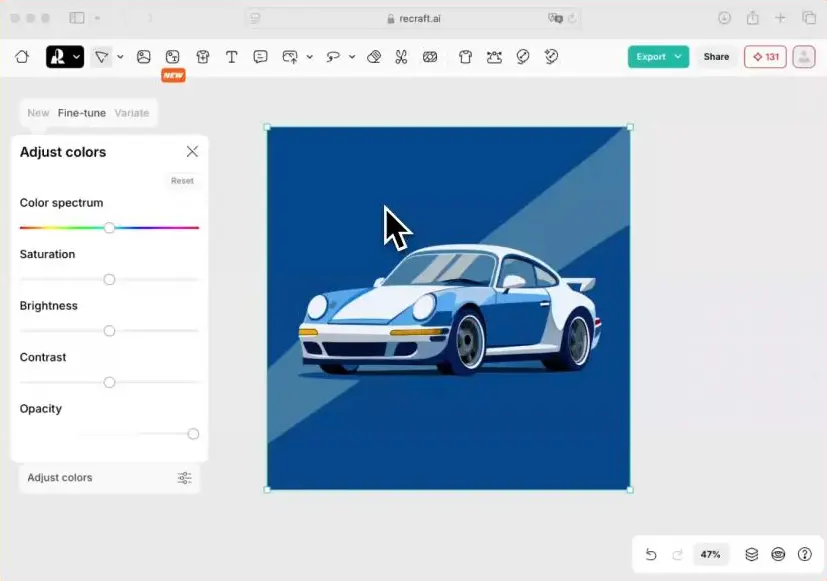
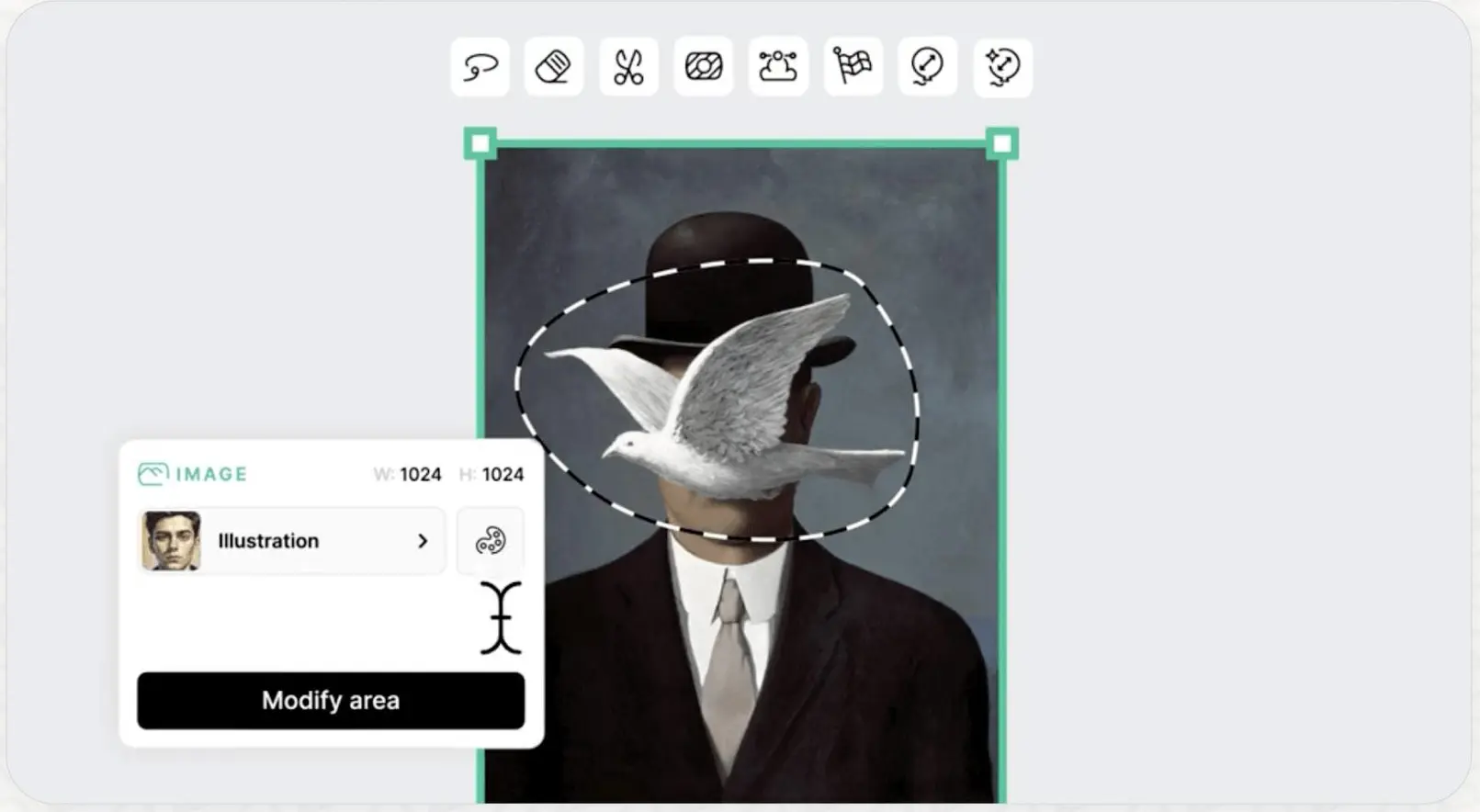
Use available editing tools to modify existing visuals, remove unwanted elements, adjust compositions, or explore alternative versions. These capabilities can help users refine generated images and adapt them to specific creative requirements.

Removing and Replacing Backgrounds

Prepare images by removing backgrounds or replacing them with alternative scenes where supported. This is useful for product visuals, promotional graphics, compositing, and other projects that require isolated subjects or cleaner compositions.

Maintaining a Consistent Visual Style

Create visual assets that follow a particular aesthetic, color palette, or design direction. Recraft’s style-oriented controls can help designers explore more consistent results across illustrations and related creative materials, although brand consistency may still require manual review.

Preparing Graphics for Print and Digital Projects

Develop illustrations, icons, and other visual assets for websites, presentations, printed materials, and commercial projects. Choosing the appropriate file format and checking dimensions, resolution, and export settings helps ensure the final artwork is suitable for its intended use.

Integrating Image Generation into Workflows

Developers can use Recraft’s API to integrate supported image-generation capabilities into applications and automated workflows. This can help businesses build tools for creating visual assets at scale, subject to current API features, pricing, and usage limits.

Who Is Recraft AI For?

Recraft AI is designed for people who need custom visual content for creative, commercial, and digital projects. Its combination of AI image generation, vector graphics, and design-focused editing tools makes it useful for a variety of users, from beginners exploring AI design to professionals developing production assets.

Graphic Designers and Digital Artists

Graphic designers and digital artists can use Recraft to explore creative concepts, generate illustrations, and develop vector-based assets. Its design-oriented features can support early ideation and help professionals experiment with different visual styles before refining their final work.

Brand Designers and Logo Creators

Brand designers can use Recraft to explore logo concepts, icons, typography treatments, and visual identity directions. Vector graphics can be particularly useful for branding projects, although final assets should be reviewed and refined to meet professional requirements.

Marketers and Advertising Professionals

Marketing teams can generate campaign visuals, promotional graphics, advertising concepts, and branded creative assets. Recraft can help marketers explore multiple design directions and develop visuals for different campaigns without creating every concept manually.

Content Creators and Social Media Managers

Content creators can use Recraft to produce illustrations, thumbnails, social media graphics, and other digital visuals. Its image-generation capabilities can help them develop distinctive creative assets for recurring content and promotional campaigns.

Small Business Owners and Entrepreneurs

Entrepreneurs and small business owners can use Recraft to explore branding ideas, create promotional materials, and develop visual content for websites and online stores. It offers a way to experiment with creative concepts before committing to more extensive design work.

UI/UX Designers and Product Teams

UI/UX designers and digital product teams can use Recraft to develop icons, interface illustrations, onboarding graphics, and supporting visual elements. These assets can help teams explore different design directions and establish a more cohesive visual language for digital products.

E-Commerce Sellers

E-commerce sellers can create product-focused visuals, promotional banners, packaging concepts, and supporting graphics for online storefronts. Recraft can help generate marketing assets, although product representations should be checked for accuracy before publication.

Print-on-Demand Creators

Print-on-demand creators can explore artwork for apparel, posters, stickers, and other merchandise. Vector-based graphics can be useful for designs that need to scale across different product sizes, but users should check export quality, licensing terms, and intellectual property considerations before selling their work.

Marketing Agencies and Creative Teams

Agencies and creative teams can use Recraft to develop visual concepts for clients, generate alternative design directions, and accelerate creative production. Team-oriented workflows may also help eligible users organize design work, depending on the available plan and collaboration features.

Developers Building AI-Powered Applications

Developers can integrate supported Recraft capabilities into applications through its API. This is useful for products that need automated image generation or custom visual asset creation, subject to the API’s current capabilities, usage limits, and pricing.

Key Features

AI Image Generation

Generate original images from text prompts by describing the subject, composition, colors, and visual style. Recraft helps users turn creative ideas into illustrations and other visual assets.

Vector Graphics Generation

Create vector-based illustrations and graphic assets for logos, icons, and design projects. Vector output is especially useful for artwork that needs to scale across different sizes without losing sharpness.

Advanced Text Rendering

Generate visuals that incorporate text, lettering, and typography. This capability is useful for promotional graphics, posters, and other designs where text plays an important visual role.

Consistent Visual Styles

Explore and apply visual styles to create artwork with a more cohesive appearance. This can help designers develop related assets for branding, campaigns, and digital content.

AI Image Editing

Refine existing images and generated visuals using available editing tools. Users can modify selected elements, adjust compositions, and explore alternative versions without necessarily starting from scratch.

Background Removal

Remove backgrounds from images to isolate subjects for product graphics, promotional materials, and other design projects. This can simplify the preparation of assets for use across different layouts.

Background Replacement

Replace image backgrounds with alternative visual settings where supported. This feature can help users adapt product images and creative assets to different campaign concepts or design requirements.

Image Upscaling

Improve the size and usability of supported images through upscaling tools. This can help prepare visual assets for larger displays and selected production workflows, although the final quality depends on the original image and processing method.

Mockup Creation

Develop product and presentation mockups to explore how designs may appear on merchandise, packaging, or other surfaces. Mockups can help communicate creative concepts before final production.

Custom Design Controls

Adjust available generation settings, styles, and other design parameters to guide the output toward a desired look. These controls help users explore different creative directions and refine results.

API Integration

Integrate supported Recraft image-generation capabilities into applications and automated workflows through the API. This allows developers to build custom experiences around AI-generated visual content.

Commercial Design Workflows

Create visual assets for marketing, branding, digital products, and other business projects. Before using generated content commercially, users should review the applicable licensing terms and ensure that the final assets meet their requirements.

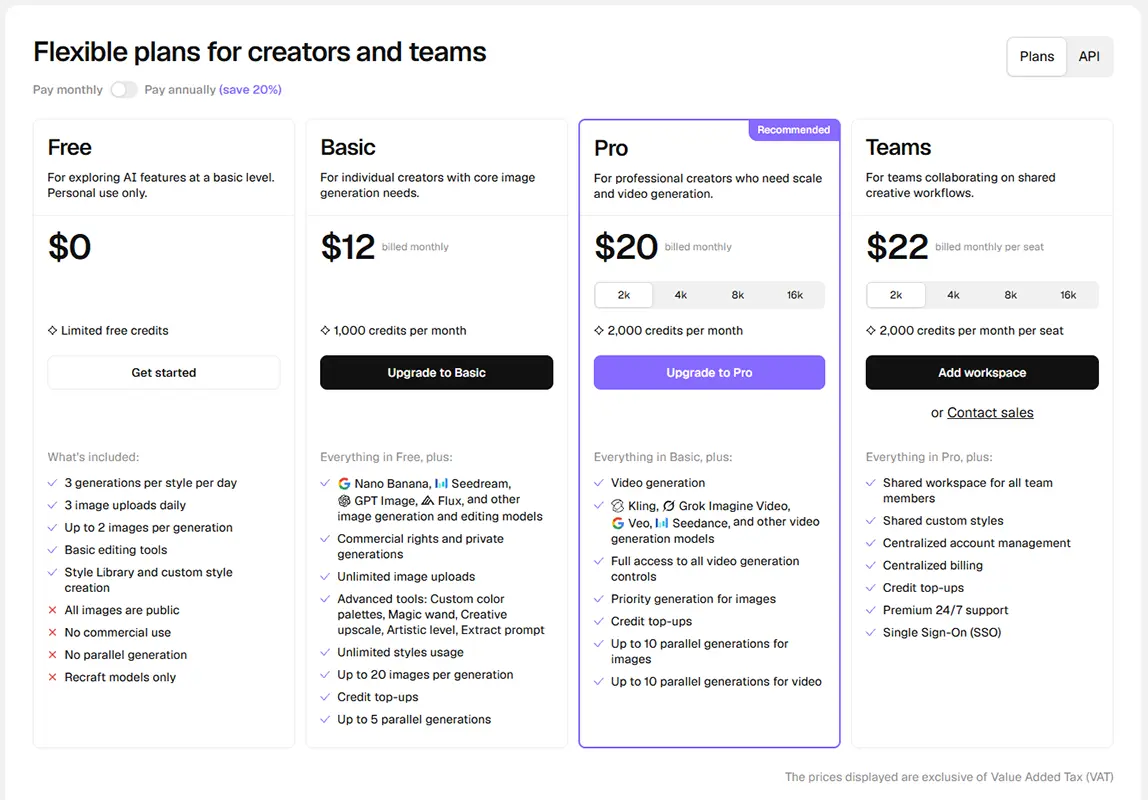
Recraft AI offers a free plan for exploring AI-powered image generation and paid subscriptions for users who need higher usage limits, private image generation, and commercial rights. Its plans are designed for individual creators, professional designers, and teams with different visual production needs.

Recraft uses a credit-based system, so the number of images you can generate depends on the selected model and the operation being performed. Paid plans include monthly credits, while additional credits may be purchased separately on eligible plans. Subscription credits reset each billing cycle and do not roll over.

Pricing & Plans

Free $0 / month

For exploring the platform - Limited free usage - Image and vector generation - Basic editing tools - Public generations - No commercial rights for free-plan assets

Basic $12/month

For individual creators - 1,000 monthly credits - Private image generation - Commercial usage rights - Access to additional models - Credit top-ups available

Pro $20/month

For professional creators - 2,000 monthly credits at the entry tier - Priority generation - Private generations and commercial rights - Video-generation capabilities - Higher-credit tiers available at additional cost

Teams $22/seat/month

For collaborative teams - 2,000 monthly credits per seat at the entry tier - Shared workspace and styles - Centralized account management - Team administration and SSO - Premium support
Feature Free Basic Pro Teams
Monthly price $0 $12 From $20 From $22/seat
Included credits Limited 1,000/month 2,000/month at entry tier 2,000/month per seat at entry tier
Image generation Limited Yes Yes Yes
Vector generation Available Available Available Available
Image editing Limited Yes Yes Yes
Private generations No Yes Yes Yes
Commercial usage rights No Yes Yes Yes
Priority generation Limited Plan dependent Yes Plan dependent
Credit top-ups No Yes Yes Yes; shared across workspace
Shared workspace No No No Yes
Centralized administration No No No Yes
API access Separate API billing Separate API billing Separate API billing Separate API billing

.recraft-pricing-table {
width: 100%;
overflow-x: auto;
-webkit-overflow-scrolling: touch;
margin: 16px 0;
}
.recraft-pricing-table table {
width: 100%;
min-width: 760px;
border-collapse: collapse;
font-size: 14px;
}
.recraft-pricing-table th,
.recraft-pricing-table td {
border: 1px solid #dedede;
padding: 12px;
text-align: left;
vertical-align: top;
}
.recraft-pricing-table thead th {
background: #f5f5f5;
font-weight: 600;
}
.recraft-pricing-table tbody tr:nth-child(even) {
background: #fafafa;
}

User Environment

FAQ

What Is Recraft AI Used For? +
Recraft AI is used to generate and edit images, vector graphics, illustrations, icons, logos, and marketing visuals. It helps users create visual assets for branding, social media, digital products, and other creative projects.
Is Recraft AI Free to Use? +
Yes, Recraft offers a free plan with limited usage. Paid subscriptions provide additional credits and access to features such as private image generation and commercial usage rights. Check the official pricing page for current plan details.
Can Recraft AI Generate Vector Graphics? +
Yes. Recraft supports vector graphic generation, making it useful for creating illustrations, icons, and other assets that need to scale across different sizes. Always check the available export formats and editing options for your selected workflow.
Can Recraft AI Create Logos? +
Recraft can help generate logo concepts, symbols, and branding ideas. However, generated logos may require manual refinement. Before using a design as an official brand identity, check its originality and potential trademark conflicts.
Does Recraft AI Support Image Editing? +
Yes. Recraft provides AI-powered image editing tools that help users refine generated visuals and modify existing images. Available editing options may vary depending on the selected tool, model, and plan.
Can I Use Recraft AI Images Commercially? +
Commercial usage rights depend on the applicable plan and Recraft's current terms. Paid subscriptions may include commercial rights, while free-plan assets can have different restrictions. Review the official terms before using generated content in advertising, products, or client projects.
Does Recraft AI Offer an API? +
Yes. Recraft offers an API for integrating supported image-generation capabilities into applications and automated workflows. API usage is billed separately from Studio subscriptions, so developers should review the current API documentation and pricing.
Is Recraft AI Suitable for Beginners? +
Yes. Recraft allows users to create visual content from text prompts without requiring advanced design skills. Beginners can experiment with different prompts and styles, then refine the results using the available editing tools.
Can Recraft AI Maintain a Consistent Visual Style? +
Recraft offers style-oriented controls that can help users create related visual assets with a more cohesive appearance. However, exact brand consistency is not guaranteed, so important assets should be reviewed and adjusted before publication.
What Are the Main Limitations of Recraft AI? +
Recraft uses a credit-based system, so usage depends on the selected plan and the type of generation or editing task. Some features require a paid subscription, and generated content may need manual correction to meet precise design, text, or brand requirements.
Is Recraft AI Better for Vector Design or Raster Images? +
Recraft supports both raster image generation and vector-oriented design workflows. It can be especially useful when creating illustrations, icons, and scalable graphics, while the best choice for a specific project depends on the required format, editing control, and final output.
Does Recraft AI Support Team Collaboration? +
Recraft offers team-oriented plans and collaboration features for eligible users. Available workspace, administration, and account-management capabilities depend on the current subscription.

Pros & Cons

Pros

  • Powerful Vector Design Capabilities: Recraft supports vector graphics creation, making it useful for illustrations, icons, and scalable design assets.
  • Versatile Image Generation: Users can generate a wide range of visuals, from illustrations and concept art to marketing graphics and product visuals.
  • Design-Focused Features: Style controls and editing tools help users refine generated content for specific creative projects.
  • Useful for Branding Projects: Recraft can help designers explore logo concepts, icons, and visual identity ideas.
  • Built-In Image Editing Tools: Users can refine images and prepare visual assets without relying entirely on separate editing software.
  • API Integration: Developers can integrate supported image-generation capabilities into applications and automated workflows.
  • Accessible to Beginners: Text-based prompting makes it possible to create visual content without extensive graphic design experience.
Cons

  • Credit-Based Usage: Image generation and editing consume credits, so available usage depends on the plan and the type of operation.
  • Limited Free Plan: Free users have restricted access to generation resources and some advanced features.
  • Generated Designs May Need Refinement: Images, lettering, and intricate details may require manual corrections before professional use.
  • Not a Complete Replacement for Design Software: Complex layouts, precise vector adjustments, and detailed production work may still require dedicated design applications.
  • Plan-Dependent Features: Access to private generation, higher usage limits, and certain professional capabilities depends on the subscription.
  • Commercial Usage Restrictions: Users should review the applicable license and terms before using generated assets in commercial projects.
  • API Costs Are Separate: Developers may need a separate API budget in addition to a Studio subscription.

Reviews

There are no reviews yet.

Be the first to review “Recraft”

Your email address will not be published. Required fields are marked *

eleven + thirteen =