
Home - AI Audio Tools - Runway
Runway tool logo

Pricing model: Original price was: $15.00.Current price is: $12.00. Per Month

Follow in social:

Runway

Runway: Explore AI Video Creation & Creative Tools

Runway is an AI-powered creative platform for generating, editing, and transforming videos, images, and audio. Explore Runway’s AI models, creative tools, workflows, pricing, and plans to find out if it’s the right platform for your creative projects.
AI Audio Tools
Audio Tools
AI Video Tools
Video Tools
AI Image Tools
Image Tools
Use Case
Image Generation
Video Creation
Audio & Voice
Automation & Agents
Target Audience
Beginners
Marketers
Designers / Creators
Business / Teams
Output Type
Image
Video
Audio
Pricing Model
Freemium
Free Plan​
Limited
API Access
Yes
Platform / Access Type
Web App
Mobile App
Limitations
Free plan limited
Watermark
Usage Limit
Feature Restrictions
Plan Restrictions
Team & Collaboration
Team Workspace

Tool Overview

What Is Runway?

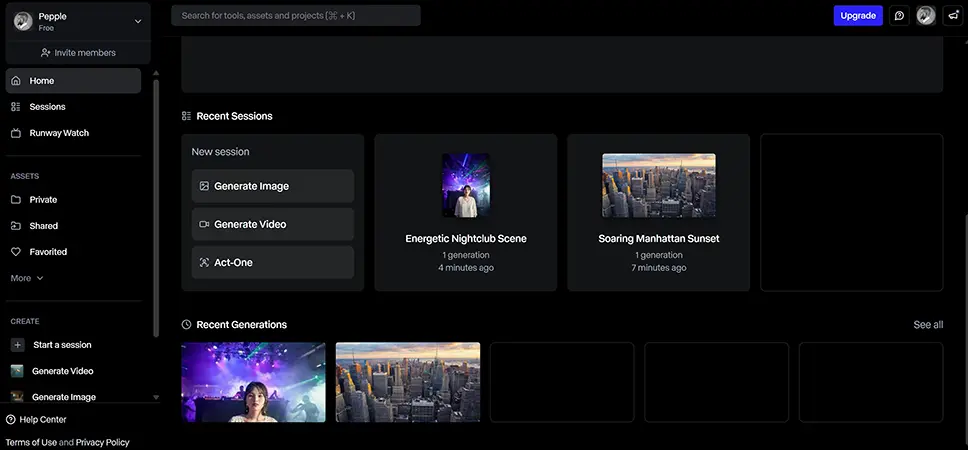
Runway is a generative AI creative platform designed to help creators produce and transform video, images, audio, and other visual content. Rather than focusing on a single generation model, Runway brings multiple AI models and creative workflows into one environment, allowing users to generate video from text or images, edit existing footage, create visual assets, and build more complex creative projects.

Its latest tools go beyond simple text-to-video generation. Runway offers AI-powered video editing through Edit Studio, conversational creative production through Runway Agent, and node-based Workflows for building repeatable creative pipelines.

What Can You Use Runway For?

Runway is primarily designed for AI-powered video creation and visual production, but its capabilities extend well beyond generating short clips from text prompts.

AI Video Generation

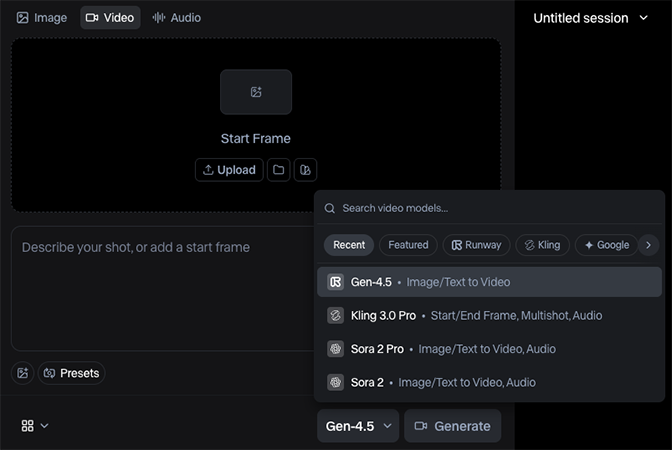
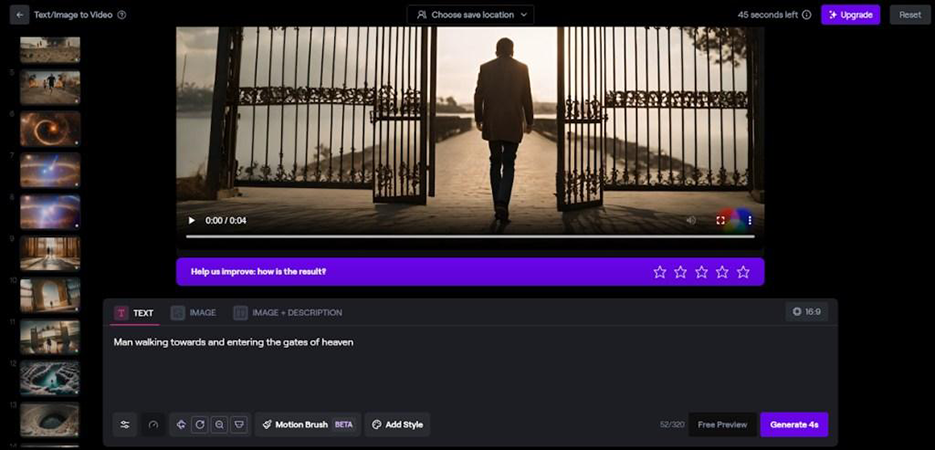
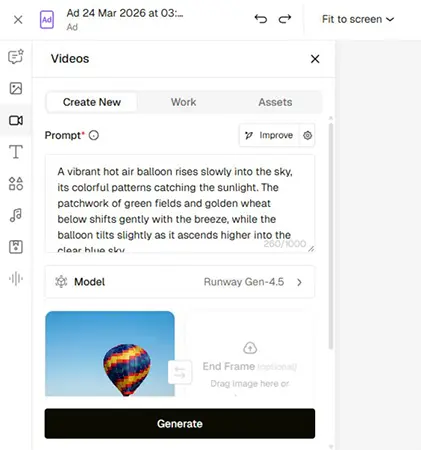
Runway can generate video from text prompts or transform an existing image into a video. Its Gen-4.5 model currently supports both Text-to-Video and Image-to-Video, giving creators control over elements such as subject movement, camera motion, timing, and visual style.

Video Editing & Transformation

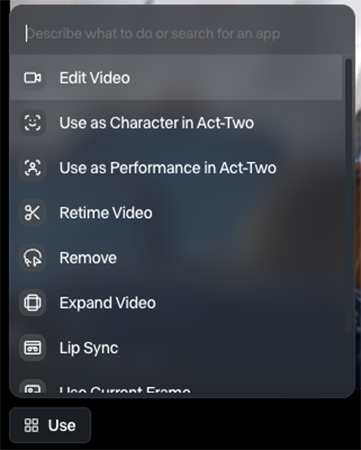
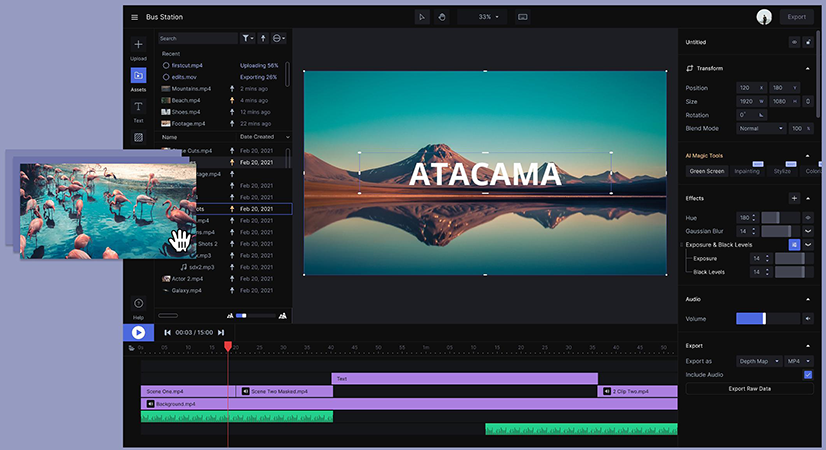
Runway can also modify existing footage using generative AI. Edit Studio allows users to make changes such as replacing backgrounds, swapping products or characters, removing objects, changing environments, and adding visual effects through natural-language instructions.

Advertising & Marketing Content

Marketers can use Runway to create product visuals, social media videos, advertisements, campaign variations, and other creative assets without producing every variation through traditional filming and post-production.

Creative Development & Pre-Production

Runway can help creators explore concepts, develop visual references, create storyboards, generate character and mood references, and iterate on visual ideas before committing to a full production.

Multi-Shot & Creative Projects

Runway Agent can work across multiple stages of a creative project, including planning, generating images and video, creating multi-shot sequences, developing storyboards, and assembling video timelines.

Automated Creative Workflows

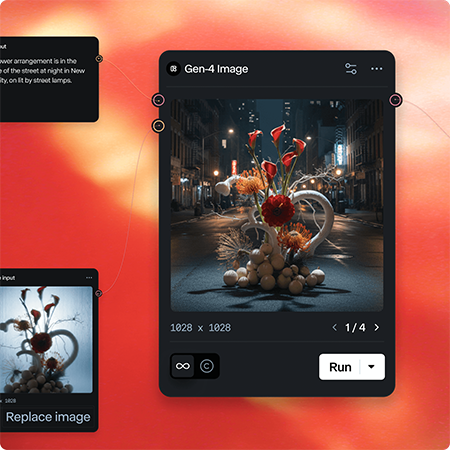
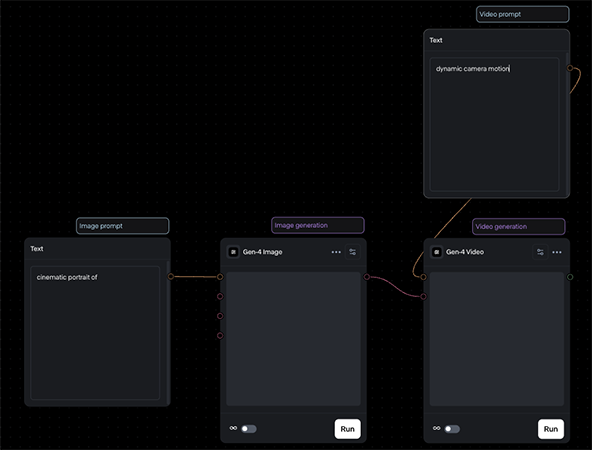
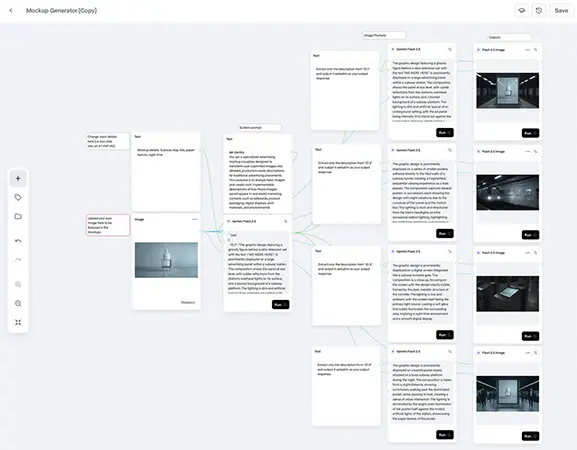
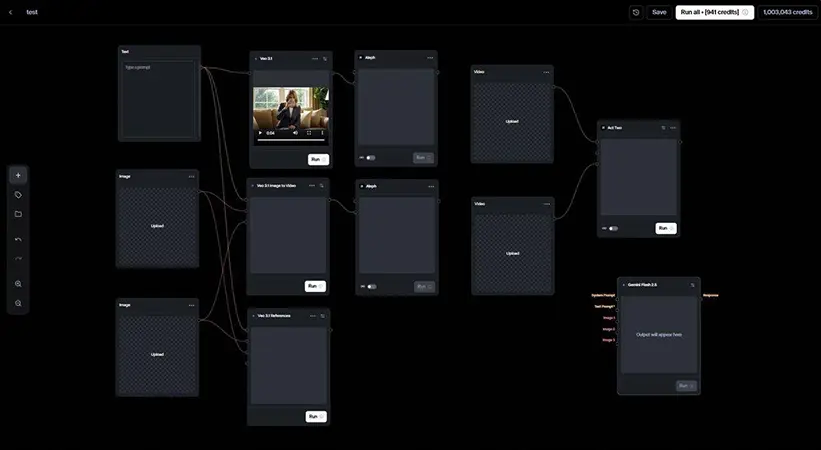
For more advanced users, Runway Workflows provides a node-based environment for connecting creative steps into customized and repeatable pipelines. This is particularly useful when a creator or team repeatedly performs the same type of production process.

Who Is Runway For?

Runway is primarily built for designers, filmmakers, video creators, marketers, creative teams, and other professionals who need to produce visual content quickly.

Designers & Creators

Runway is particularly useful for creators who want to experiment with generative video, visual effects, animation, image generation, and rapid creative iteration without building every asset from scratch.

Video Professionals & Filmmakers

Its generative video and transformation tools can complement traditional production and post-production workflows, from concept development and previsualization to VFX-style transformations and footage editing.

Marketers & Advertising Teams

Marketing teams can use Runway to produce social content, product videos, campaign concepts, ad variations, and visual assets for different audiences or platforms.

Creative Teams & Businesses

Teams can use Runway for collaborative creative production, particularly when they need to generate and iterate on a large volume of visual content.

Beginners Exploring AI Video

Runway is also accessible to users without professional video-editing experience. Its Apps and Agent interfaces can simplify many creative tasks by allowing users to describe what they want instead of manually configuring every production step.

Key Features

Advanced AI Video Generation

Generate high-quality videos from text prompts or reference images with Runway’s latest generative video models. Gen-4.5 supports both Text-to-Video and Image-to-Video, with an emphasis on motion quality, prompt adherence, and visual fidelity.

AI Video Editing & Transformation

Transform existing footage with AI instead of rebuilding scenes from scratch. Runway’s Edit Studio can change backgrounds, replace objects or characters, restyle footage, adjust lighting, and add visual effects using natural-language prompts.

Runway Agent

Use Runway Agent as a conversational creative partner that can plan, generate, edit, and organize complete creative projects. It can work across images, video, audio, storyboards, scripts, and multi-shot timelines while selecting suitable models for different tasks.

Creative Workflows

Build customized, repeatable creative pipelines by connecting AI models and media-processing steps in a node-based workflow editor. Workflows can automate repetitive tasks, combine multiple generations, and create reusable production processes.

Character Animation & Performance Capture

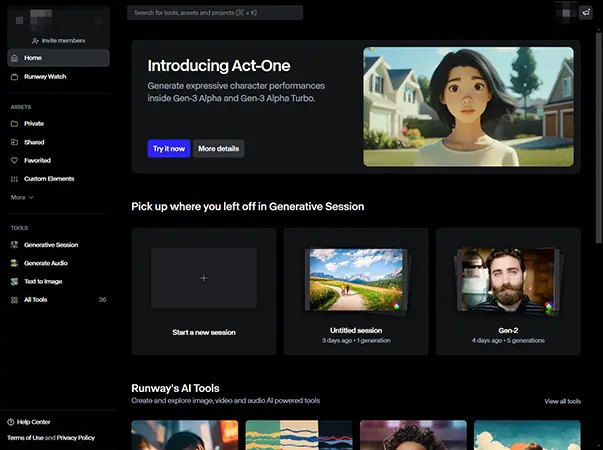
Bring characters to life by transferring movement, speech, and expressions from a driving performance onto a character reference. Act-Two can turn a performance video into an animated character performance while preserving realistic motion and expression.

Multimodal Creative Production

Go beyond video with AI-powered image, audio, voice, and music generation and editing. Runway brings these capabilities into the same creative environment, allowing creators to develop multiple parts of a project without switching between separate AI tools.

Pricing & Plans

Runway currently uses a credit-based subscription model. The amount of monthly credits varies by plan, while different AI models and tools consume different amounts of credits. The Free plan includes a one-time credit allocation, while paid plans provide monthly credits and allow users to purchase additional credits when needed.

Pricing & Plans

Free — $0/month

The Free plan is designed for trying Runway before committing to a paid subscription. It includes 125 one-time credits, 5 GB of asset storage, and access to a limited selection of generative AI tools. The credits do not renew after they are used. Best for: Testing Runway and exploring its basic AI capabilities.

Standard — $15/month

The Standard plan includes 625 credits per month and is aimed at creators who want more generation capacity than the Free plan provides. It also unlocks additional models and tools and allows users to purchase additional credits when needed. Best for: Beginners and creators with light or occasional AI video usage.

Pro — $35/month

The Pro plan provides 2,250 credits per month, 500 GB of asset storage, and access to Runway's broader collection of image and video models, including third-party models. It also adds features such as Custom Voices and Text to Speech. Best for: Creators producing AI video regularly or working on more demanding projects.

Max — $95/month

Max is Runway's high-volume plan, offering 9,500 credits per month, access to all available Runway models, faster generation, and the ability to roll over up to one month of unused credits. It is designed for creators and teams producing large volumes of content or working under deadlines. Best for: Professional creators, production teams, and high-volume AI video workflows.

Enterprise — Custom Pricing

The Enterprise plan is designed for organizations that need Runway at a larger scale, with workspace-oriented collaboration and enterprise requirements. Pricing and included resources are customized based on the organization's needs. Best for: Larger creative teams, agencies, and organizations with enterprise-level requirements.
Plan Price Monthly Credits Best For
Free $0 125 one-time credits Testing Runway
Standard $15/month 625 Light creative use
Pro $35/month 2,250 Regular creators
Max $95/month 9,500 High-volume production
Enterprise Custom Custom Teams & organizations

User Environment

FAQ

Is Runway free to use? +
Yes. Runway offers a Free plan with a limited amount of one-time credits. Paid plans provide recurring monthly credits and unlock additional capabilities.
How much does Runway cost? +
Runway offers Free, Standard, Pro, Max, and Enterprise options. Paid plans start at $15 per month for Standard, while Pro and Max cost more and provide substantially larger monthly credit allowances.
Does Runway generate videos from text? +
Yes. Runway's Gen-4.5 supports Text-to-Video, allowing users to describe a scene and its motion in a prompt to generate a video.
Can Runway turn an image into a video? +
Yes. Gen-4.5 supports Image-to-Video, allowing users to upload an image and describe the desired motion to animate it.
Does Runway add a watermark to free generations? +
Yes. Videos generated on the Free plan include a Runway watermark. Removing the watermark requires a paid plan.
Can Runway edit existing videos? +
Yes. Runway provides AI-powered editing and transformation capabilities, allowing users to modify existing footage rather than only generating new videos from scratch.
Is Runway a traditional video editor like Premiere Pro? +
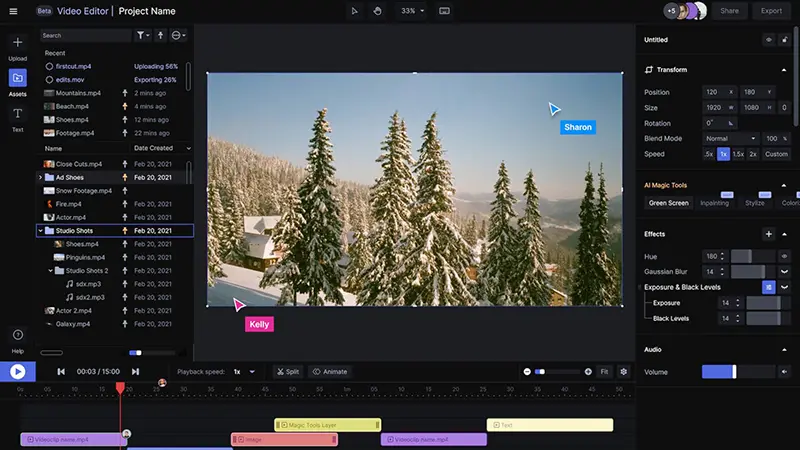
Not exactly. Runway is primarily a generative AI creative platform. It can handle certain editing and assembly tasks, but Runway itself recommends using a local video editor for larger projects that require more extensive traditional editing.
Does Runway have an API? +
Yes. Runway provides an API that allows developers to integrate its generative AI models and capabilities into their own applications and workflows.
Can Runway automate creative workflows? +
Yes. Runway Workflows provides a node-based environment for creating automated, customized, and scalable creative pipelines. Runway Agent can also build and run Workflows through natural-language instructions.
Is Runway good for professional video production? +
Runway can be highly useful for professional creative workflows, including concept development, advertising, visual effects, social content, and generative video production. However, its suitability depends on the project; traditional long-form editing and complex post-production may still be better handled by dedicated video-editing software.

Pros & Cons

Pros

  • Advanced AI Video Generation: Runway offers powerful generative video models with strong control over motion, composition, and visual direction, including Text-to-Video and Image-to-Video with Gen-4.5.
  • Powerful Creative Editing: Beyond generation, Runway can transform existing footage through AI-powered editing tools such as object removal, background changes, and other visual modifications.
  • Broad Creative Toolkit: Runway combines video, image, audio, animation, editing, and workflow capabilities in one platform, reducing the need to switch between multiple specialized AI tools.
  • Strong Workflow Automation: Workflows and Agent allow users to connect creative tasks and build repeatable production processes, which is particularly useful for professional and high-volume work.
  • Commercial Usage Rights: Users retain ownership of content they create on Runway and can use their generations commercially without a formal requirement to credit Runway.
  • Free Plan Available: Users can test Runway with 125 one-time credits before committing to a paid subscription.
Cons

  • Credit Consumption Can Be High: Generative video can consume credits quickly. For example, Gen-4.5 currently costs 12 credits per second, making frequent experimentation expensive on lower-tier plans.
  • Free Plan Is Heavily Limited: The Free plan provides only a one-time credit allocation, access to a limited selection of models, and watermarked video output.
  • Short Generation Durations: Generative video is still primarily designed around relatively short clips. Gen-4.5 currently supports generations between 2 and 10 seconds, so longer productions require multiple generations and additional editing.
  • Not a Full Professional Video Editor: Runway's traditional video editor is no longer actively maintained, with the company recommending dedicated local editors for larger projects that require extensive editing.
  • Results Can Require Iteration: Even with strong prompt adherence and visual quality, getting a specific creative result may require multiple generations, which can increase both time and credit usage.
  • Advanced Features Require Paid Plans: Some of Runway's most capable models and features are restricted to paid plans, limiting what users can fully explore on the Free tier.

Reviews

There are no reviews yet.

Be the first to review “Runway”

Your email address will not be published. Required fields are marked *

9 − 7 =