


Synthesia
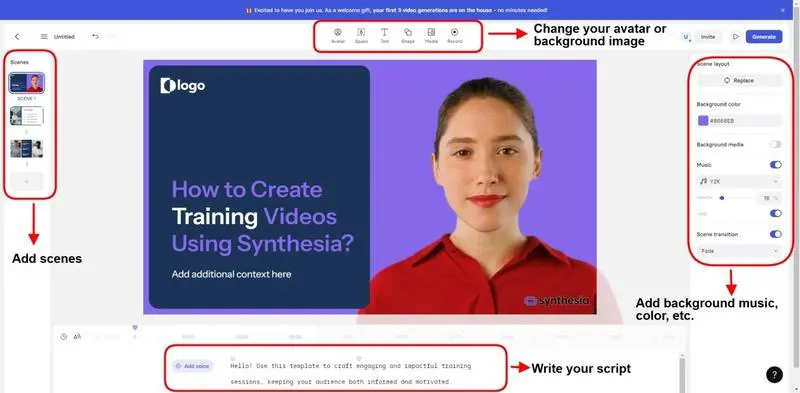
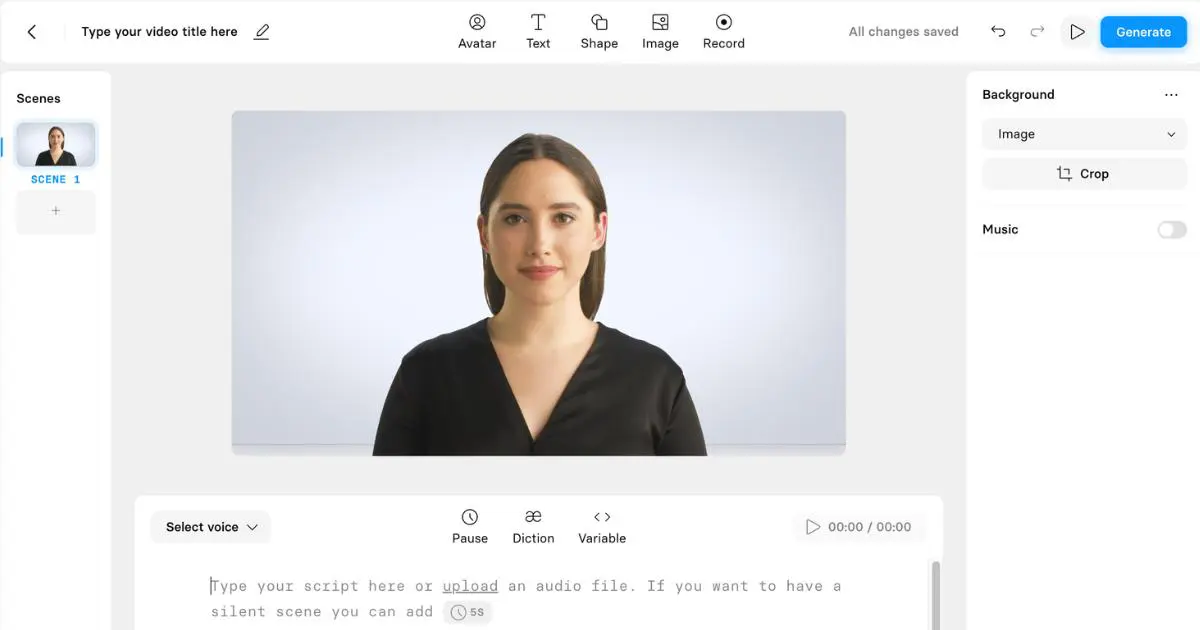
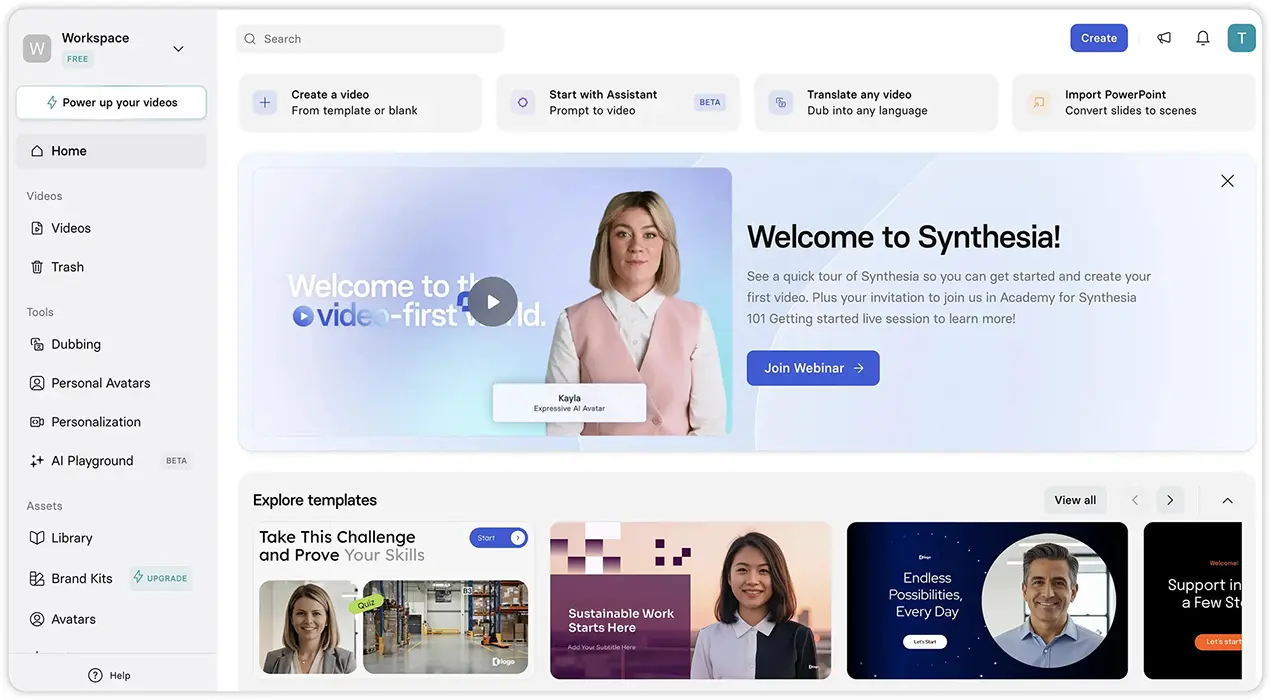
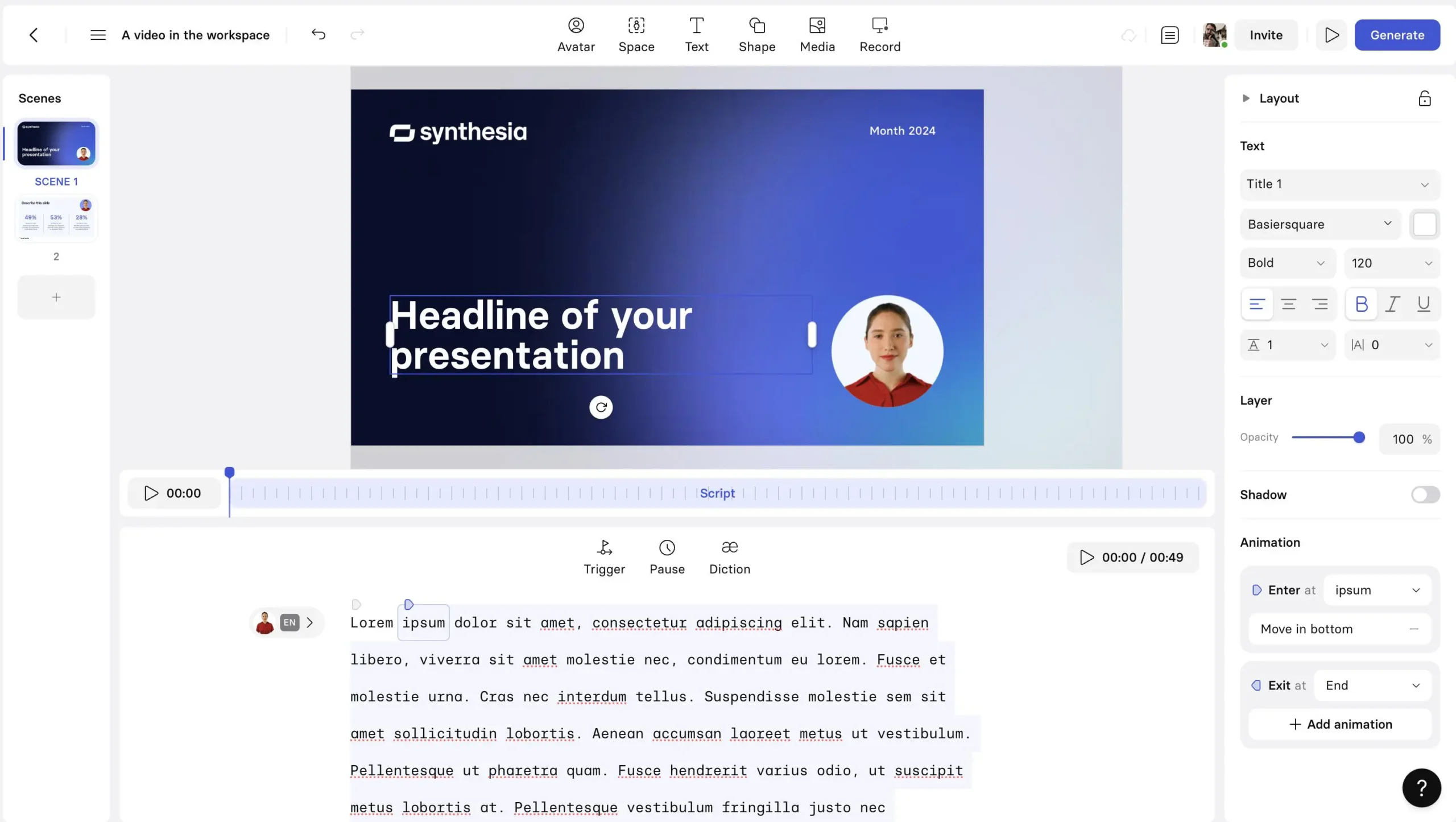
Best enterprise avatars Verified listingSynthesia is an AI-powered video creation platform that helps users create professional videos without traditional cameras, actors, or complex video production setups. Users can create videos from text using AI avatars, voiceovers, templates, and a range of visual editing tools.


Training videos, internal communication, and localized corporate content.
What is Synthesia?
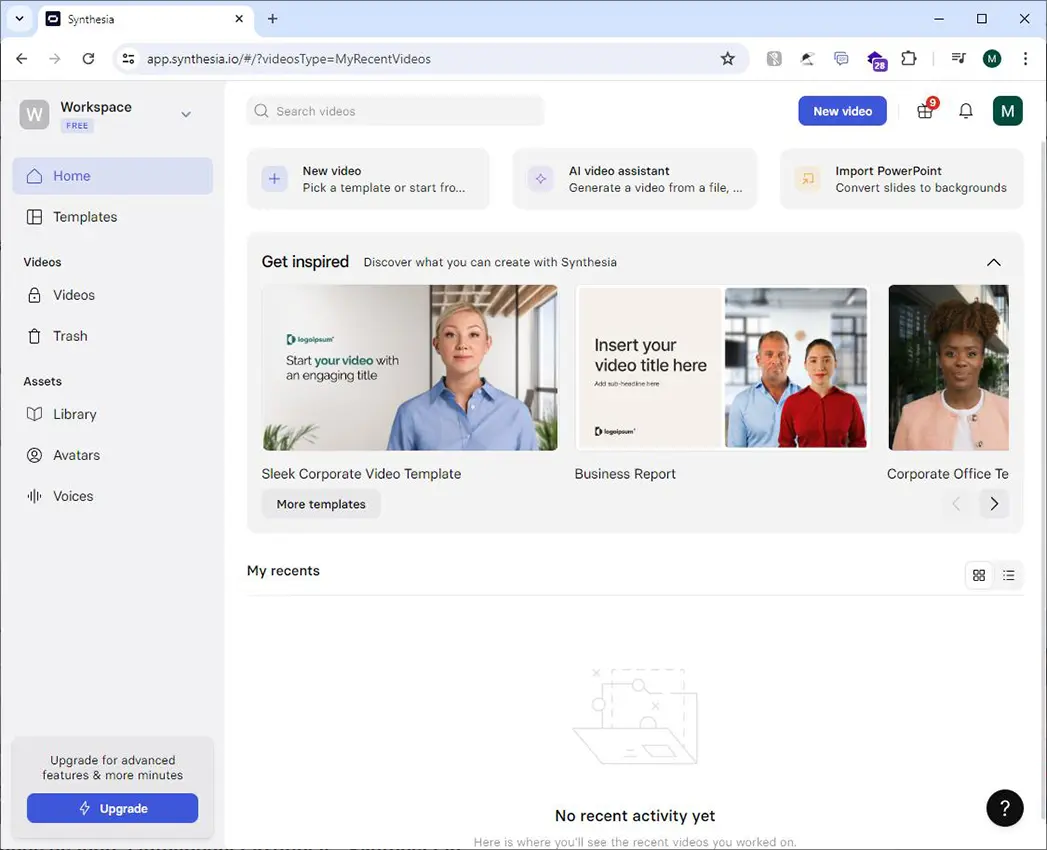
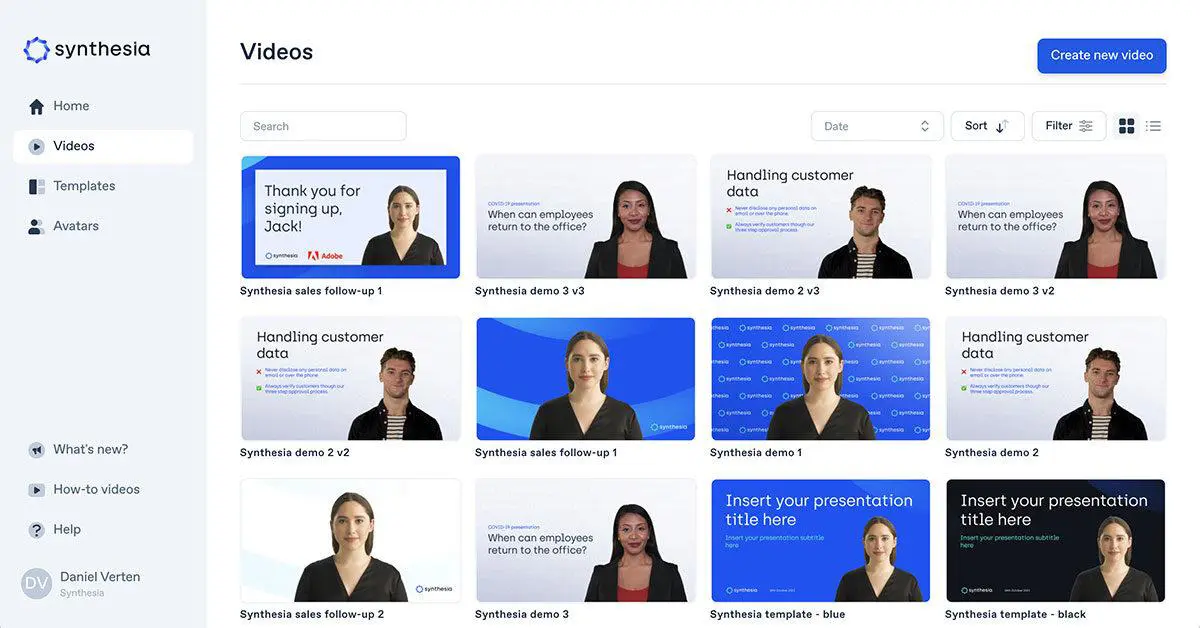
Synthesia is an AI-powered video creation platform that helps users create professional videos without traditional cameras, actors, or complex video production setups. Users can create videos from text using AI avatars, voiceovers, templates, and a range of visual editing tools.
Synthesia is designed primarily for business and professional communication, with features for training, onboarding, marketing, sales, internal communications, and educational content. It also supports multilingual video creation, AI-generated visuals, and integrations that can connect video production with existing business workflows.

What can you use Synthesia for?
Synthesia is primarily designed for creating professional videos for business, education, marketing, and internal communication. Its AI avatars, voice generation, multilingual capabilities, and automation features allow teams to create and distribute video content without traditional production equipment.
AI Training Videos
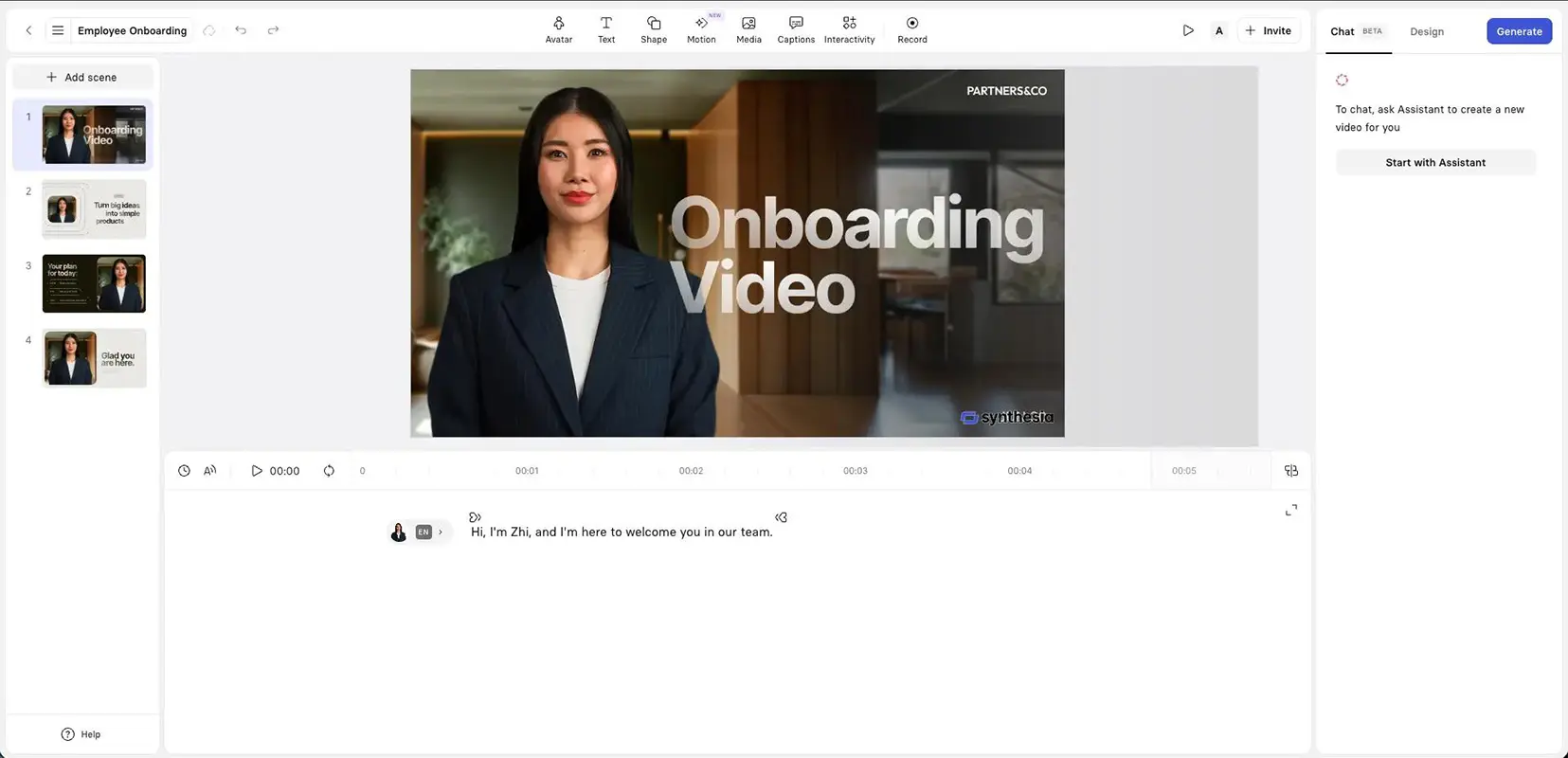
Create employee training, onboarding, compliance, and instructional videos using AI avatars and voiceovers.
Marketing & Promotional Videos
Produce product demonstrations, promotional content, campaign videos, and other marketing materials without traditional video production.
Educational Content
Create lessons, tutorials, presentations, and explainer videos for online learning and educational programs.
Internal Communications
Create company announcements, presentations, updates, and other internal communications for employees and distributed teams.
Sales & Product Videos
Create product explainers, sales presentations, personalized video content, and customer-facing materials.
Multilingual Video Creation
Create and translate videos into multiple languages using AI-generated voiceovers and avatars, making content easier to adapt for international audiences.
AI Image Generation
Generate images and visual assets that can be used within video projects and other creative content.
Video Automation
Connect Synthesia with business tools and workflows through its API and integrations to automate video creation and distribution.
Who is Synthesia for?
Beginners
For users who want to create professional-looking videos without cameras, actors, or advanced video editing skills.
Marketers
For marketers creating product videos, promotional content, localized campaigns, and sales materials.
Designers / Creators
For creators who need AI avatars, voiceovers, visual assets, and multilingual capabilities for video production.
Business / Teams
For companies creating training, onboarding, internal communications, sales enablement, and other business videos.
Students / Researchers
For educators, trainers, and learners who need presentations, tutorials, instructional videos, and educational content.
Key features
AI Avatars
Create videos using AI avatars that present scripts naturally without requiring a camera or human presenter.
AI Voiceovers
Generate voiceovers with AI voices across 160+ languages, supporting multilingual video production and localization.
AI Video Creation
Turn scripts, documents, presentations, links, or prompts into professional videos using AI-powered creation tools.
Video Translation & Dubbing
Translate and dub videos into multiple languages while adapting voiceovers and avatars for international audiences.
AI Image & Visual Generation
Generate images and other visual assets for use in videos, presentations, training materials, and marketing content.
Templates & Brand Kits
Use customizable templates and brand kits to maintain consistent visual styles across business and team video content.
Collaboration & Review
Work with team members on video projects, manage versions, and collaborate during the production process.
Interactive Videos
Create interactive video experiences with elements that allow viewers to engage with content rather than simply watching it.
AI Roleplay
Create simulated conversations for sales training, customer support practice, objection handling, and other professional learning scenarios.
API & Workflow Integrations
Use the Synthesia API and integrations with platforms such as Zapier, Make, and Workato to automate video creation and connect it with business workflows.
Pricing & plans
Prices are shown in USD and should be verified on the vendor’s site before purchase. Last verified Oct 30, 2026.
Synthesia offers a free plan for trying the platform, while paid plans provide higher video limits, additional features, and access to more advanced capabilities. Creator and Enterprise plans also provide API access for automated video creation and integrations.
| Feature | Basic | Starter | Creator | Enterprise |
|---|---|---|---|---|
| Price | $0/month | $29/month | $89/month | Custom |
| Monthly Credits | 1,200 | 1,200 | 3,600 | Custom |
| Video Creation | Limited | Yes | Yes | Yes |
| AI Avatars | Limited | Yes | Yes | Yes |
| AI Dubbing | Limited | Yes | Yes | Yes |
| AI Image Generation | Limited | Yes | Yes | Yes |
| API Access | No | No | Yes | Yes |
| Team Collaboration | Limited | Yes | Yes | Advanced |
Basic - Free
Starter - $29/month
Creator - $89/month
Enterprise - Custom pricing
Official site — 29 USD. Check the vendor page.
User environment
FAQ
Is Synthesia free?
Yes. Synthesia offers a free Basic plan with limited monthly credits and video creation capabilities.
How much does Synthesia cost?
Synthesia's paid plans start at $29 per month for the Starter plan when billed monthly. Creator costs $89 per month, while Enterprise pricing is customized.
What can you create with Synthesia?
You can create training videos, onboarding content, marketing videos, product explainers, sales presentations, educational content, internal communications, and multilingual videos.
Does Synthesia have AI avatars?
Yes. Synthesia provides a large library of AI avatars as well as options for creating custom avatars.
How many languages does Synthesia support?
Synthesia supports AI video creation and voiceovers in 160+ languages, making it suitable for multilingual content and localization.
Does Synthesia have an API?
Yes. Synthesia provides API access on Creator and Enterprise plans, allowing businesses to automate video creation and integrate it with other workflows.
Can Synthesia generate images?
Yes. Synthesia includes AI image generation capabilities that can be used to create visual assets for videos and other content.
Can you use Synthesia on mobile?
Synthesia can be accessed through a mobile browser for selected workflows, but the full video editor is designed primarily for desktop use.
Pros & cons
Pros
- Professional AI avatars for business video creation
- Supports 160+ languages for multilingual content
- AI voiceovers and video dubbing
- Useful for training, onboarding, marketing, and internal communications
- AI image and visual generation tools
- Templates and brand kits for consistent content
- Team collaboration and review features
- API and workflow integrations for automated video creation
Cons
- Full editing experience is primarily designed for desktop
- Free plan has limited credits and features
- Advanced API access is restricted to higher-tier plans
- Pricing can become expensive for teams with high video production needs
- Best suited to professional and business-focused video content rather than cinematic filmmaking
Avatar realism varies; pricing scales with minutes; not a replacement for cinematic video production.
Related tools

HeyGen
AI Avatars & Talking HeadsAI avatars and video translation for global teams.

InVideo
AI Video EditingPrompt-to-video editing for marketing teams.

Google Flow
AI Video GenerationGoogle’s AI filmmaking workspace built on Veo.

Runway
AI Video GenerationAn all-round video studio with generation and editing.
Reviews & ratings
Worth the switch
The strongest part is how little correction the result needs. It is not magic, but it saves a meaningful amount of time on the work I repeat every week.
My team actually uses it
After a month of regular use it has become part of the default stack. The export options and documentation are what make it stick.
Fast and predictable
It does one job much better than the general assistants. If that job is central to your workflow, the subscription pays for itself quickly.
It replaced two other tools
I used it for a client deliverable and the result passed review without a rewrite. That is the highest compliment I can give a tool in this category.
Good, with a learning curve
The interface is fast and the core feature is excellent. Some of the surrounding controls are still rough, so expect a short adjustment period.
The output needs less cleanup
I hit one limitation that was not obvious from the marketing page. Support explained it clearly, and there is a workaround, but it is worth knowing before committing.
Excellent for the price
Good value for a small team. The free tier is useful for evaluation, and the paid plan is predictable enough to budget for.
Reliable after a month
The first run was unimpressive, but after rewriting the brief the quality improved a lot. Worth spending twenty minutes learning how it wants to be prompted.
Great quality, clear limits
I compared it with two alternatives over several days. This one was easier to fit into the existing workflow and the pricing made sense for occasional use.
A strong default for my workflow
I tested it on a real project rather than a demo prompt. The output was consistent, the export was clean, and the limits were easy to work within once I understood them.
Very polished workflow
I’ve tried a few AI video tools, and Synthesia is one of the easier ones to use for professional presentations and training content. The workflow feels very polished.
Discussion
Open discussionAsk a question about Synthesia or share a workflow. Threads are tagged to this tool.
Talk about Synthesia
Related articles

Take Synthesia for a spin.
Visit the official site, check the current pricing, and see whether it fits your workflow.
No comments yet. Start the conversation below.