
Home - AI Image Tools - Google Flow
Google Flow AI Logo
(1 customer review)

Pricing model: $4.99 Per Month

Follow in social:

Google Flow

Google Flow: Explore AI Video Creation & Creative Tools

Google Flow is an AI creative studio for generating and editing videos, images, and visual content using Google’s generative AI models, including Veo, Gemini Omni, and Nano Banana. Explore AI video generation, image creation, scene building, visual editing, characters, and creative tools designed to support modern video production workflows.
Use Case
Image Generation
Video Creation
Target Audience
Beginners
Marketers
Designers / Creators
Business / Teams
Output Type
Image
Video
Audio
Pricing Model
Free
Freemium
Subscription
Free Plan​
Yes
Limited
API Access
Yes
Platform / Access Type
Web App
Limitations
Free plan limited
Usage Limit
Feature Restrictions
Plan Restrictions
Team & Collaboration
Individual Only
Tool Video

Featured Video

Tool Overview

What Is Google Flow?

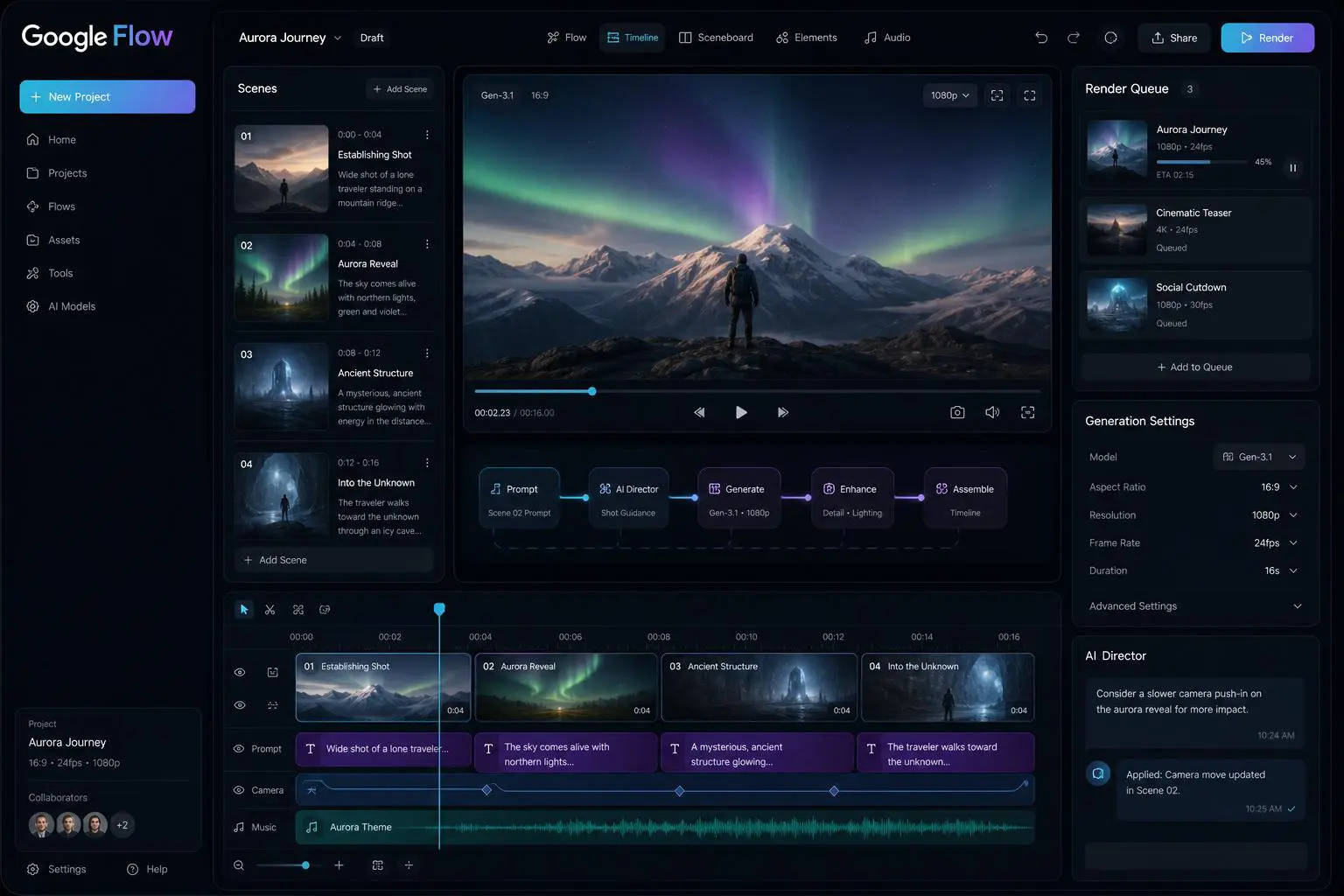
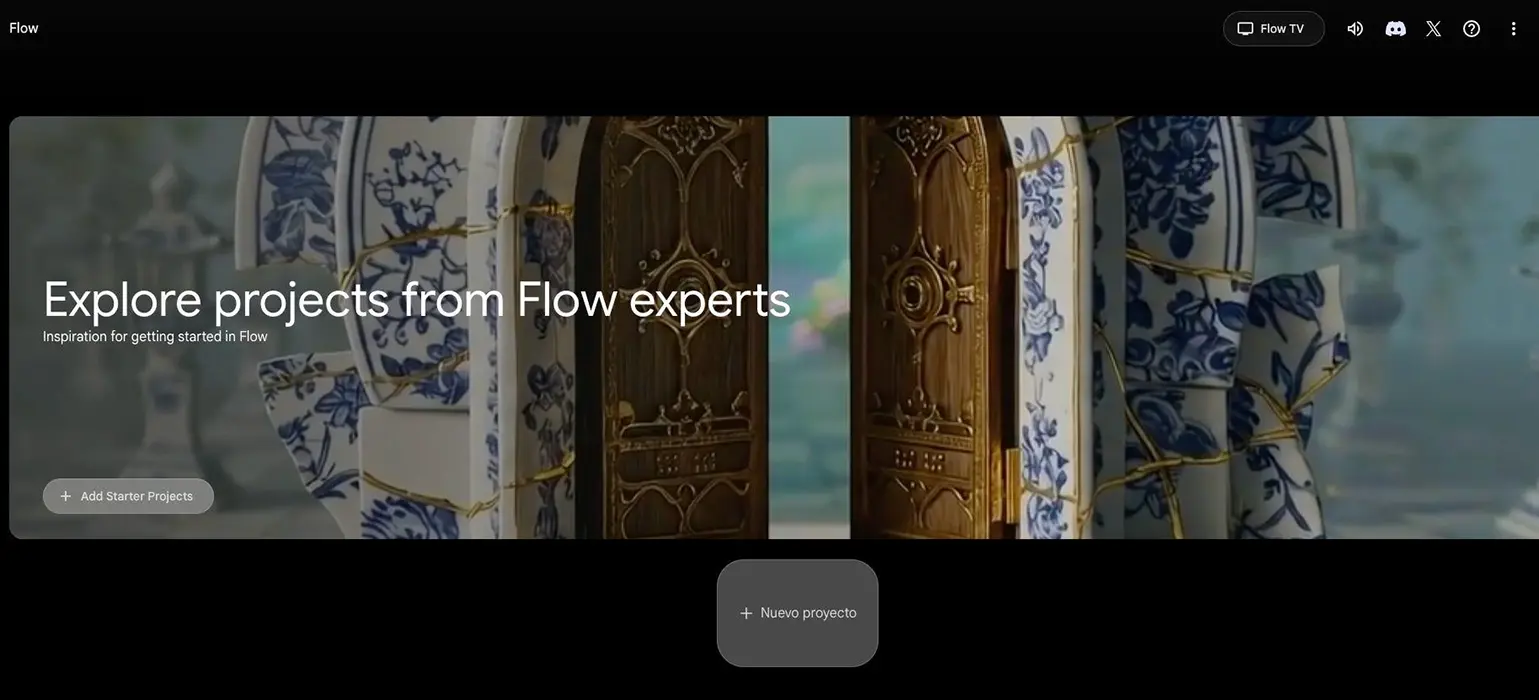
Google Flow is an AI-powered creative studio designed for generating and developing cinematic videos and visual stories with Google’s generative AI models. It combines AI video generation with tools for building scenes, maintaining characters and objects, and refining visual content through an interactive creative workflow.

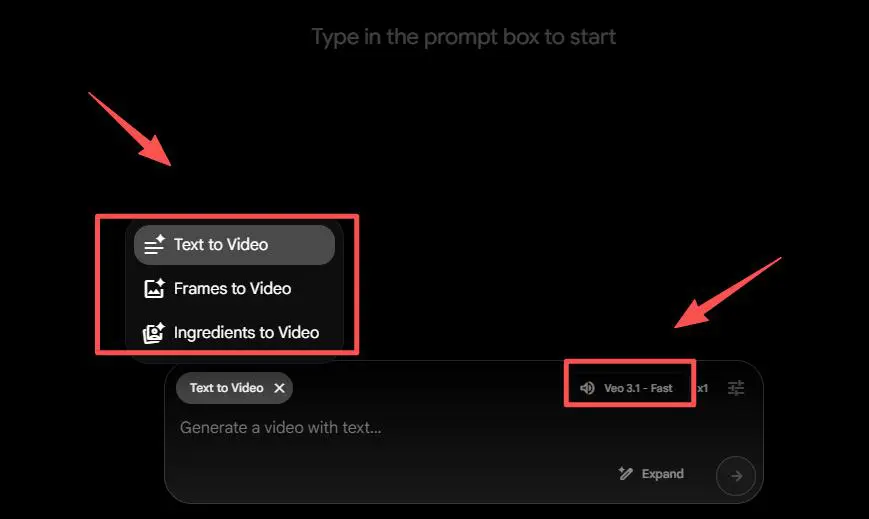
Flow is built around Google’s Veo video generation models and can turn text prompts and visual references into video clips. It also provides tools such as Frames to Video, Ingredients, SceneBuilder, and camera controls, giving creators more control over how individual scenes are generated and developed.

Unlike a simple text-to-video generator, Flow is designed around a broader storytelling and production workflow. Creators can build scenes, reuse characters and visual elements, extend or modify generated footage, and assemble multiple clips into a more coherent visual project.

Google Flow vs Veo

Google Flow and Veo are related but serve different purposes. **Google Flow is an AI creative studio for generating, editing, and refining visual content, while Veo is Google’s generative video model used within Flow for video creation.** Flow also integrates other Google AI models, including Gemini Omni and Nano Banana, to support different image and video generation and editing workflows.

What Can You Use Google Flow For?

AI Video Generation

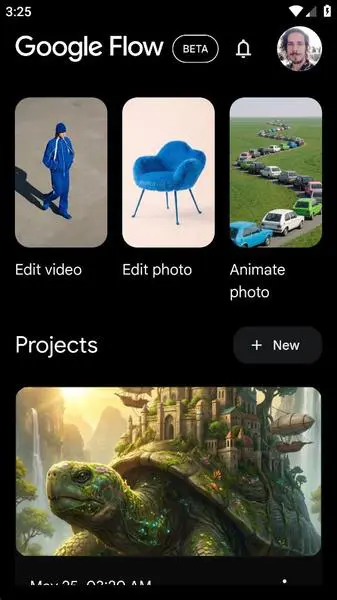
Flow can generate cinematic video clips from text prompts using Google’s Veo models. Creators can describe scenes, characters, actions, camera movements, and visual styles to develop video content.

Image-to-Video

Flow can use images as visual references and transform them into animated video sequences. This makes it useful for bringing concept art, characters, products, and other static visuals to life.

Storytelling & Cinematic Content

Flow is designed for creators who want to build visual stories rather than generate isolated clips. Multiple scenes, characters, and visual elements can be developed as part of a broader project.

Character & Object Consistency

Creators can provide visual references for characters and objects and reuse them across generated scenes. This can help maintain a more consistent visual identity throughout a project.

Scene Building

Flow provides tools for developing and modifying individual scenes, allowing creators to experiment with compositions, camera perspectives, visual elements, and generated footage.

AI Video Editing & Transformation

Generated clips can be refined, extended, and transformed using Flow’s creative tools. This allows creators to iterate on AI-generated footage instead of starting over for every change.

Camera Control

Flow provides controls for directing camera movement and framing, giving creators more influence over how generated scenes look and move.

Creative & Concept Development

Flow can be used during the early stages of filmmaking and visual development to turn ideas, scripts, and concepts into visual references, scenes, and cinematic sequences.

Who Is Google Flow For?

Filmmakers & Storytellers

Flow is particularly suited to filmmakers and storytellers who want to develop cinematic scenes, characters, and visual sequences with AI. Its scene-based workflow makes it more useful for storytelling than simple one-off video generation.

Content Creators

Content creators can use Flow to turn ideas and visual concepts into short videos and cinematic sequences, especially when they want more control over the look and structure of their content.

Designers & Visual Creators

Designers, illustrators, and visual artists can use Flow to animate concepts, experiment with scenes, and transform static visual references into dynamic video content.

Marketers & Advertisers

Marketers can use Flow to develop product concepts, promotional videos, advertising visuals, and creative campaign assets without relying entirely on traditional production workflows.

Video Production Teams

Small video teams can use Flow during concept development, pre-production, and visual experimentation. Its ability to work with recurring characters, objects, and scenes can help teams develop more consistent visual projects.

Beginners

Flow can also be useful for beginners interested in AI video creation. While its more advanced storytelling and scene-building capabilities require some experimentation, users can start by generating videos from simple text and image prompts.

Key Features

AI Video Generation

Generate high-quality videos from text prompts, images, frames, and visual references using Google’s generative video models, including Veo and Gemini Omni.

AI Image Generation & Editing

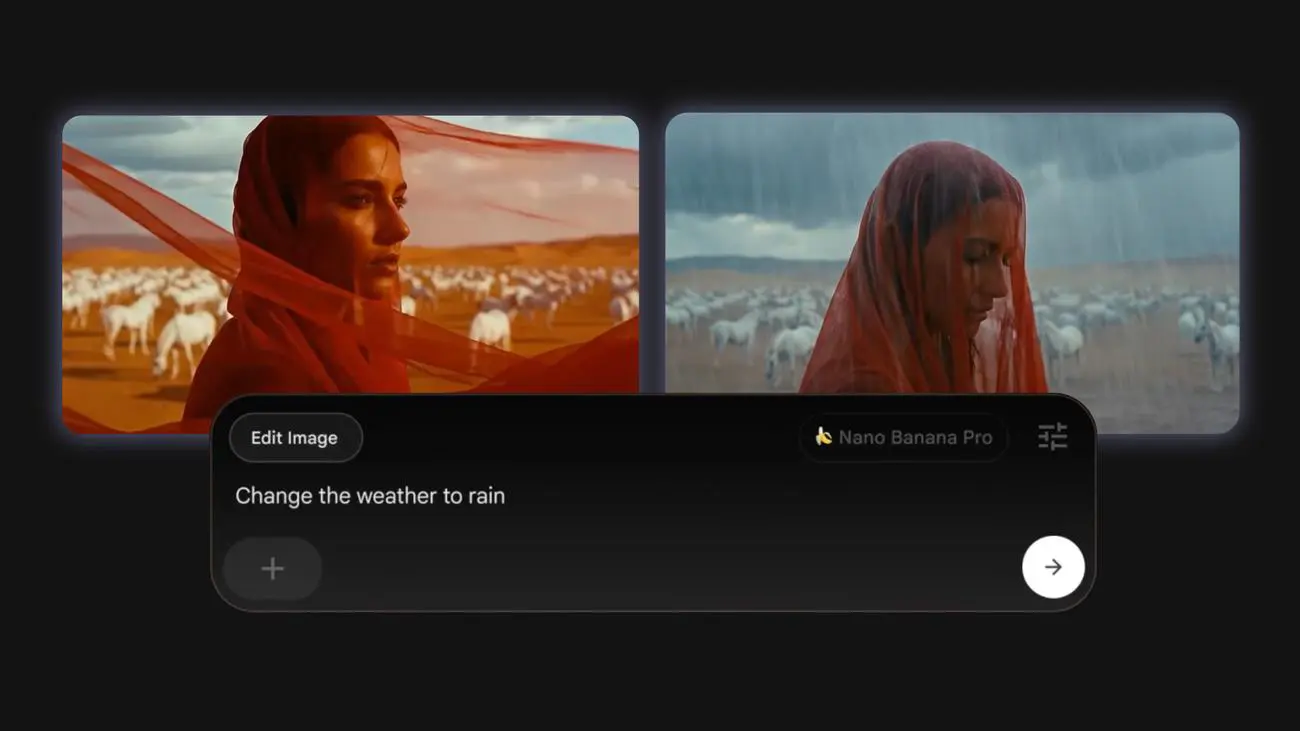
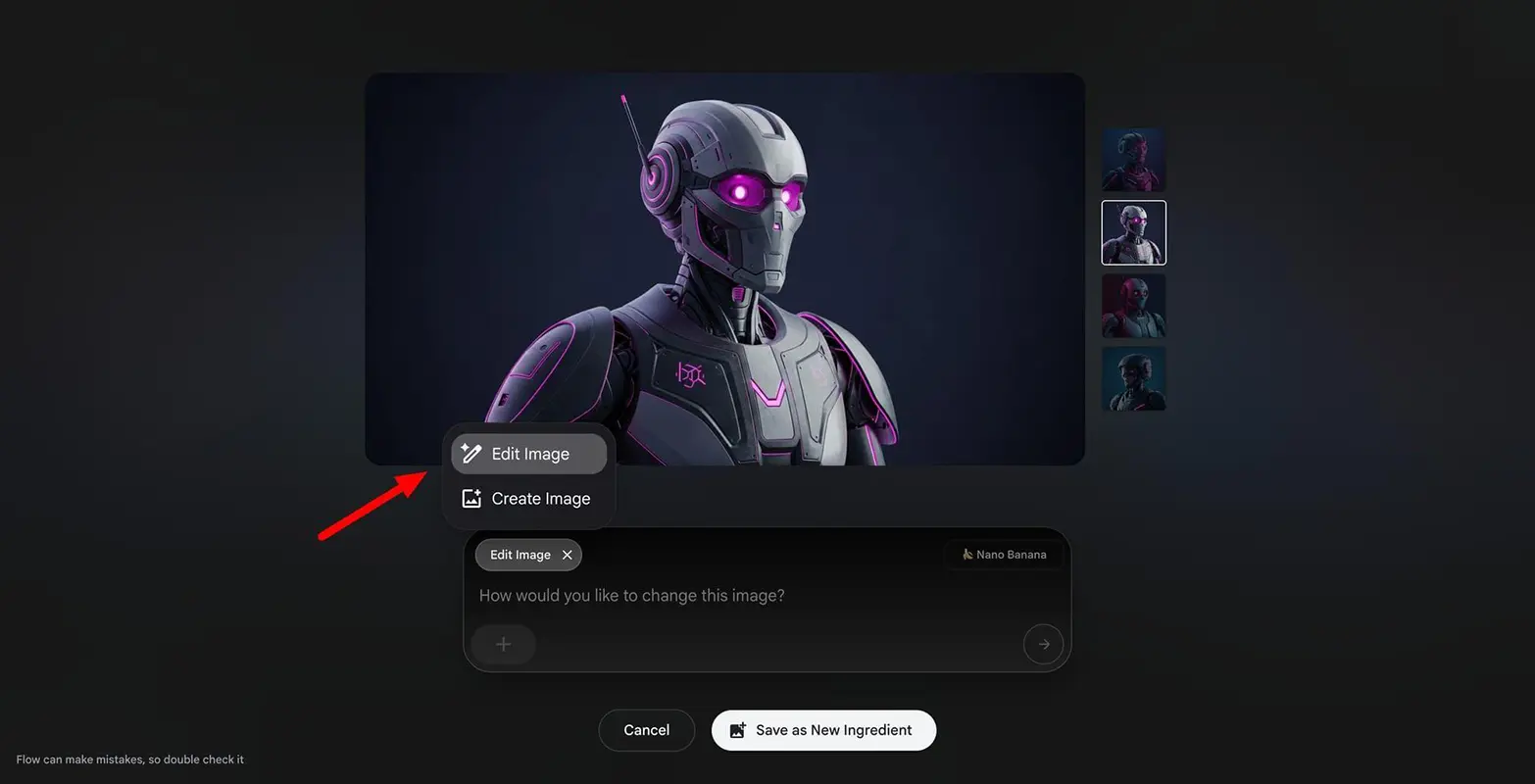
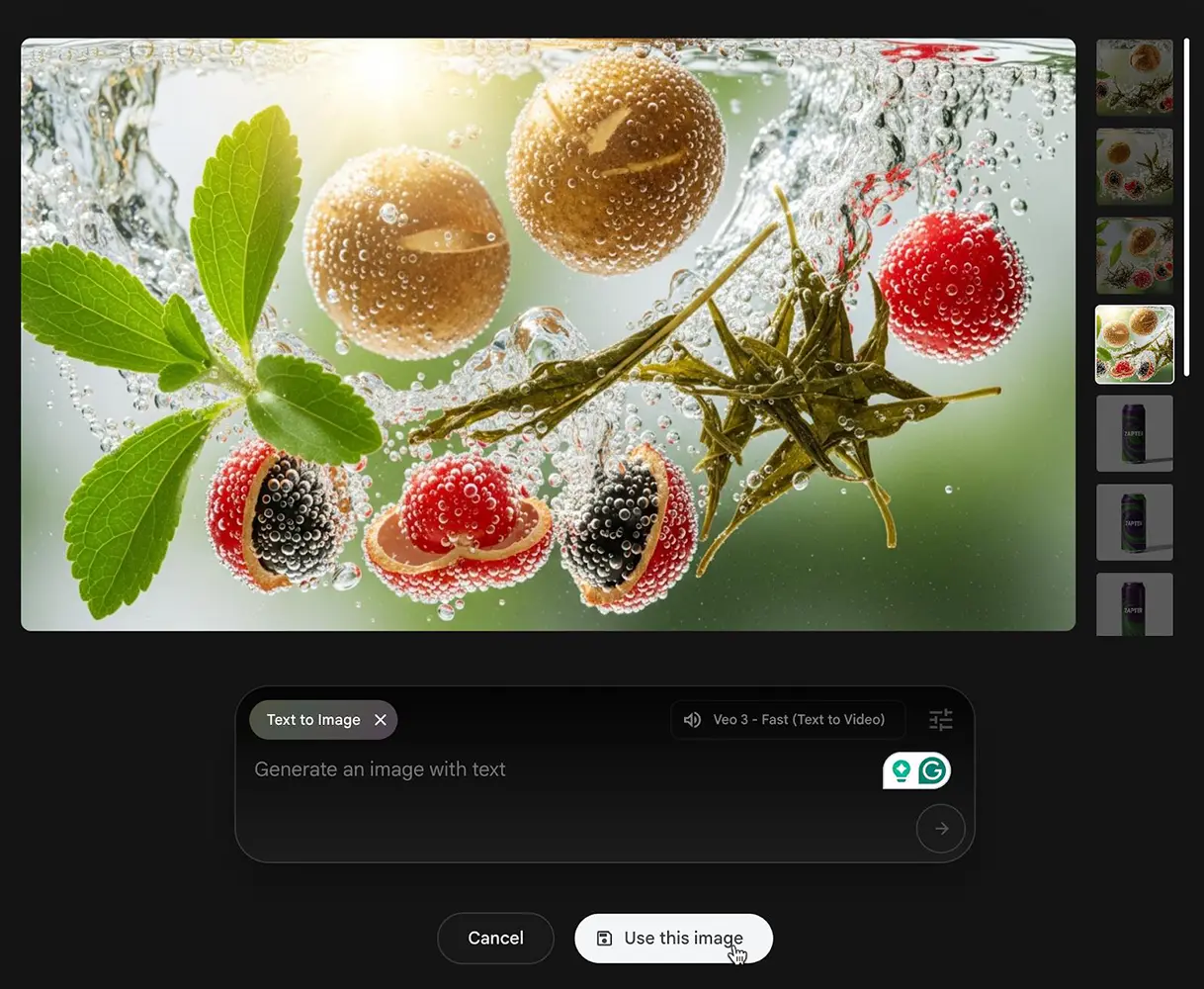
Create and refine images using Google’s Nano Banana models, with tools for generating visual assets, editing images, and preparing references for video projects.

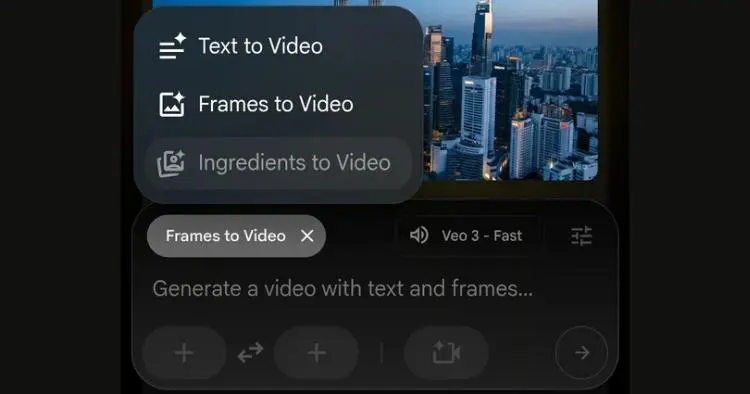
Text-to-Video

Users can describe a scene, action, environment, or visual style using natural language and generate video content based on the prompt.

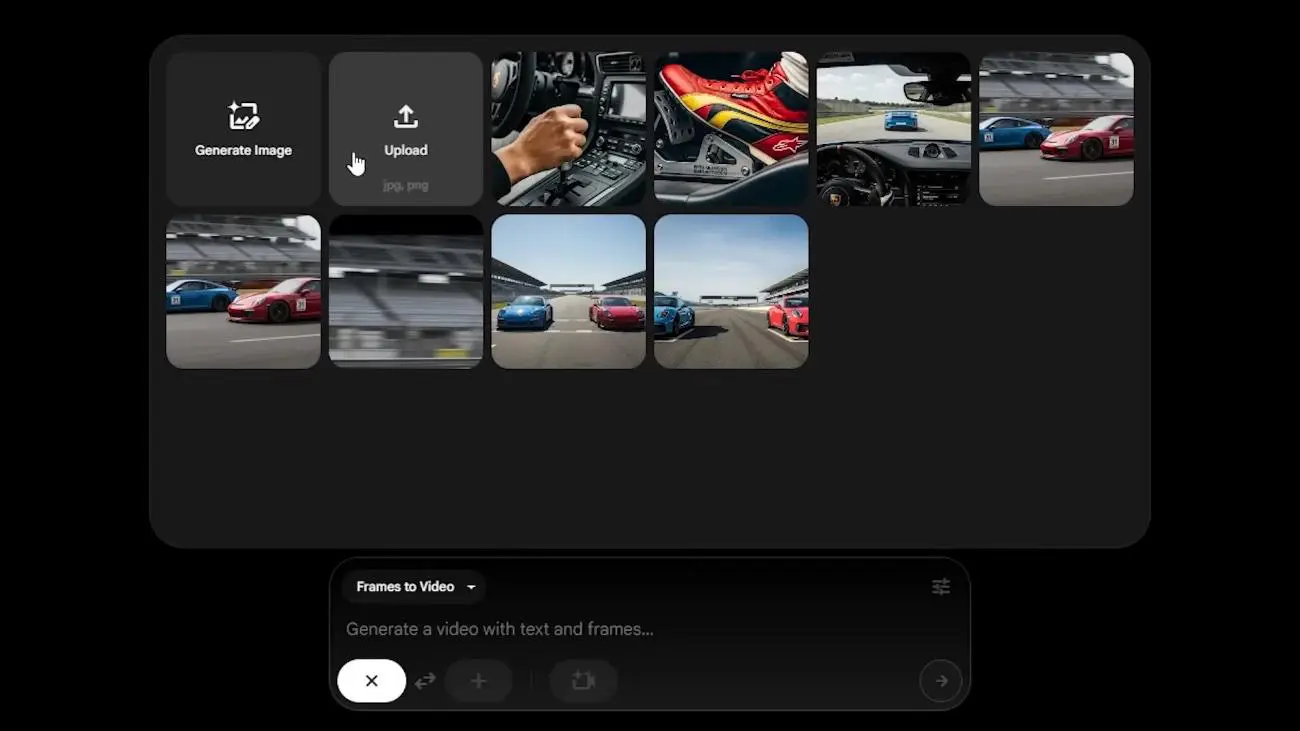
Frames to Video

Flow can use generated or uploaded frames as visual starting points for creating video sequences, giving creators more control over how a scene begins and develops.

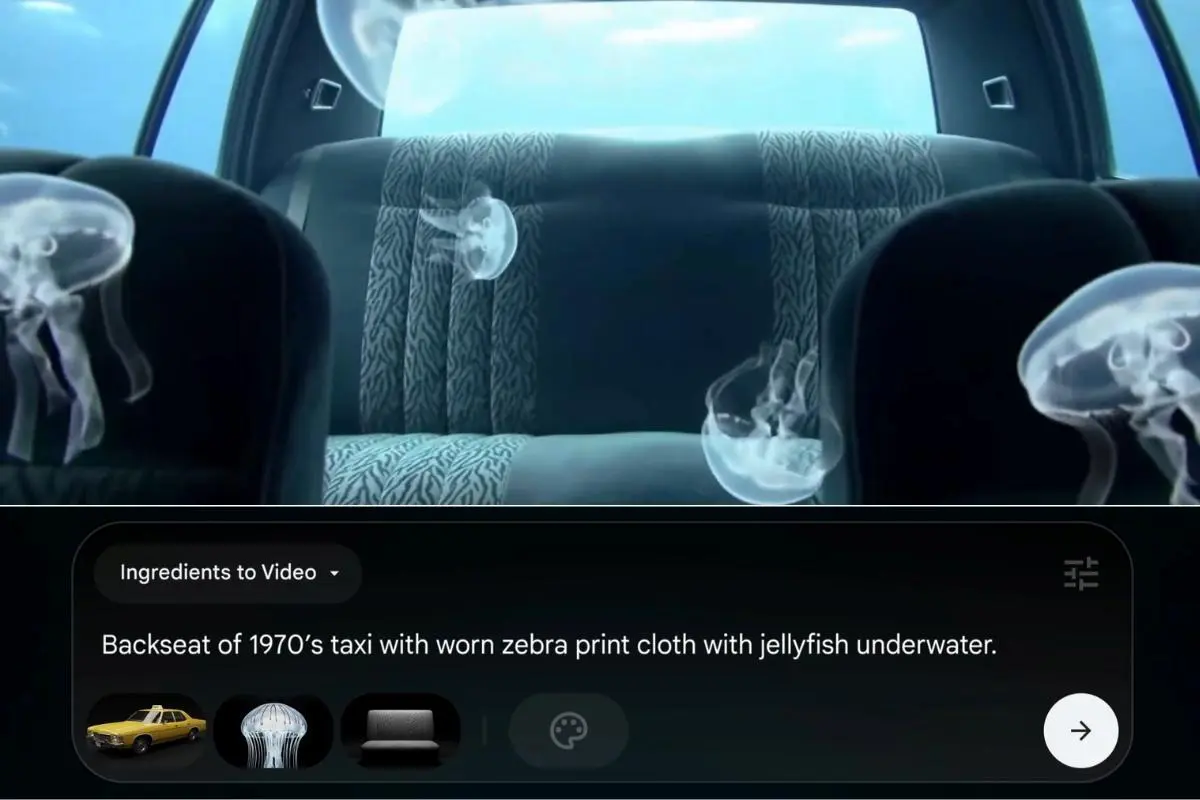
Ingredients to Video

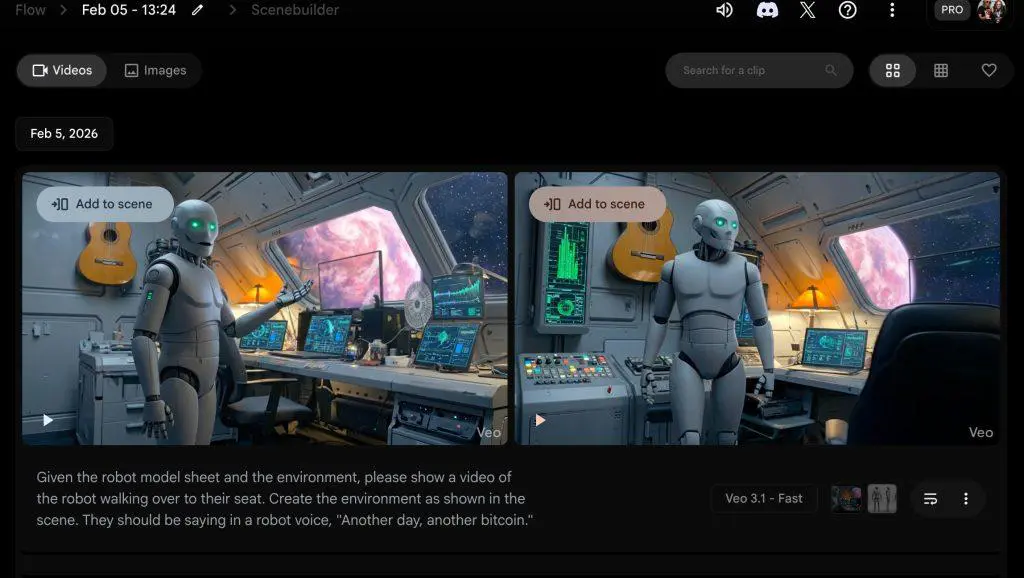
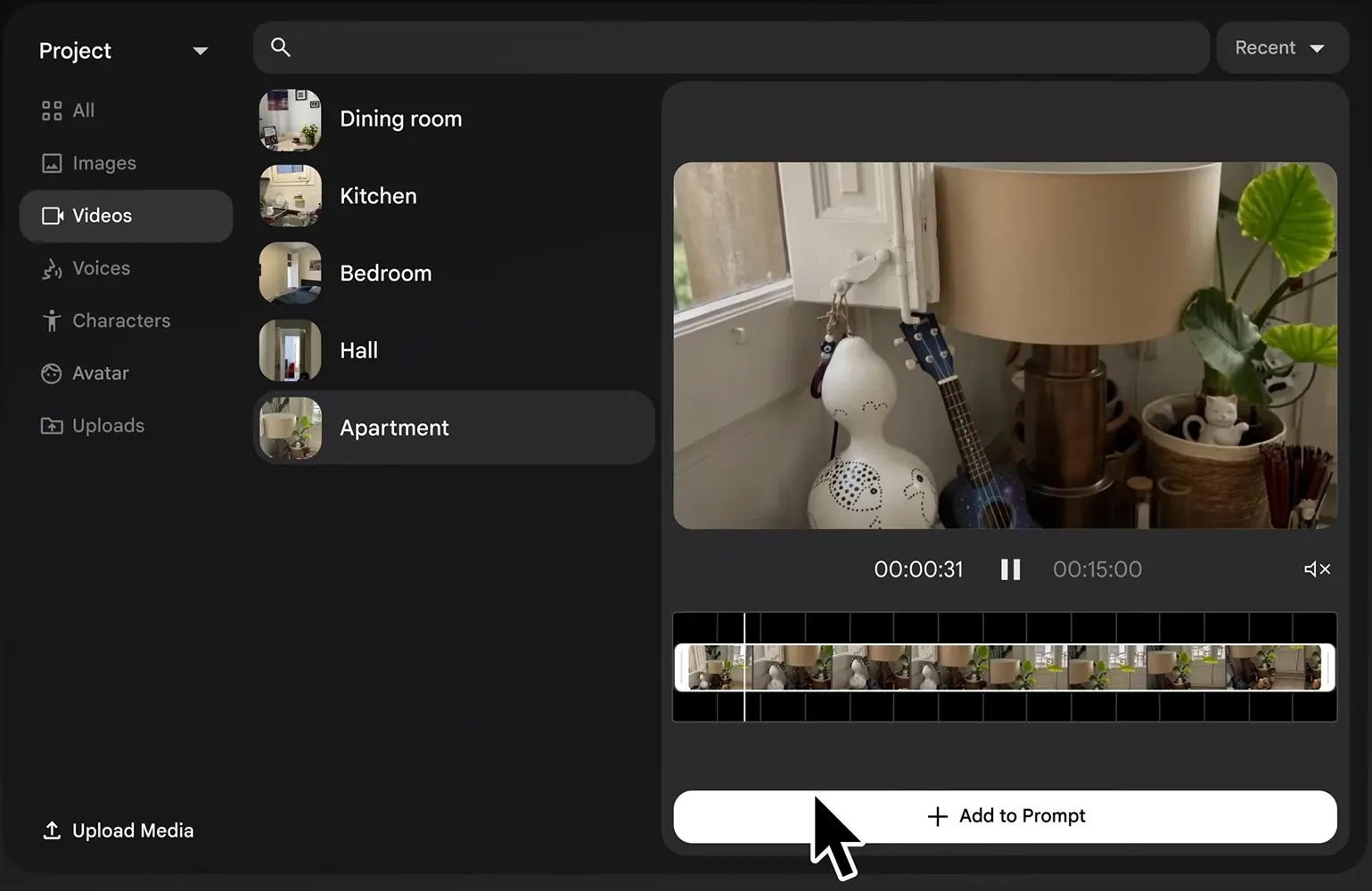
The Ingredients feature allows creators to provide visual references for elements such as characters, objects, and environments and use them when generating new scenes. Use images, videos, characters, and other visual references as ingredients to maintain subjects, objects, and visual consistency across generated clips.

Video-to-Video Editing

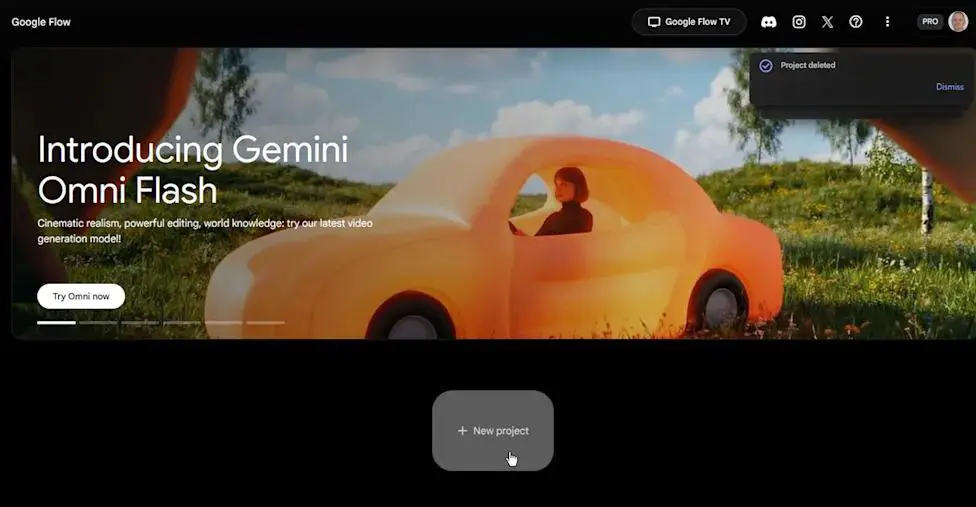
Upload or generate a video and use natural-language prompts to modify elements such as lighting, appearance, or other visual details. Gemini Omni Flash supports this workflow for supported regions and configurations.

Video Extension & Transformation

Creators can extend and modify generated footage to develop longer or more refined sequences instead of treating every generation as an isolated clip.

Veo Video Generation

Flow is built around Google's Veo video generation models, allowing creators to generate cinematic video clips from text prompts and visual references.

SceneBuilder

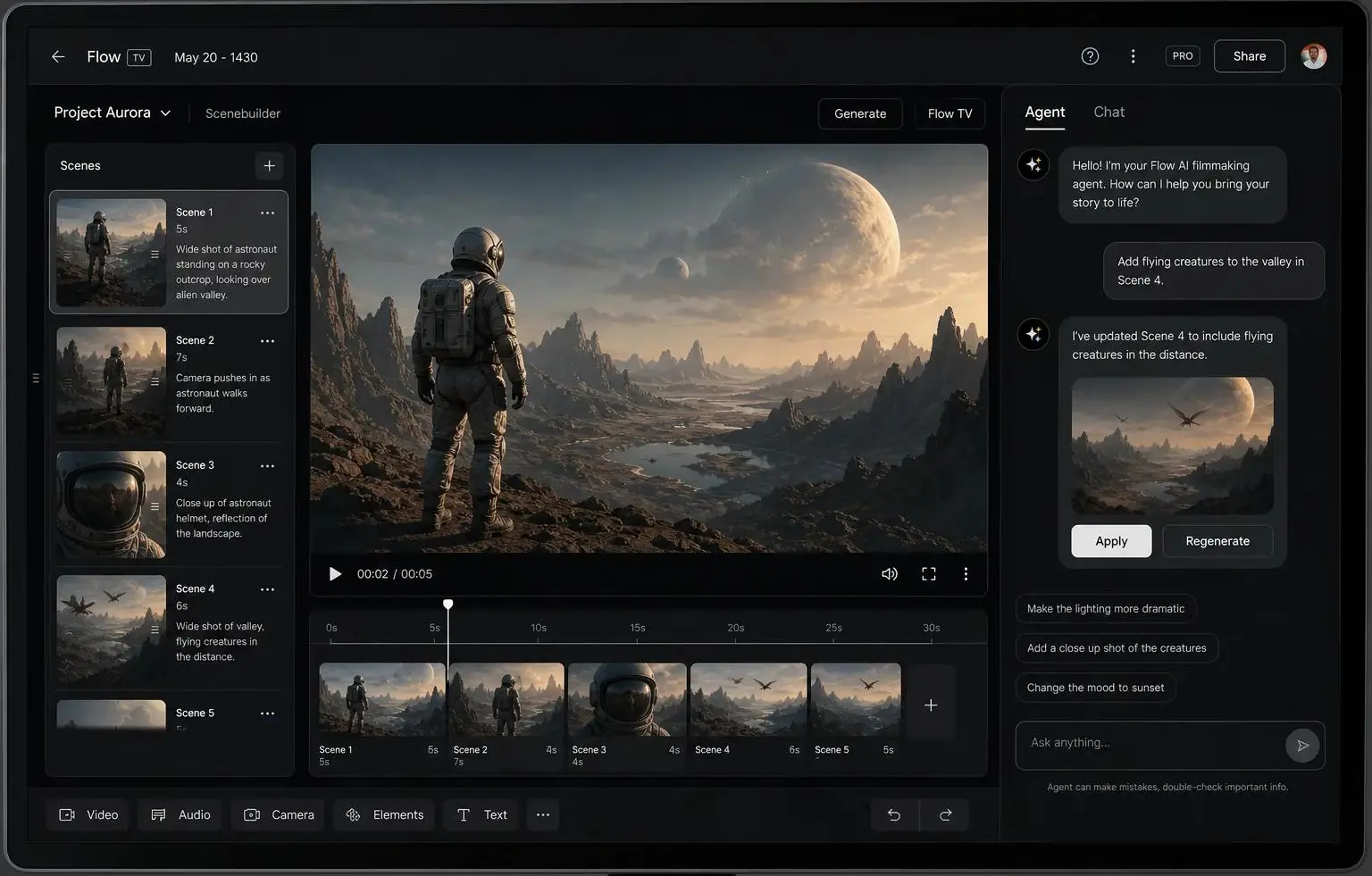
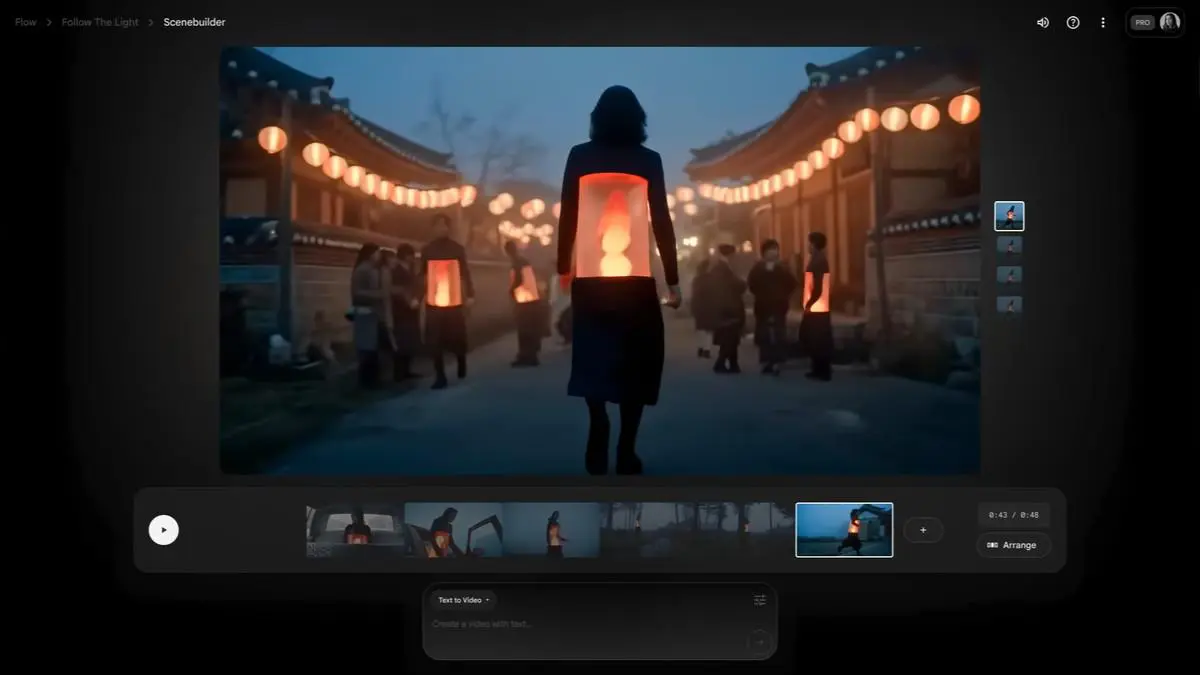
SceneBuilder provides tools for developing and refining scenes, allowing creators to work with generated clips and build more complete visual sequences.

Character & Object Consistency

Flow is designed to help creators maintain recurring characters and visual elements across multiple generations, which is particularly useful for storytelling and multi-scene projects.

Characters & Avatars

Create and reuse characters and avatars as visual references in video generation, helping maintain consistency across different clips and scenes.

Camera Controls

Flow provides controls for directing camera movement and framing, allowing creators to specify how the camera should behave within generated scenes.

AI-Powered Storytelling Workflow

Flow combines generation, scene development, visual references, and editing tools within a single creative environment, making it more suitable for cinematic storytelling workflows than a basic text-to-video generator.

AI Creative Agent

Use the Flow Agent as an AI creative partner to explore ideas, generate variations, and assist with creative workflows using natural-language instructions.

Natural-Language Editing

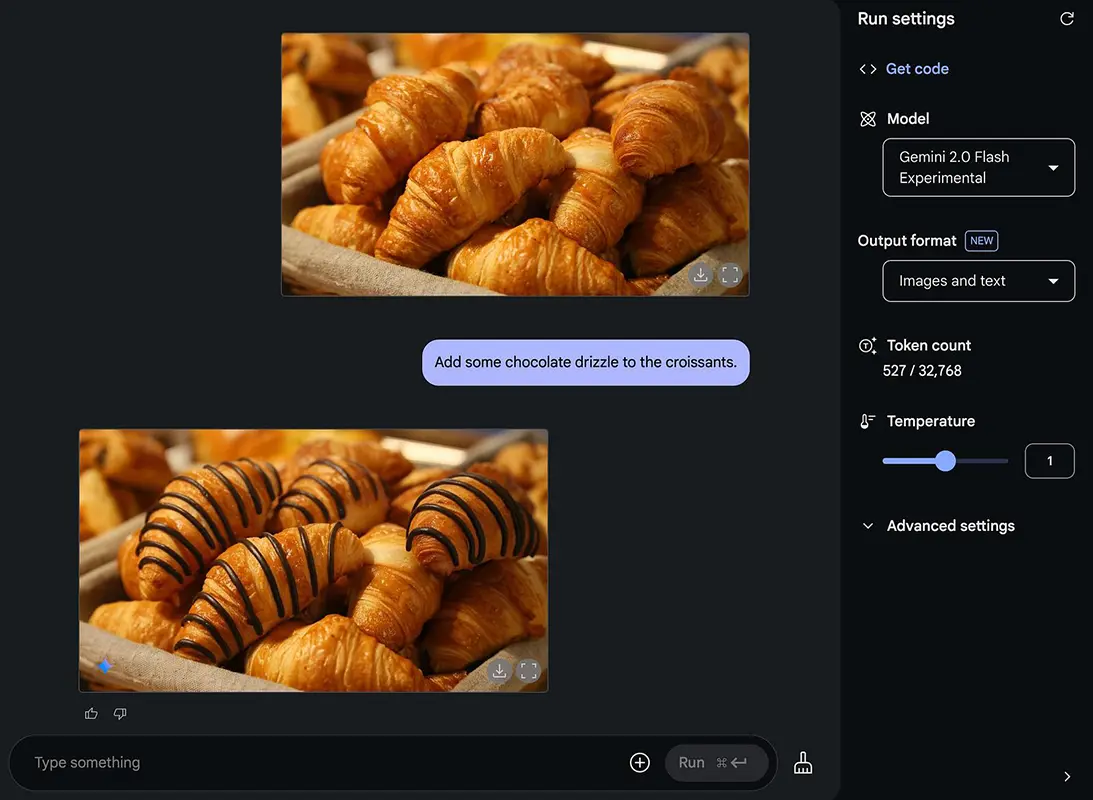
Refine images and videos through conversational prompts, allowing creators to make iterative changes without relying entirely on traditional editing controls.

High-Resolution Upscaling

Upscale supported images and videos to higher resolutions, including 1080p and 4K options depending on the subscription plan and supported workflow.

Google Flow uses a credit-based pricing model. Users can access Flow for free with daily credits, while Google AI subscriptions provide additional monthly credits and higher limits for generation and creative features.

Pricing & Plans

Free $0/month

The free version provides 50 daily Google Flow credits and access to core Flow capabilities, including text-to-video, Frames to Video, Ingredients to Video, video extension, video-to-video editing, and SceneBuilder. Free users can use Flow's tools, but creation capabilities are more limited than those available with paid Google AI plans.

Google AI Plus $4.99/month

Google AI Plus includes 50 daily Flow credits plus 200 monthly Flow credits. It adds Flow creation capabilities, 1080p video upscaling, higher image-generation limits, and higher access to Flow's agent features.

Google AI Pro $19.99/month

Google AI Pro provides 50 daily Flow credits plus 1,000 monthly Flow credits. It includes everything in Google AI Plus, along with access to additional AI credits that can be purchased as top-ups. The subscription also includes other Google AI benefits such as Gemini Pro access and 5 TB of storage.

Google AI Ultra $99.99/month

Google AI Ultra provides 50 daily Flow credits plus 10,000 monthly Flow credits. It adds higher access to Flow's AI capabilities, along with 4K image and video upscaling and the highest access to Flow's agent features.

Google AI Ultra 20x $199.99/month

The highest tier provides 50 daily Flow credits plus 25,000 monthly Flow credits, along with the benefits of the $99.99 Ultra plan and higher overall usage limits. It is aimed at users who need very high-volume AI generation.

Starting Price: $4.99/month for Google AI Plus, although Flow itself can also be used for free. Prices may vary by market.

Plan Monthly Price Daily Flow Credits Monthly Flow Credits Video Generation Upscaling Best For
Free $0 50 — Core Flow features Limited Testing & experimentation
Google AI Plus $4.99 50 200 Extended access 1080p Casual creators
Google AI Pro $19.99 50 1,000 Higher limits 1080p Regular creators
Google AI Ultra $99.99 50 10,000 Highest access 4K Professional & heavy users
Google AI Ultra 20x $199.99 50 25,000 Highest access 4K High-volume generation

User Environment

FAQ

What is Google Flow? +
Google Flow is an AI-powered creative studio for generating and developing cinematic videos and visual stories using Google's generative AI models, including Veo.
Is Google Flow free? +
Yes. Flow offers a free access option with limited daily credits. Paid Google AI plans provide additional monthly credits and higher usage limits.
What is Veo in Google Flow? +
Veo is Google's AI video generation model used by Flow to create video content from text prompts and visual references.
Can Google Flow generate videos from text? +
Yes. Flow can generate video clips from natural-language prompts, allowing users to describe scenes, characters, actions, camera movements, and visual styles.
Can Google Flow create videos from images? +
Yes. Flow can use images as visual references and turn them into video sequences. Its visual-reference features can also help maintain characters, objects, and other elements across scenes.
Can Google Flow maintain character consistency? +
Flow is designed to help creators reuse characters and visual elements across multiple generations. This can be particularly useful when developing multi-scene stories or cinematic projects.
Does Google Flow support camera controls? +
Yes. Flow provides camera controls that allow creators to influence camera movement and framing when generating scenes.
Can Google Flow edit existing videos? +
Flow includes generative video editing and transformation capabilities, allowing creators to modify, extend, and refine generated footage.
Does Google Flow have an API? +
Flow itself does not provide a separate Flow API. However, Google's Veo video-generation models are available programmatically through the Gemini API.
Is Google Flow good for filmmaking? +
Flow is particularly useful for visual development, concept creation, pre-production, short cinematic sequences, and AI-assisted storytelling. It can complement traditional filmmaking workflows rather than replacing a complete professional video-production suite.
Is Google Flow better than Runway? +
Google Flow and Runway take different approaches to AI video creation. Flow has a strong focus on cinematic generation and storytelling with Google's Veo models, while Runway provides a broader creative production environment with extensive generation and editing tools. The better choice depends on the type of video workflow you need.

Pros & Cons

Pros

  • Powered by Google's Veo Models: Flow provides access to Google's advanced AI video generation capabilities.
  • Strong Cinematic Generation: Well-suited to creating visually rich scenes and cinematic video concepts.
  • Scene-Based Workflow: Flow goes beyond individual generations by allowing creators to develop and refine multiple scenes.
  • Character & Object Consistency: Visual references can be reused to help maintain recurring characters and elements.
  • Advanced Creative Controls: Camera controls, visual references, scene building, and generative editing provide more control over the final result.
  • Integrated Creative Workflow: Generation, editing, scene development, and visual experimentation are combined in one environment.
Cons

  • Credit-Based Usage: Video generation consumes credits, which can limit frequent or high-volume production.
  • Expensive High-End Plans: Google AI Ultra plans can become costly for users who need large amounts of video generation.
  • Learning Curve: Flow's scene-building and creative controls can take time to learn effectively.
  • Generation Results Can Vary: AI-generated video may not always follow complex prompts or visual references precisely.
  • Limited Traditional Video Editing:‌ Flow is primarily an AI generation and creative-development environment rather than a complete traditional video editor.
  • Plan-Based Feature Restrictions: Generation limits, credits, and some advanced capabilities depend on the user's Google AI plan.
  • Availability May Vary by Region: Access to Flow and some Google AI features can depend on the user's country or region.

1 review for Google Flow

  1. Jacko –

    I’ve been using Flow for a while and honestly, I’m impressed with how much control it gives you over AI video generation. The scene consistency and camera controls are especially useful when creating short ads or cinematic videos. There’s still room for improvement, but overall the workflow feels smooth and the results can be really impressive with the right prompts. Definitely one of the AI video tools I’ll keep using.

Add a review

Your email address will not be published. Required fields are marked *

five × 5 =