Home - AI Text Tools - Gemini
Gemini tool logo

Pricing model: $19.99 Per Month

Follow in social:

Gemini

Explore Gemini: Google’s AI Assistant for Research, Creation & Productivity

Explore Gemini, Google’s AI assistant for research, content creation, coding, image generation, and everyday productivity. See its key features, plans, capabilities, and limitations to find out if Gemini is the right AI tool for you.
AI Audio Tools
Audio Tools
AI Video Tools
Video Tools
AI Image Tools
Image Tools
AI Business Tools
business Tools
AI Code Tools
Code Tools
AI Text Generators
Text Tools
AI Productivity Tools
Productivity Tools
Use Case
Content Creation
Image Generation
Coding & Development
Data & Analytics
Automation & Agents
Research & Knowledge
Target Audience
Beginners
Marketers
Designers / Creators
Developers
Business / Teams
Students / Researchers
Output Type
Text
Image
Video
Audio
Code
Data
Pricing Model
Freemium
Free Plan​
Limited
API Access
Limited / Paid
Platform / Access Type
Web App
Mobile App
Limitations
Free plan limited
Language limitation
Usage Limit
Feature Restrictions
Plan Restrictions

Tool Overview

What Is Gemini?

Gemini is Google’s AI assistant for working with information, creating content, solving problems, and getting things done across different parts of your digital life. While it can handle everyday conversations and answer questions like other AI assistants, its real advantage is the way it connects AI capabilities with Google’s broader ecosystem.

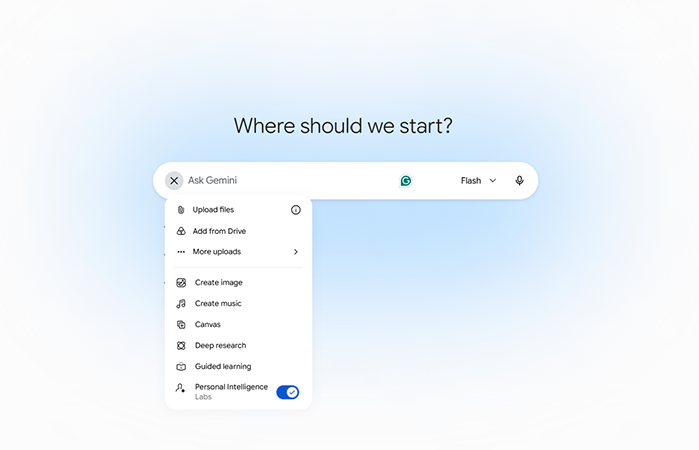
You can use Gemini to research topics, analyze files, write and edit content, generate images, work with code, brainstorm ideas, and turn information into more useful formats. Features such as Deep Research can conduct multi-step research using Google Search and, where available, information from connected sources such as Gmail and Drive.

Gemini also goes beyond a traditional chat interface through tools such as Canvas, which provides an interactive workspace for creating and refining documents, code, and other projects. Google has continued expanding Gemini toward more proactive and agentic workflows, making it increasingly capable of helping with tasks rather than simply responding to individual prompts.

That makes Gemini particularly interesting for people who already rely heavily on Google products. Instead of treating AI as a separate tool, Gemini can become a layer of intelligence across research, productivity, communication, and content creation.

For users exploring AI tools, the important question is therefore not simply whether Gemini can answer questions. It is whether its combination of models, Google integrations, research capabilities, and creative tools fits the way you actually work.

What Can You Use Gemini For?

Gemini can handle a wide range of tasks, from quick everyday questions to more involved research and creative workflows. Its usefulness becomes more apparent when you use it as a workspace for transforming information rather than simply asking questions and receiving answers.

Research & Knowledge

Gemini can help you investigate topics, summarize information, compare sources, and turn large amounts of information into structured answers. Its Deep Research feature can perform multi-step research and generate reports based on information gathered from the web, with options to include additional sources such as files, Gmail, and Drive.

This makes Gemini useful for market research, competitor research, learning, planning, academic work, and exploring unfamiliar subjects.

Content Creation

Gemini can help brainstorm ideas, write drafts, rewrite existing content, summarize documents, improve copy, and adapt information for different audiences or formats.

For marketers and creators, this can make Gemini useful across the content workflow rather than limiting it to first-draft generation.

Document & Project Work

With Canvas, Gemini can provide a more interactive environment for creating and refining documents and code. Instead of keeping everything inside a conventional chat response, you can work on an evolving piece of content or project and ask Gemini to modify it as you go.

Image, Video & Creative Work

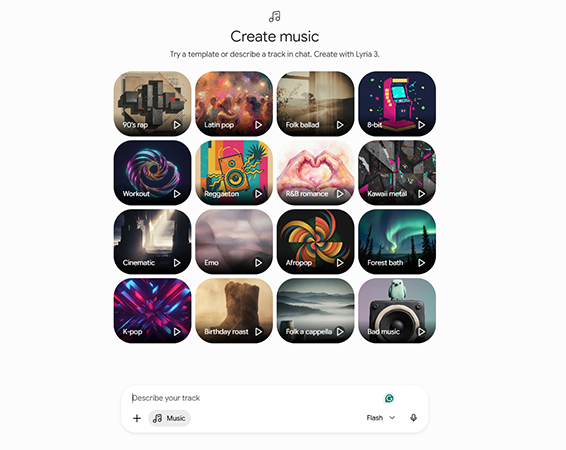
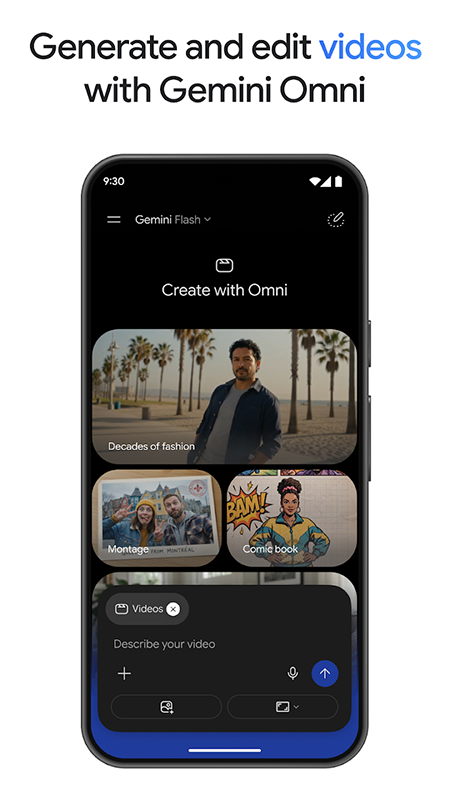
Gemini can also be used for image generation and editing, while newer Gemini capabilities extend into video creation and other forms of multimodal content. This makes it possible to move from an idea or written description toward visual content without necessarily switching between multiple AI tools.

Coding & Development

Developers can use Gemini to explain code, generate code, debug problems, work with repositories, and prototype applications. Its Canvas environment also supports creating and refining code-based projects.

Google-Centric Productivity

One of Gemini’s biggest differentiators is its relationship with Google’s ecosystem. Depending on the account, plan, and available features, Gemini can work with connected Google services and use information from sources such as Gmail, Drive, Search, YouTube, and other Google products.

This can be particularly valuable when the information you need is already spread across your Google account.

Learning & Education

Students and researchers can use Gemini to explain difficult concepts, summarize study material, create quizzes and flashcards, and turn complex subjects into more manageable learning resources. Gemini also provides dedicated features for generating study materials.

Automation & Agentic Tasks

Gemini is increasingly moving beyond the traditional question-and-answer model. Google’s newer agentic features are designed to help with multi-step tasks and workflows, with some capabilities able to take actions on a user’s behalf under their direction.

The exact capabilities and availability depend heavily on the user’s plan, device, account type, and region.

Who Is Gemini For?

Gemini is a broad AI assistant rather than a tool built for one specific profession. Its strongest fit depends on how much you rely on Google’s ecosystem and how varied your AI needs are.

Beginners

Gemini is a strong starting point for people who are new to AI tools. It can handle simple questions and everyday tasks while also offering more advanced capabilities as users become comfortable with AI-assisted research, writing, and creation.

Marketers

Marketers can use Gemini for content ideation, keyword and topic research, competitor analysis, copywriting, content briefs, data interpretation, and research-heavy workflows.

Its ability to work with information from Google’s ecosystem can also make it useful when marketing work already happens across tools such as Search, Gmail, Drive, and Docs.

Designers & Creators

Creators can use Gemini for brainstorming, image generation and editing, content development, visual concepts, and transforming ideas into different formats. Its multimodal capabilities make it more useful for creative workflows than a text-only assistant.

Developers

Developers can use Gemini for coding, debugging, explaining unfamiliar code, prototyping, and working with larger projects. Canvas and repository-related capabilities can make it useful beyond simple code generation.

Businesses & Teams

Gemini can be useful for professionals who need to analyze information, prepare documents, research markets, communicate more efficiently, or work with information already stored across Google services.

For organizations using Google Workspace, however, available features, data protections, and integrations can vary according to the Workspace license and account configuration.

Students & Researchers

Gemini is particularly relevant for students and researchers who need help understanding complex topics, analyzing source material, creating study resources, or conducting structured research.

Deep Research can be especially useful when a question requires gathering and synthesizing information from multiple sources rather than producing an answer from a single prompt.

Who Might Prefer Another AI Tool?

Gemini is not automatically the best choice for everyone. Users who want a highly specialized tool for one narrow workflow—such as advanced image generation, professional video production, dedicated coding environments, or highly specialized automation—may find a purpose-built AI product more effective.

Gemini’s biggest advantage is breadth and ecosystem integration. If you want one AI assistant that can move between research, writing, coding, creative work, and Google-powered productivity, it becomes a much more compelling option.

Key Features

Deep Research

Deep Research turns complex questions into structured research projects. Gemini can break a topic into multiple steps, search across relevant sources, and synthesize the findings into a detailed report. You can also provide additional context through files and connected sources where available. For marketers, researchers, students, and professionals, this is one of Gemini's most useful features because it shifts the workflow from simply asking an AI a question to having it investigate a topic more systematically.

Google Ecosystem Integration

One of Gemini's biggest advantages is its connection to Google's ecosystem. Depending on the user's account, plan, and available features, Gemini can work with services such as Gmail, Google Drive, Google Docs, Google Calendar, YouTube, and Google Search. This makes Gemini particularly useful when your work and information already live inside Google. Instead of manually moving information between different applications, Gemini can help bring those sources into an AI-assisted workflow.

Multimodal Understanding

Gemini is designed to work with more than text. It can understand and work with combinations of text, images, documents, code, audio, and other supported inputs. This allows you to do things like analyze a document, interpret an image, discuss information contained in a file, or combine different types of context in a single workflow. For users working with mixed media, this makes Gemini more flexible than a traditional text-based chatbot.

Canvas

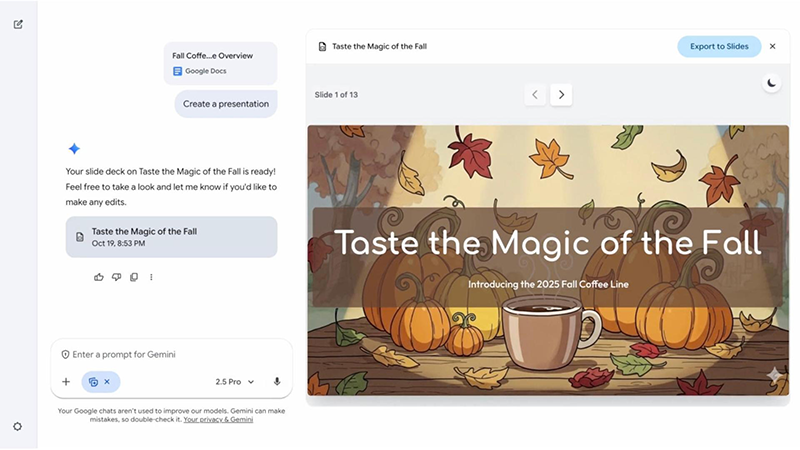
Canvas provides a more interactive workspace for creating and refining content and code. Instead of repeatedly generating separate chat responses, you can use Canvas to develop a document, application, presentation, or other project while asking Gemini to revise and improve specific parts. This makes Gemini more useful for longer projects where the goal is not just to get an answer, but to actually build something.

Image Generation & Editing

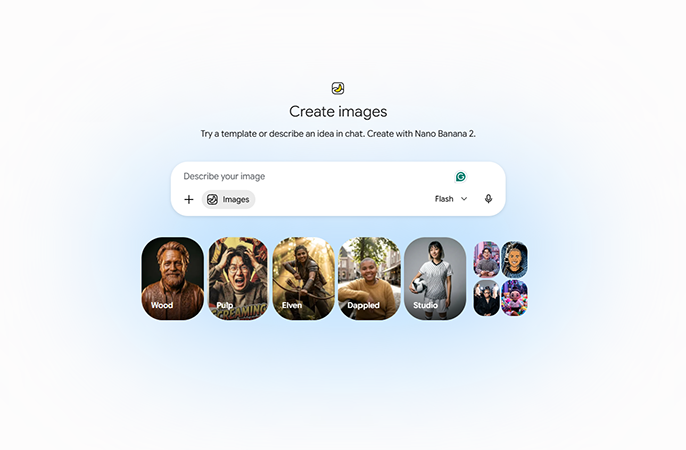
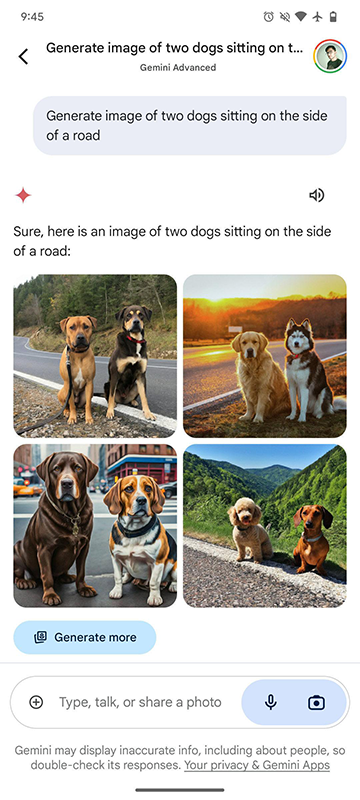
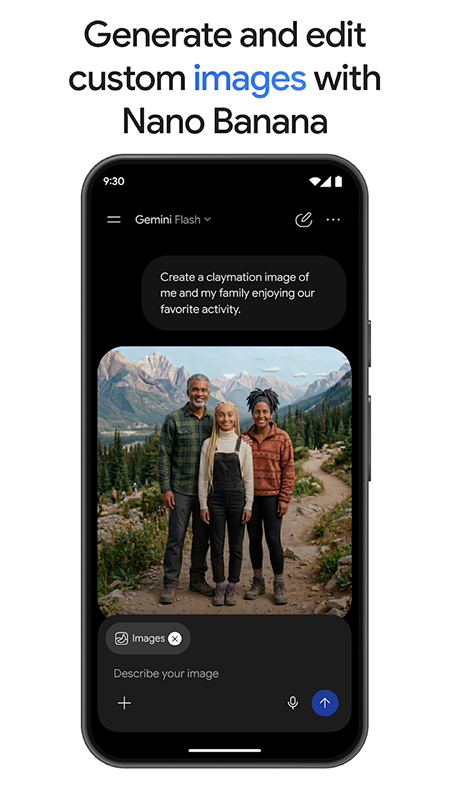
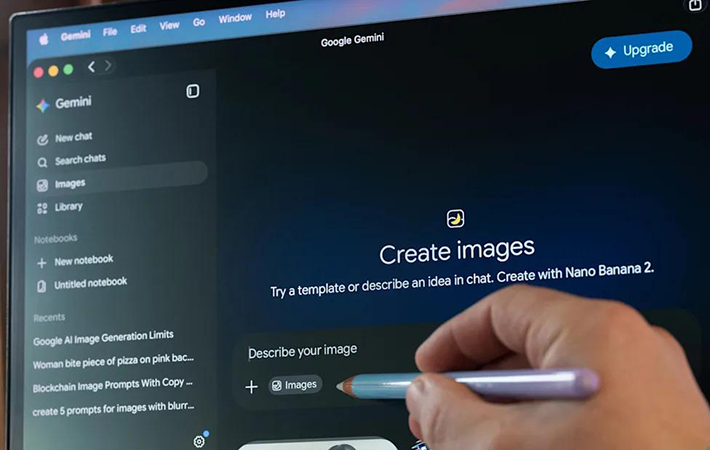
Gemini can generate and edit images from natural-language instructions, allowing users to move from an idea to a visual without necessarily switching to a dedicated image-generation platform. Beyond creating an image from scratch, supported capabilities can include modifying existing images, combining visual elements, and making targeted changes through conversational instructions. For marketers and creators, this can be useful for concept development, social content, visual experimentation, and rapid creative iteration.

Coding & Development

Gemini can assist throughout the software development process, from explaining unfamiliar code and generating functions to debugging problems and helping prototype applications. Its coding capabilities become more useful when combined with Canvas and other development-oriented workflows, allowing users to iteratively build and refine code instead of treating AI as a simple code autocomplete tool. Developers can also access Gemini models through Google's developer ecosystem and Gemini API for building their own AI-powered applications.

Large-Scale Information & File Analysis

Gemini can work with supported documents and files to extract information, summarize content, answer questions, and identify patterns. This is particularly useful when the task involves more information than you would reasonably want to paste into a normal chat message. For example, a marketer could provide a research document and ask Gemini to identify key findings, while a student could use course material to generate explanations or study resources. The exact file limits and available capabilities depend on the model, account, and plan.

Agentic & Automated Tasks

Gemini is increasingly moving toward agentic AI, where the assistant can handle multi-step tasks instead of simply generating a response. Depending on availability, newer Gemini features can help plan and execute actions across supported services, such as organizing information, interacting with connected applications, or carrying out scheduled tasks. This is an important direction for Gemini because it changes the role of the product from an AI that answers questions into an AI that can increasingly help complete tasks.

Gemini Pricing: Which Plan Do You Actually Need?

Gemini is available with a free option, but Google’s paid AI plans are designed to provide higher usage limits, access to more capable models, and additional creative and productivity features.

The right plan depends less on how often you use an AI chatbot and more on what you expect Gemini to do. Casual users may find the free version sufficient, while people who rely on Gemini for research, content creation, coding, image and video generation, or Google Workspace productivity can benefit from a paid plan.

Google currently offers **Google AI Plus, Google AI Pro, and Google AI Ultra**, with access and usage limits increasing across the plans. Availability, pricing, and included features can vary by country.

Pricing & Plans

Free $0 / month

A good starting point for users who want to try Gemini without a subscription. The free experience provides access to Gemini's core capabilities, but usage limits and access to some advanced models and features are more restricted than paid plans. Best for: Casual users, beginners, quick questions and everyday AI assistance.

Google AI Plus Starting at $7.99 / month*

Google AI Plus sits between the free experience and the more advanced Pro plan. It provides higher usage limits and access to additional AI capabilities, while also adding benefits across Google's ecosystem. It can be a practical choice for users who use Gemini regularly but don't need the highest limits or most advanced access available through Pro and Ultra. Best for: Regular users, students, creators and light professional use. *Pricing varies by country.

Google AI Pro $19.99 / month*

Google AI Pro is the most balanced option for users who want to use Gemini as a serious productivity and creation tool. It provides higher Gemini usage limits, access to more capable models, Deep Research, creative tools, and Gemini features integrated into Google applications. It also includes 5 TB of Google storage in supported markets. For most professionals, marketers, developers, and power users, this is likely the most practical paid tier. Best for: Professionals, marketers, developers, researchers and frequent AI users. *Pricing and benefits vary by country.

Google AI Ultra Starting at $249.99 / month*

Google AI Ultra is designed for users who want the highest available access to Google's AI ecosystem. It includes everything in Google AI Pro while increasing usage limits substantially and providing access to Google's most advanced models and features. Depending on availability, Ultra can provide significantly higher access to Gemini, advanced reasoning features such as Deep Think, agentic capabilities, and expanded access to Google's creative AI tools. Google currently advertises up to 20× the Gemini usage limits of Pro on Ultra, depending on the Ultra tier. Best for: AI power users, researchers, developers, professional creators and users running intensive AI workflows. *Ultra pricing and tiers vary by country. The US price should be verified before publishing if you want the page to remain evergreen.
Plan Price Gemini Access Usage Advanced Features Storage Best For
Free $0/month Core Gemini access Limited Limited 15 GB Casual users & beginners
Google AI Plus From $7.99/month* Expanded access Higher than Free More AI features 400 GB* Regular users & creators
Google AI Pro $19.99/month* Advanced Gemini models Higher limits Deep Research & advanced tools 5 TB* Professionals & power users
Google AI Ultra From $249.99/month* Highest access Up to 20× Pro* Advanced reasoning & agentic features 20 TB* AI power users & professionals

Which Gemini Plan Should You Choose?

Choose Free if:

You occasionally need an AI assistant for questions, writing, brainstorming, or basic everyday tasks.

Choose Google AI Plus if:

You use Gemini regularly and want more access to its capabilities without paying for the higher Pro tier.

Choose Google AI Pro if:

You use Gemini seriously for work, research, coding, content creation, or productivity. For most professional users, this is the best balance between capability and cost.

Choose Google AI Ultra if:

You are an intensive AI user who needs the highest usage limits, access to Google’s most advanced models and features, and extensive access to its creative and agentic tools.

User Environment

FAQ

What is Google Gemini? +
Gemini is Google's AI assistant for tasks such as writing, research, learning, planning, coding, image generation, and information analysis. It is available through the web and mobile apps and can also connect with selected Google services and products.
Is Gemini free to use? +
Yes. Gemini has a free experience, although some advanced models, features, and usage limits are restricted compared with Google's paid AI plans. Some Gemini features can be used without signing in, while signing in unlocks additional functionality and activity management.
What is the difference between Gemini Free and Google AI plans? +
The main differences are access to more capable models and features, higher usage limits, and additional Google AI benefits. Google currently offers Google AI Plus, Google AI Pro, and Google AI Ultra, with the exact benefits and availability varying by country.
Is Gemini better than ChatGPT? +
Neither tool is universally better. Gemini can be especially compelling for users who rely heavily on Google's ecosystem, research features, and connected services, while ChatGPT may be a better fit for users who prefer its particular ecosystem, workflows, or specialized capabilities. The better choice depends on the tasks you perform most often rather than on a single benchmark.
Can Gemini access Google Drive and Gmail? +
Yes, Gemini supports connected Google apps and can work with information from services such as Gmail and Google Drive when the relevant connections and permissions are available. This can make it particularly useful for users whose work is already organized inside Google's ecosystem.
Can Gemini generate images? +
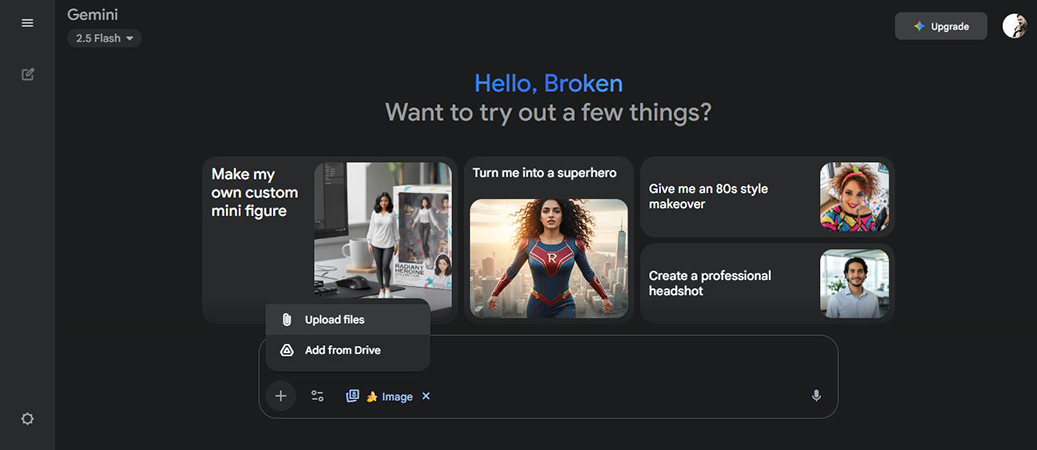
Yes. Gemini can generate and edit images using natural-language instructions. Users can provide an image and ask Gemini to analyze or modify it, while supported features also allow images to be used as input for other types of content generation
Can Gemini analyze PDFs and other files? +
Yes. Gemini supports uploading and analyzing files, allowing users to ask questions about documents and extract or summarize information from supported files. Available file capabilities and limits can vary depending on the user's plan and the feature being used.
What is Gemini Deep Research? +
Deep Research is Gemini's research-oriented feature for investigating more complex topics. Instead of simply answering a prompt, it can perform a multi-step research process and produce a structured report based on information gathered from available sources. This makes it particularly useful for market research, competitor research, academic research, and other questions that require gathering and synthesizing information.
Can Gemini help with coding? +
Yes. Gemini can generate, explain, modify, and debug code and can be used for development and prototyping workflows. Its coding capabilities can also be combined with tools such as Canvas for building and refining projects. Developers can additionally access Gemini models through Google's developer ecosystem and Gemini API.
What is Gemini Canvas? +
Canvas is an interactive workspace within Gemini for creating and refining content and projects. Instead of keeping the entire workflow inside a traditional chat response, users can work on documents, code, and other projects while asking Gemini to make changes and improvements.
Does Gemini have a mobile app? +
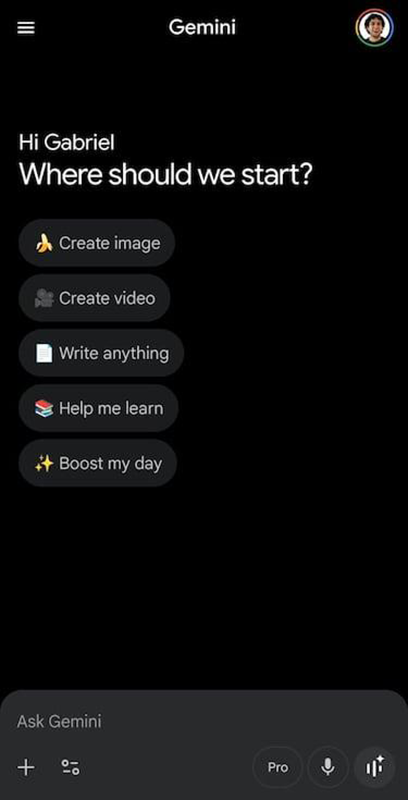
Yes. Gemini has mobile apps for Android and iOS, although specific features and availability can vary by platform, country, language, and account type. On Android, Gemini can also function as a mobile assistant and interact with certain device and Google services.
Can Gemini create custom AI assistants? +
Yes. Gemini offers Gems, customized versions of Gemini that can be configured for specific tasks, instructions, or areas of expertise. They can be useful for repetitive workflows where you want Gemini to follow a consistent set of guidelines.
Does Gemini have usage limits? +
Yes. Gemini's usage limits depend on the plan, model, feature, and complexity of the tasks you perform. Google describes these as compute-based limits, and limits can refresh periodically while some features may also have weekly limits.
Can Gemini make mistakes? +
Yes. Gemini can generate inaccurate or misleading information, so important information should be verified rather than accepted automatically. Google itself recommends double-checking Gemini's responses, particularly when the information could have significant consequences.

Pros & Cons

Pros

  • Strong Google Ecosystem Integration: Gemini can work with Google services and information sources such as Gmail and Drive, making it particularly convenient for users already invested in Google's ecosystem.
  • Powerful Research Capabilities: Deep Research can break complex questions into multi-step research tasks and produce structured reports from multiple sources.
  • Broad Multimodal Capabilities: Gemini can work across text, images, files, code, and other supported media instead of being limited to text conversations.
  • Useful for Both Everyday and Professional Work: It can handle simple questions and writing tasks while also supporting research, coding, analysis, content creation, and more advanced workflows.
  • Strong Productivity Features: Tools such as Canvas, Gems, connected apps, and integrations with Google products can turn Gemini into a broader productivity environment rather than just a chatbot.
  • Multiple Access Levels: The free version makes Gemini accessible to casual users, while paid Google AI plans provide progressively higher limits and access to more advanced capabilities.
  • Rapidly Expanding Agentic Features: Google's investment in agentic workflows gives Gemini potential to handle increasingly complex multi-step tasks rather than simply responding to prompts.
Cons

  • Feature Availability Varies by Plan and Region: Some of Gemini's most interesting capabilities are restricted to specific Google AI plans, countries, languages, devices, or account types.
  • Usage Limits Can Be Restrictive: Advanced models and features can have usage limits, and heavy users may reach those limits relatively quickly depending on the task and plan.
  • Google Ecosystem Dependence: Gemini's ecosystem integration is a major advantage if you use Google products heavily, but it is less valuable if your workflow primarily relies on other platforms.
  • Rapidly Changing Product Structure: Google's frequent changes to Gemini models, features, plans, and product naming can make it difficult to keep track of exactly what is available at any given time.
  • Not Always the Best Specialized Tool: Gemini is broad by design. Users looking for highly specialized workflows in areas such as professional image generation, advanced video production, or dedicated development environments may get better results from purpose-built tools.
  • AI Responses Still Require Verification: Gemini can produce incorrect or misleading information, particularly when dealing with factual or complex topics. Important information should always be checked against reliable sources.
  • Advanced Features Can Be Expensive: Google AI Ultra is aimed at heavy AI users and comes at a substantially higher price than typical AI subscriptions, making it difficult to justify for most casual users.

Reviews

There are no reviews yet.

Be the first to review “Gemini”

Your email address will not be published. Required fields are marked *

8 + ten =