Home - AI Video Tools - Vidu
Vidu AI tool logo

Pricing model: $10.00 Per Month

Follow in social:

Vidu

Explore AI Video & Creative Tools

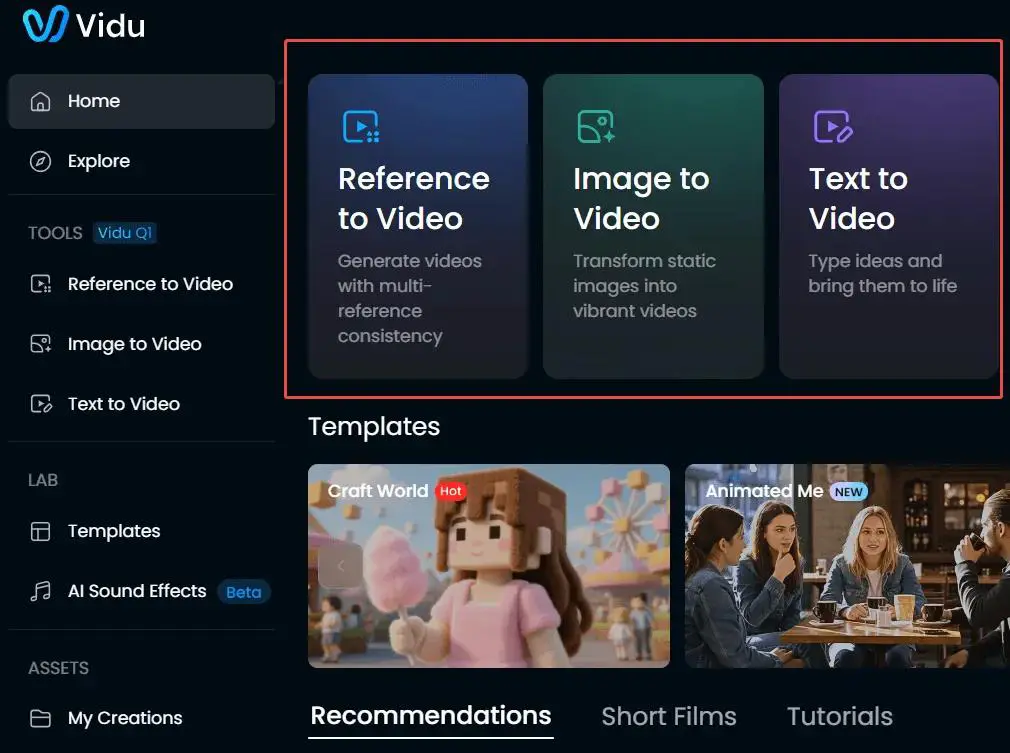
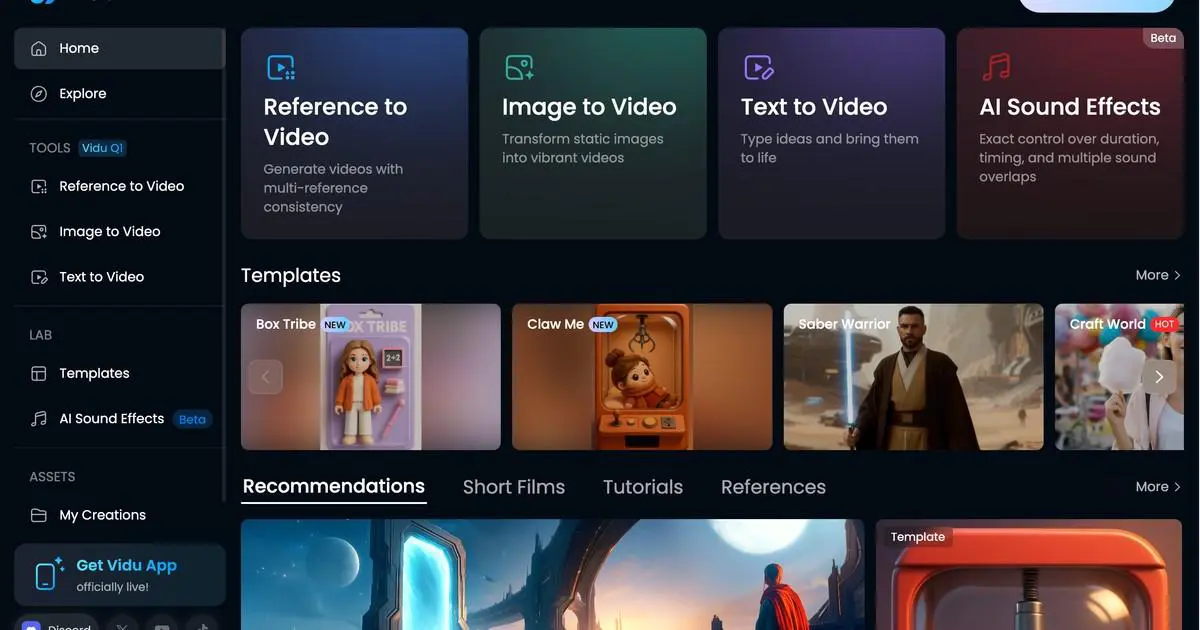
Vidu is an AI-powered creative platform for generating videos, images, and other visual content. It supports text-to-video, image-to-video, reference-based video generation, and a range of creative tools designed to help creators and businesses turn ideas and visual inputs into engaging content.
AI Audio Tools
Audio Tools
AI Video Tools
Video Tools
AI Image Tools
Image Tools
Use Case
Image Generation
Video Creation
Audio & Voice
Target Audience
Beginners
Marketers
Designers / Creators
Business / Teams
Output Type
Image
Video
Audio
Pricing Model
Subscription
Pay-as-you-go
Enterprise
Free Plan​
Yes
API Access
Yes
Platform / Access Type
Web App
Mobile App
Limitations
Free plan limited
Quality limits
Usage Limit
Plan Restrictions
Team & Collaboration
Enterprise
Team Workspace

Tool Overview

What Is Vidu?

Vidu is an AI-powered creative platform designed for generating and transforming visual content with artificial intelligence. It enables users to create videos from text, images, and visual references, while also providing image generation, creative editing, and real-time interactive video capabilities.

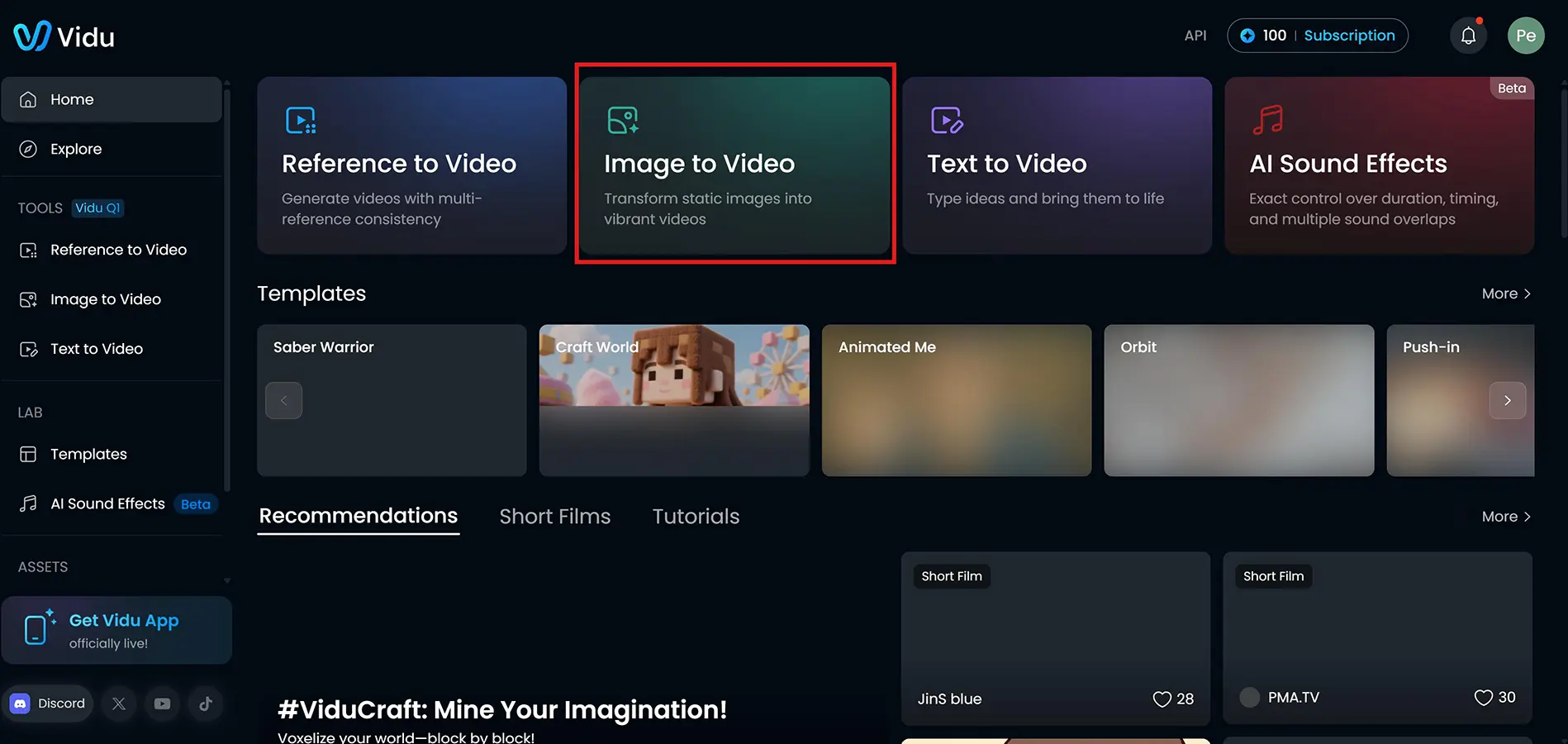
With features such as Text-to-Video, Image-to-Video, Reference-to-Video, and Start/End-to-Video, Vidu gives creators more control over how their ideas are turned into moving visuals. Its reference-based generation tools can also help maintain the appearance and consistency of characters, objects, and scenes across different generations.

Vidu has expanded beyond traditional AI video generation with multimodal capabilities that include image and audio generation, digital humans, lip sync, voice cloning, and real-time interactive video experiences. This makes it useful for everything from social media content and advertising to animation, storytelling, and professional video production.

The platform is available for individual creators as well as businesses and teams, with both consumer-facing creative tools and an API platform for integrating Vidu’s generation capabilities into applications and workflows.

What Can You Use Vidu For?

Create AI Videos from Text

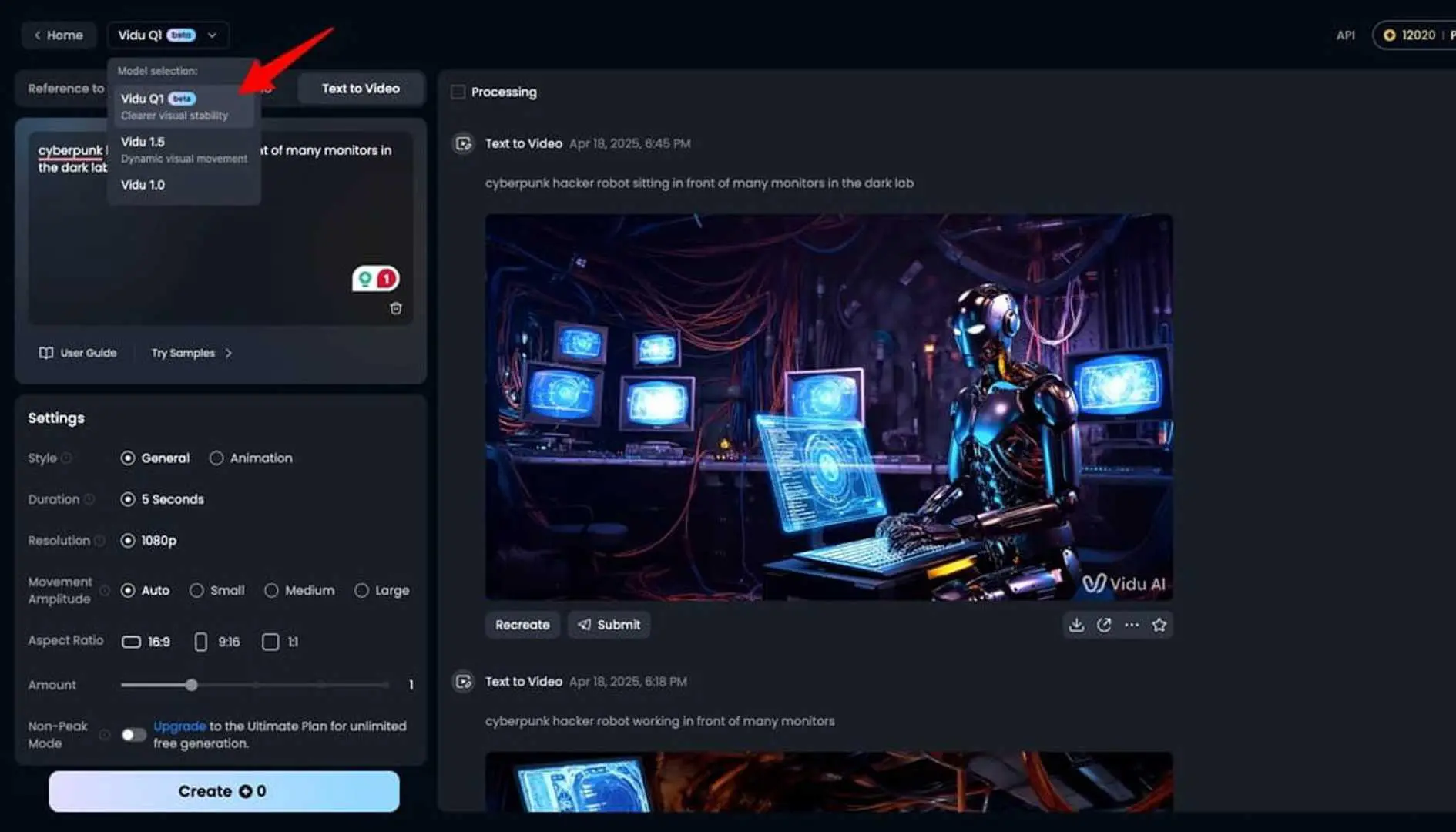
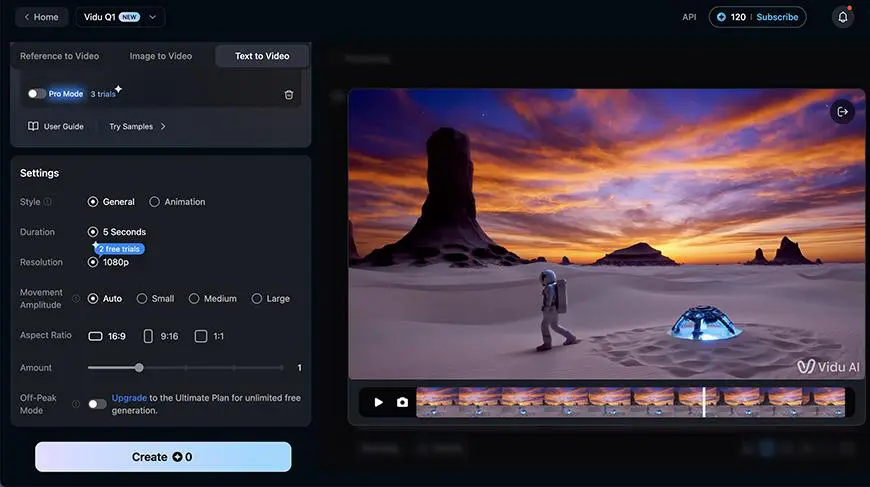
Vidu can turn text prompts into AI-generated videos, making it useful for transforming ideas, scripts, and creative concepts into visual content. Users can control settings such as duration, resolution, aspect ratio, and motion to shape the generated result.

Animate Images and Product Visuals

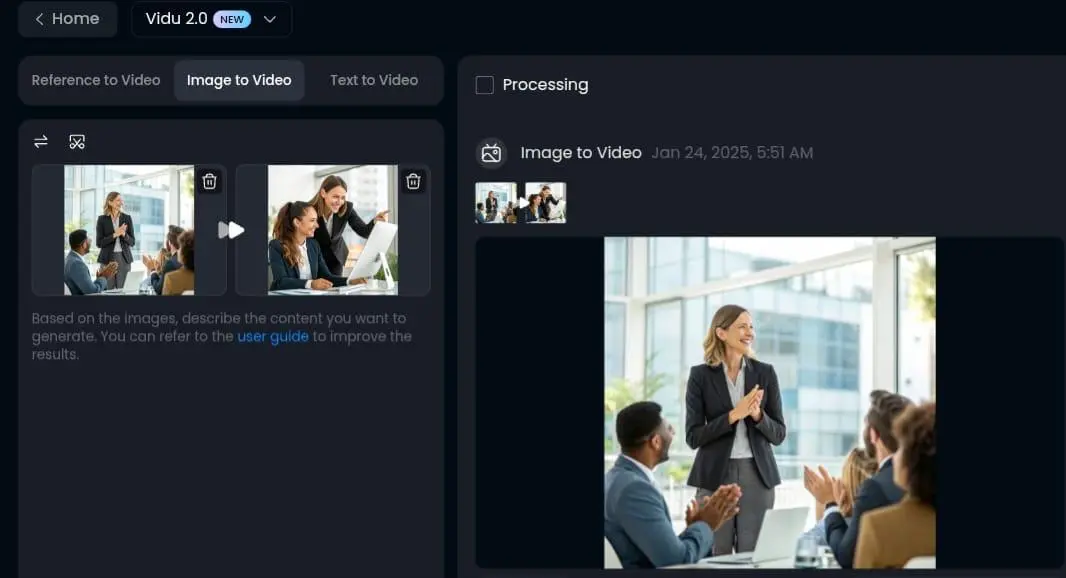
With Image-to-Video, Vidu can transform static images into dynamic video clips. This can be useful for animating product photos, artwork, illustrations, and other visual assets for marketing campaigns, social media, and promotional content.

Create Consistent Characters and Scenes

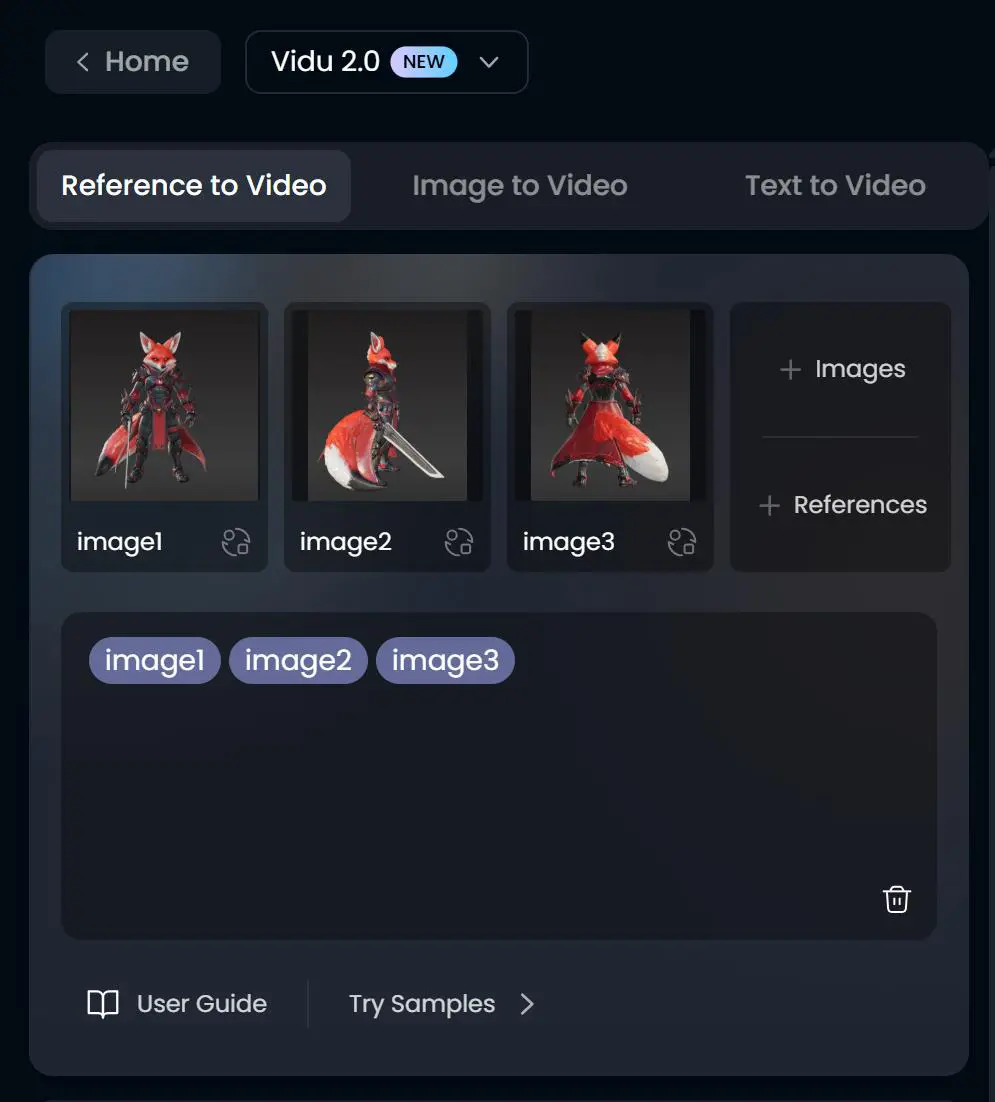
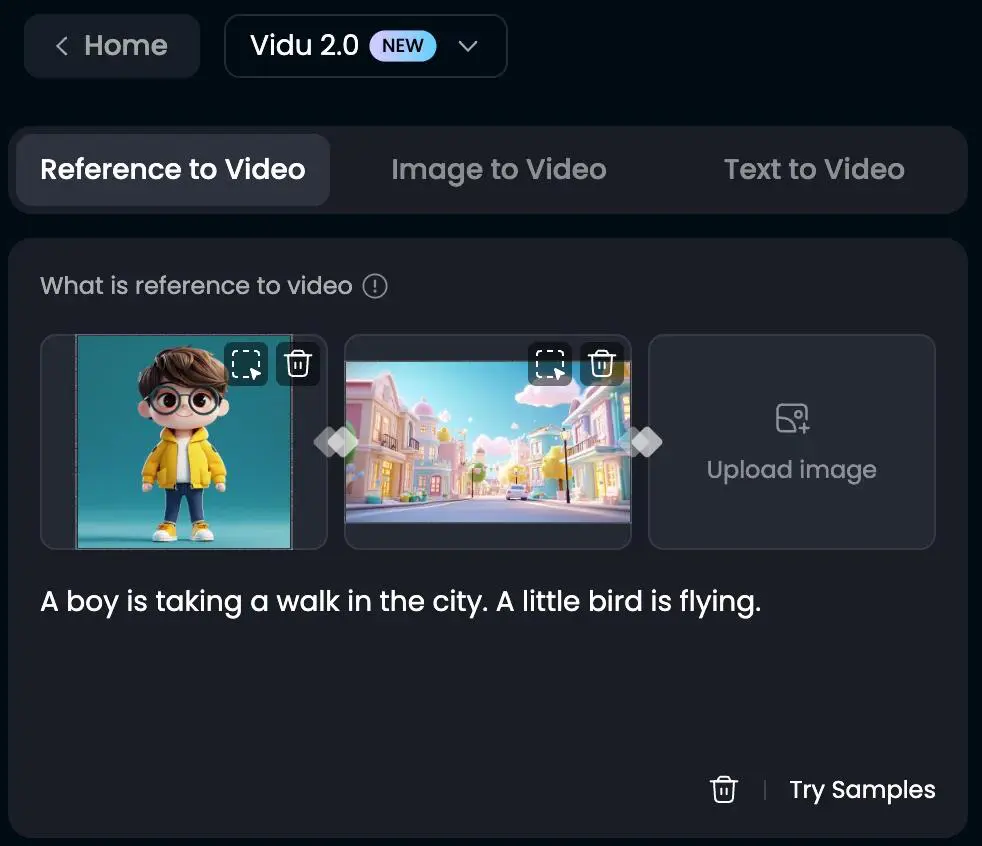
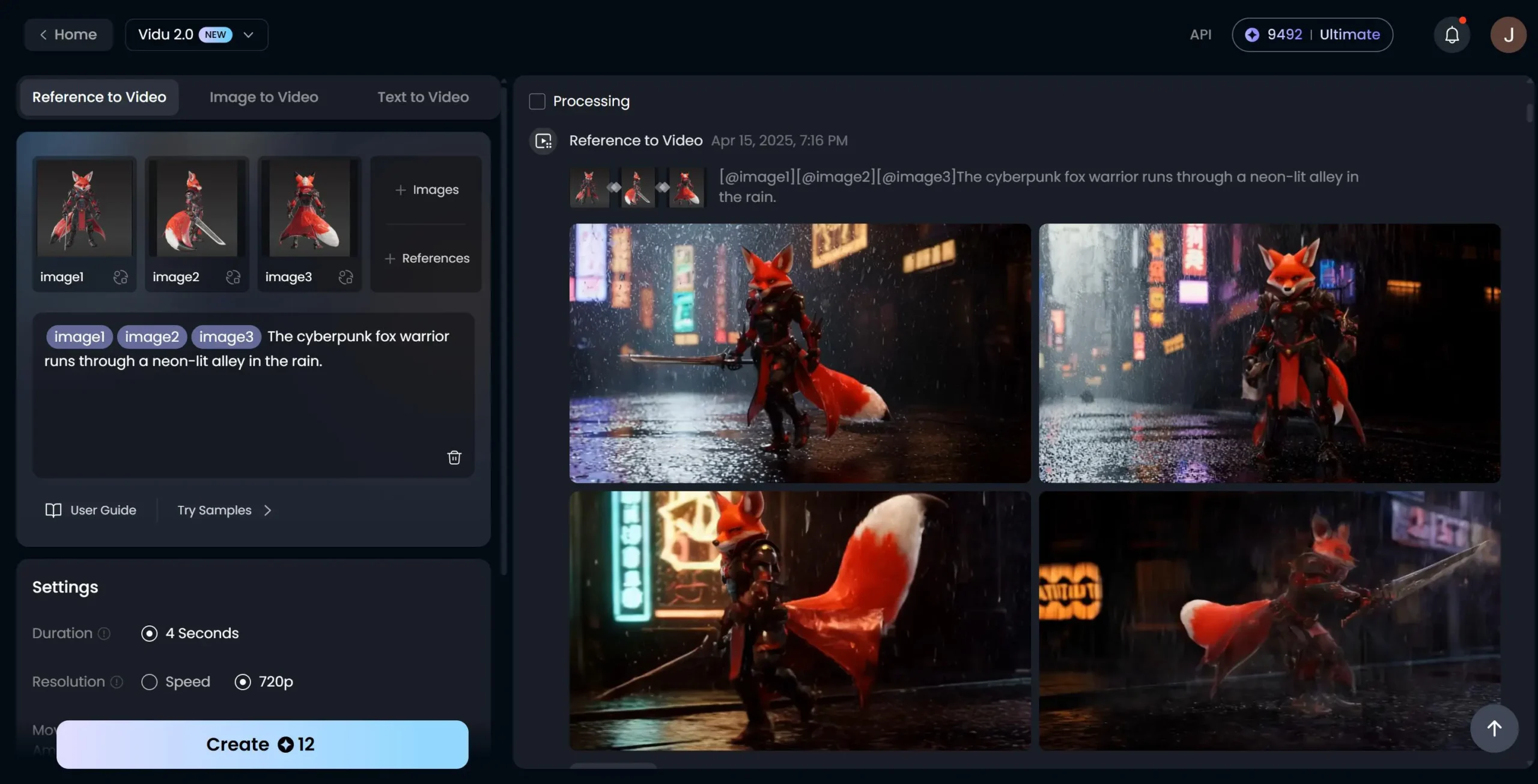
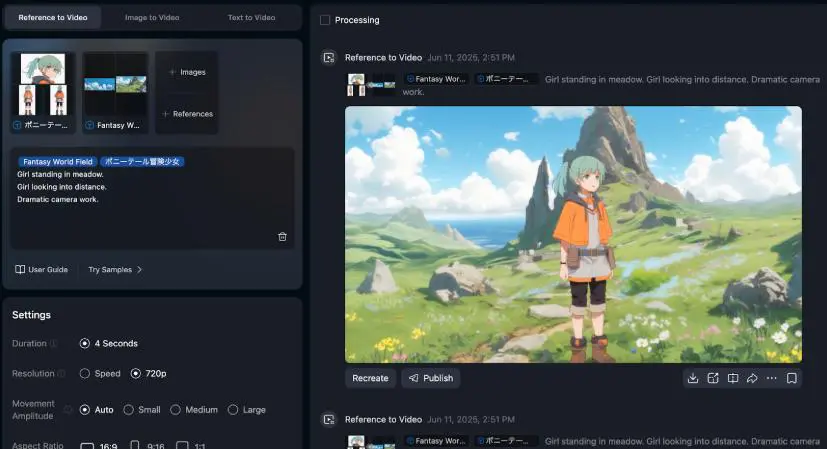
Vidu’s Reference-to-Video capabilities allow users to provide multiple reference images to guide characters, objects, scenes, and visual styles. This makes it particularly useful for storytelling, multi-scene videos, character-driven content, and projects where visual consistency matters.

Produce Marketing and Advertising Videos

Marketers and businesses can use Vidu to create product videos, promotional content, advertising concepts, and social media creatives without building every scene manually. Vidu specifically highlights marketing, commercial advertising, and product-focused video creation as use cases.

Create Social Media Content

Vidu can help creators produce short-form visual content for social platforms, including attention-grabbing clips, animated visuals, and creative video concepts. Its fast generation workflow is designed to help users test and iterate on ideas quickly.

Develop Animation and Storytelling Content

Vidu can be used for 2D animation, cinematic scenes, character-based storytelling, and other narrative projects. Its reference-based generation is particularly useful when multiple shots need to maintain consistent characters, objects, or visual styles.

Create Real-Time Digital Character Experiences

Vidu also supports real-time interactive digital characters that can respond to users in real time. Its API documentation describes applications involving digital humans, real-time conversation, voice input, and streamed character rendering.

Transform Existing Video Content

Vidu can also be used to transform existing video footage into a different visual direction, allowing creators to experiment with changes to style, scene, characters, or motion while retaining elements of the original footage.

Who Is Vidu For?

Content Creators

Vidu is well suited for content creators who want to turn ideas, images, and references into engaging AI-generated videos. Its text-to-video, image-to-video, and reference-based workflows can help creators experiment with different visual concepts and produce content more efficiently.

Social Media Creators

Creators producing short-form content for social media can use Vidu to generate visual clips, animations, and attention-grabbing video concepts. Its fast generation workflow makes it useful for testing multiple ideas and adapting content to different social formats.

Marketers and Advertisers

Vidu can help marketers create promotional videos, product visuals, advertising concepts, and social media creatives. Its image-to-video and reference-based tools can also be used to animate product images or create variations of advertising scenes.

Designers and Visual Creators

Designers, illustrators, and other visual creators can use Vidu to bring static artwork and concepts to life. Reference-based generation can also help maintain visual elements such as characters, objects, and scenes across multiple creations.

Filmmakers and Animators

Vidu can support filmmakers and animation teams during concept development, visual experimentation, storyboarding, and scene creation. The platform specifically highlights applications ranging from animation and live action to short films and cinematic storytelling.

Businesses and Teams

Businesses can use Vidu for commercial content production, marketing campaigns, product videos, and other visual communication needs. Vidu offers individual plans for independent creation and enterprise plans designed for team collaboration.

Beginners Exploring AI Video

Vidu can also be used by people who are new to AI video generation. Its creator-focused interface and multiple generation modes allow beginners to experiment with text, images, and references without requiring traditional video-production skills. Vidu itself describes the platform as suitable for both people starting with AI video and more advanced creators.

Developers and AI Product Teams

Developers can use the Vidu API to integrate AI video and multimodal generation capabilities into applications and workflows. The API platform provides access to Vidu’s models through API keys and credit-based usage.

Key Features

Text-to-Video Generation

Vidu can transform text prompts into videos, allowing users to describe scenes, actions, characters, and visual styles and turn their ideas into generated video content. Current Q3 models support videos of up to 16 seconds and resolutions up to 1080p.

Image-to-Video

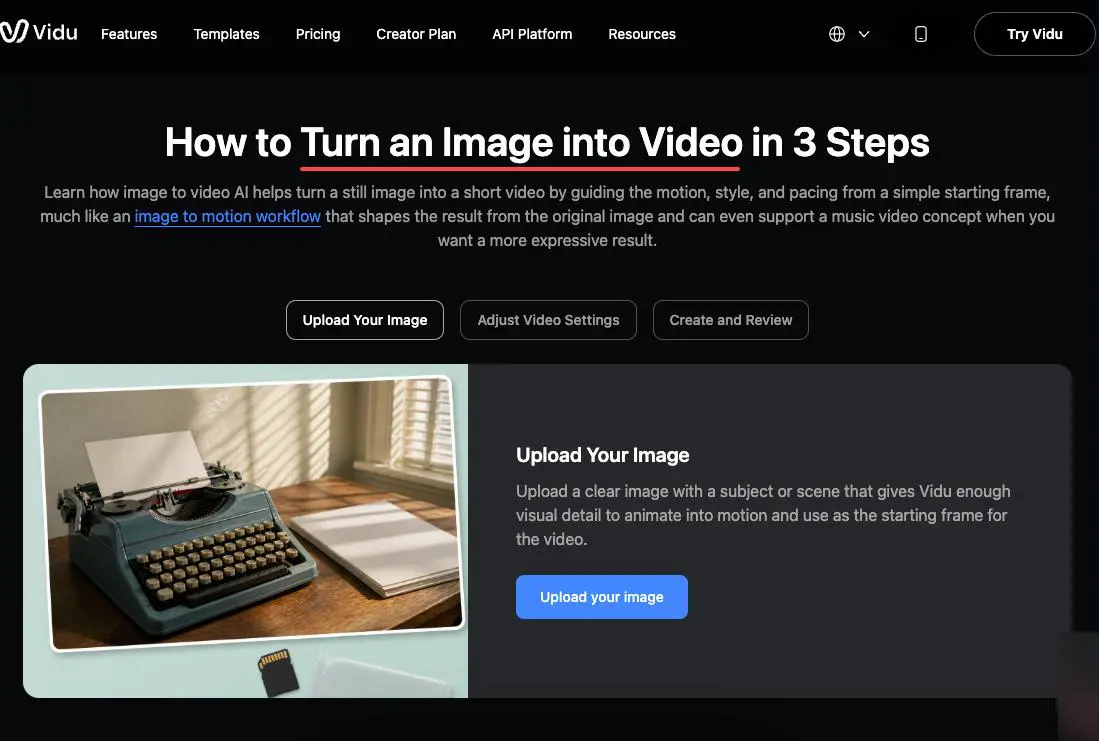
Users can upload an image and use it as the starting point for an AI-generated video. Vidu can animate characters, products, artwork, and other visual assets while allowing users to control elements such as duration, aspect ratio, resolution, and motion.

Reference-to-Video

Vidu's Reference-to-Video feature allows users to provide reference images of characters, objects, or scenes and generate videos while maintaining greater visual consistency. Up to seven reference images can be used with supported models, making the feature useful for multi-scene storytelling and character-driven content.

Start & End to Video

Vidu can generate a video based on specified starting and ending frames, creating the motion and transition between them. This gives creators more control over how a scene begins and ends compared with a standard text-to-video workflow.

AI Image Generation & Editing

Beyond video generation, Vidu includes AI image generation and editing capabilities such as Text-to-Image, Reference-to-Image, AI Image Editor, Image Enhancer, and Character Generator.

Audio-Visual Generation

Vidu's newer Q3 models can generate video with synchronized audio, including dialogue and sound effects. This allows creators to produce audiovisual clips without necessarily generating the visual and audio components separately.

AI Video Editing & Creative Tools

Vidu provides a range of tools for transforming and enhancing generated or existing visual content, including AI video editing, video extension, motion control, lip sync, and video enhancement.

Real-Time Interactive Video

Vidu also offers real-time interactive video capabilities designed for responsive digital characters and video experiences. Its recently introduced S2 models support real-time voice interaction and motion control, expanding Vidu beyond traditional generation workflows.

Vidu offers a credit-based pricing system for AI video and image generation. The web platform provides subscription plans with monthly credits, while additional credits can be purchased on demand. Vidu also offers a separate API platform with pay-as-you-go pricing for developers and businesses.


Pricing & Plans

Free $0/month

40 free credits per month Access to Vidu's AI video generation tools Limited generation capacity Suitable for trying the platform and testing basic workflows Vidu currently states that users receive 40 free credits per month for its AI video generator.

Basic - $9.99/month

Monthly credits AI video & image generation Standard creative tools Access to higher-quality generation

Pro - $24.99/month

More monthly credits Advanced video generation Multi-reference consistency Premium creative features

Premium - $59.99/month

Higher monthly credit allowance High-quality video generation Faster generation options Advanced creative tools

User Environment

FAQ

Is Vidu free to use? +
Yes. Vidu offers a free plan with monthly credits, allowing users to try its AI video and image generation features without a paid subscription. The amount of free usage and available features may be subject to change.
What can Vidu generate? +
Vidu can generate AI videos and images from text, images, and visual references. It also provides tools for video editing, image editing, lip sync, character creation, and other creative workflows.
Can Vidu turn an image into a video? +
Yes. Vidu's Image-to-Video feature can animate a still image and turn it into a dynamic video clip. Users can provide an image and describe the desired motion or scene.
Can Vidu create videos from text? +
Yes. Vidu supports Text-to-Video generation, allowing users to describe a scene or concept with a text prompt and generate an AI video from it.
Does Vidu support reference images? +
Yes. Vidu supports reference-based generation, allowing users to provide visual references to help maintain the appearance of characters, objects, and scenes across generated content.
Does Vidu have an API? +
Yes. Vidu provides an API that allows developers and businesses to integrate its AI generation capabilities into their own applications and workflows. API usage is credit-based.
Can Vidu generate audio with video? +
Yes. Some Vidu models support synchronized audio and video generation, allowing generated videos to include sound alongside the visual content.
Who can use Vidu? +
Vidu is designed for a wide range of users, including content creators, marketers, designers, filmmakers, businesses, and developers. Its interface also makes it accessible to beginners exploring AI video generation.
Does Vidu have a mobile app? +
Vidu's main creative platform is available through the web. The core Vidu generation experience is primarily accessed through its web application.
Is Vidu suitable for professional video production? +
Vidu can be useful for professional creative workflows, including advertising, social media content, animation, storytelling, and visual concept development. However, output quality and available capabilities can vary depending on the selected model, settings, and plan.

Pros & Cons

Pros

  • Supports multiple AI video generation workflows
  • Text-to-Video and Image-to-Video generation
  • Reference-based generation for better visual consistency
  • Supports image generation and creative editing tools
  • Includes advanced video and multimodal capabilities
  • API available for developers and businesses
  • Free credits available for new and existing user
  • Suitable for both beginners and professional creators
Cons

  • Free usage is limited by monthly credits
  • Higher usage requires a paid plan or additional credits
  • Output quality can vary depending on the model and prompt
  • Advanced features may be restricted by plan
  • Credit-based usage can make costs harder to predict for heavy users
  • Some advanced capabilities may require specific models or plans

Reviews

There are no reviews yet.

Be the first to review “Vidu”

Your email address will not be published. Required fields are marked *

nineteen − fifteen =