Home - AI Video Tools - Pika
Pika AI Tool Logo

Pricing model: $8.00 Per Month

Follow in social:

Pika

Pika: Explore AI Video Generation & Creative Tools

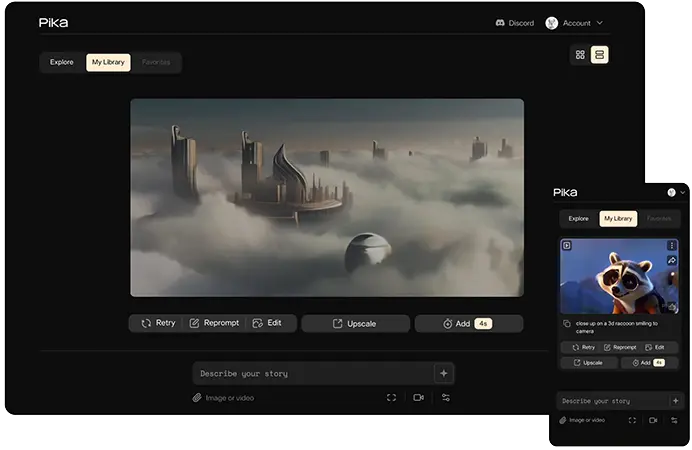
Pika is an AI-powered creative platform for generating and transforming videos from text, images, and other visual inputs. Explore Pika’s AI video models, creative effects, editing tools, and generative media features to see how it can fit into your content creation workflow.
AI Video Tools
Video Tools
AI Image Tools
Image Tools
Use Case
Image Generation
Video Creation
Target Audience
Beginners
Marketers
Designers / Creators
Business / Teams
Output Type
Image
Video
Audio
Pricing Model
Freemium
Subscription
Free Plan​
Limited
API Access
Limited / Paid
Platform / Access Type
Web App
Mobile App
Limitations
Free plan limited
Usage Limit
Feature Restrictions
Plan Restrictions
Team & Collaboration
Individual Only

Tool Overview

What Is Pika?

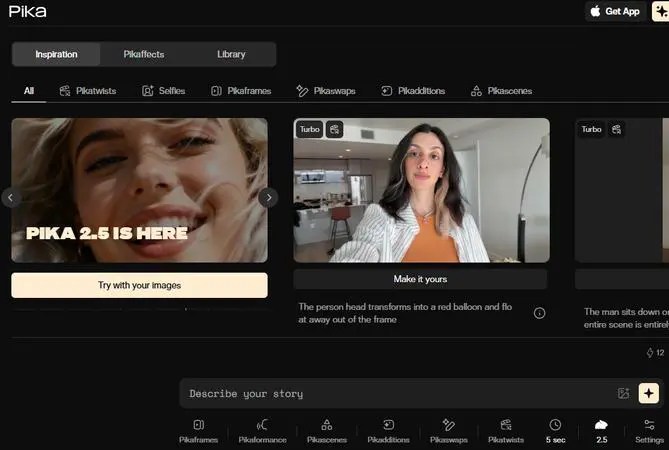
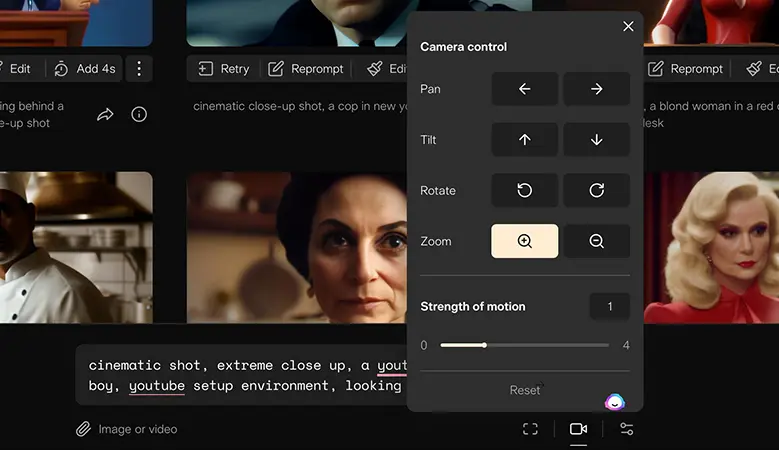
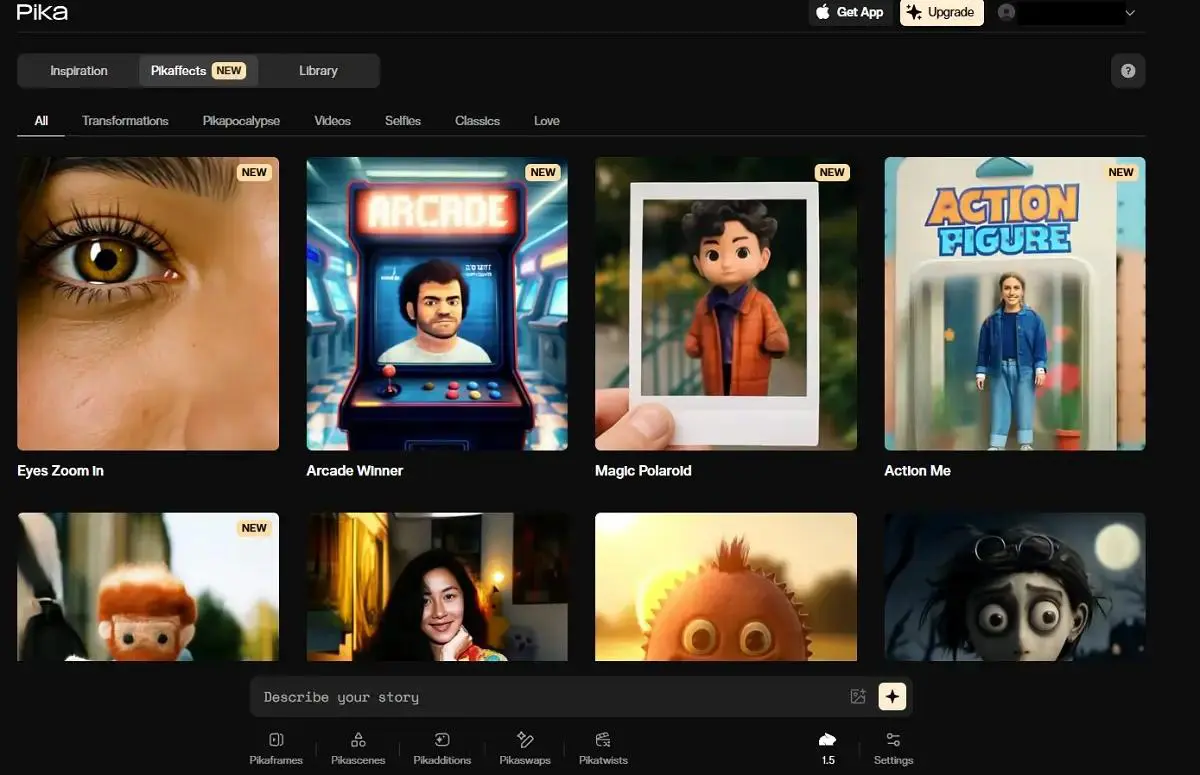
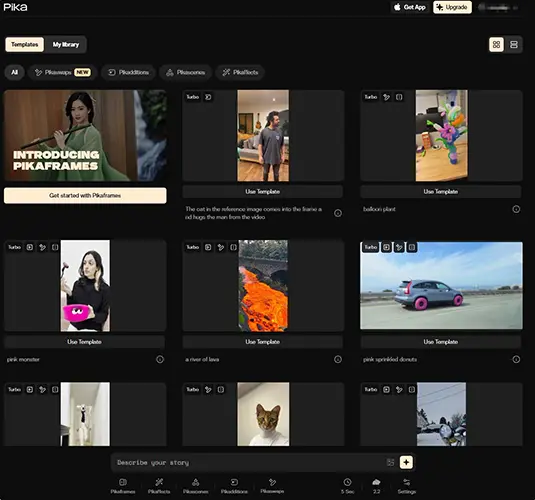
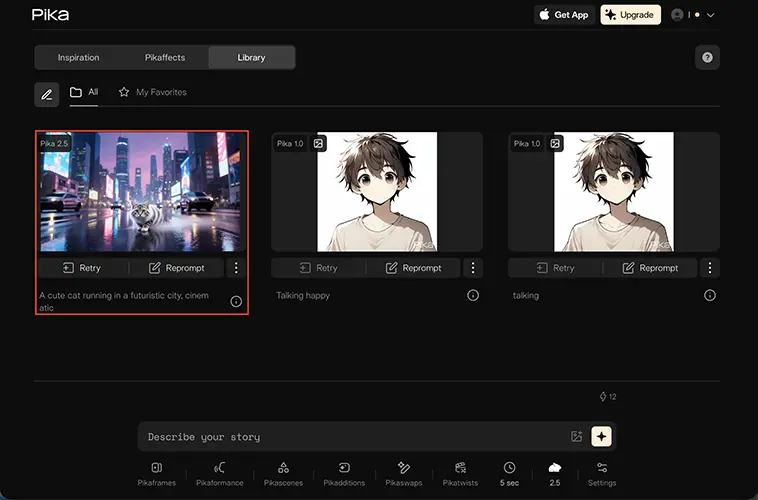
Pika is an AI-powered creative platform focused on generating and transforming videos from text, images, and other visual inputs. It provides a range of generative video tools and creative effects, including Pika 2.5, image-to-video generation, Pikascenes, Pikadditions, Pikaswaps, Pikatwists, and Pikaffects.

Pika is designed to make AI video creation more accessible without requiring advanced video-editing skills. Users can create short videos, animate images, apply visual effects, and transform existing content through a relatively simple creative workflow.

The platform is also expanding beyond basic video generation with features such as Pika Agent and Pika MCP, allowing AI agents and other workflows to interact with Pika’s generative media capabilities.

What Can You Use Pika For?

AI Video Generation

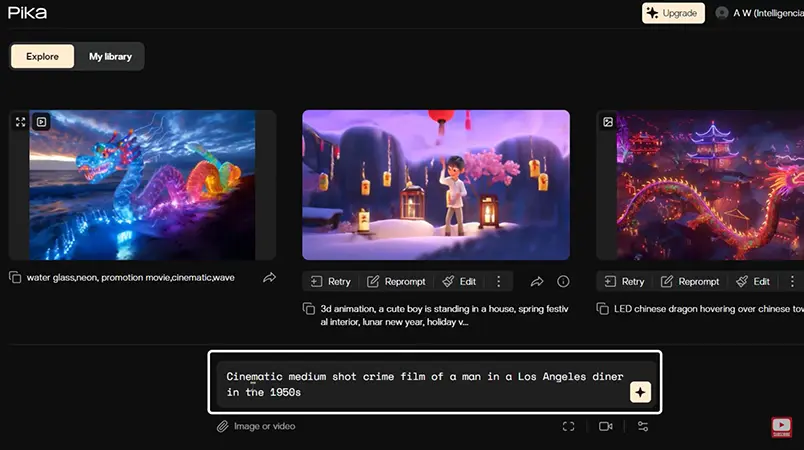
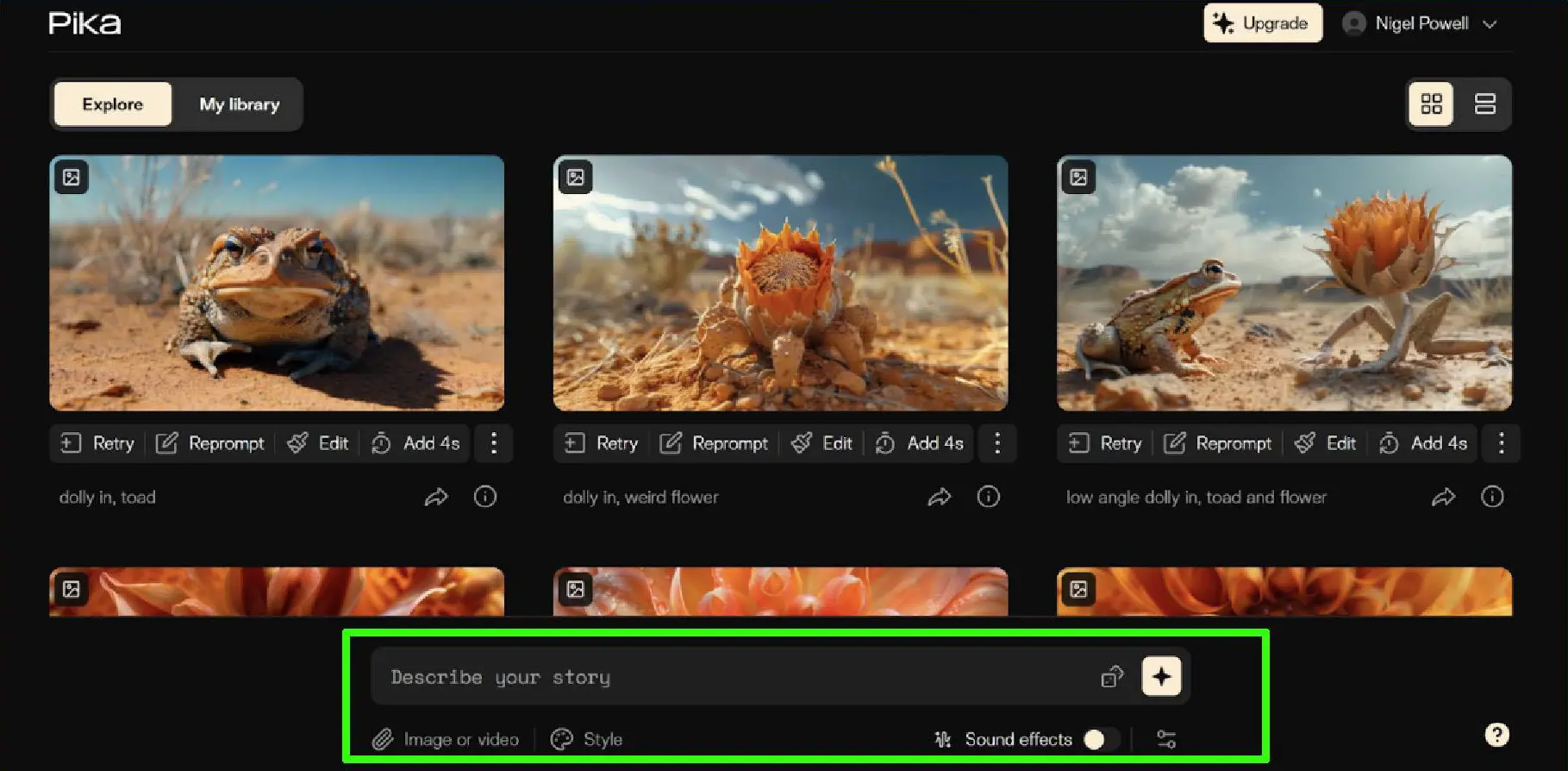
Pika can generate short AI videos from text prompts and images, allowing users to turn ideas or visual references into animated video content. Its video generation tools are designed for creating creative scenes, social media content, and short-form visual projects.

Image-to-Video

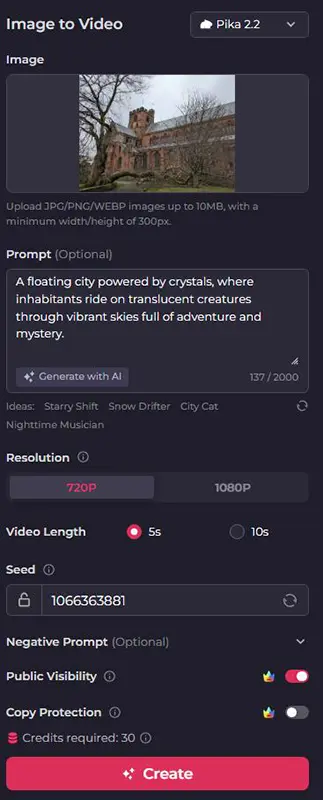
Pika can animate still images and turn them into dynamic video clips. This can be useful for bringing photographs, illustrations, product images, and AI-generated artwork to life.

Creative Video Effects

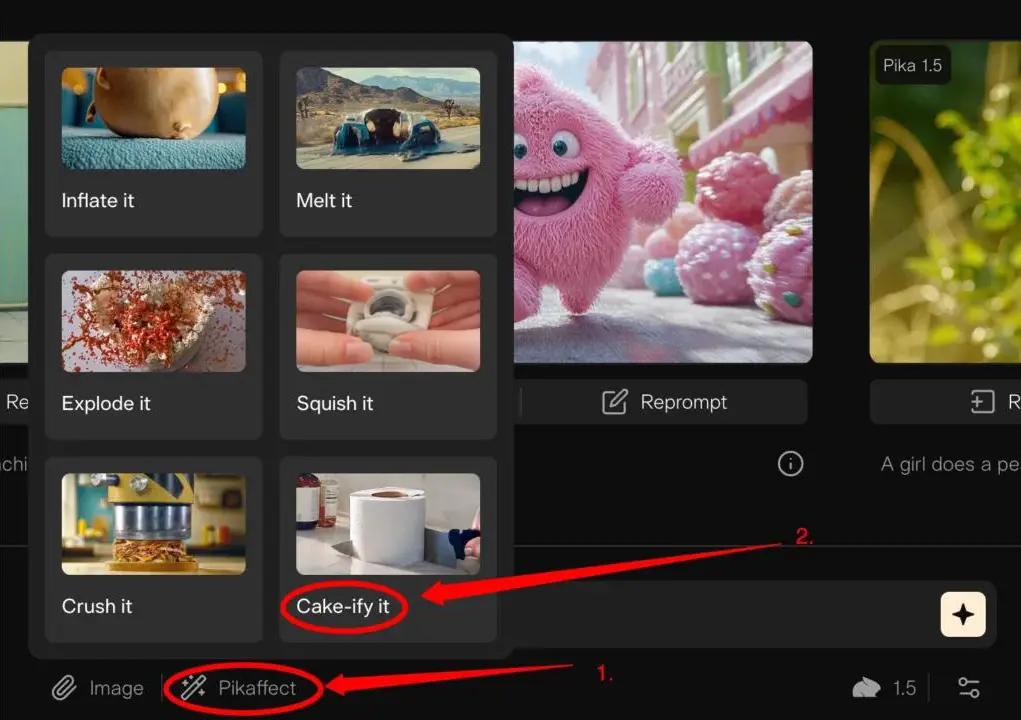
Pika offers a range of generative effects that can transform existing images and videos in creative ways. Tools such as Pikaffects, Pikaswaps, and Pikatwists allow users to apply unusual visual transformations without traditional video-editing workflows.

AI Video Editing & Transformation

Users can modify and transform visual content using Pika’s generative tools rather than creating every scene from scratch. This makes the platform useful for experimenting with existing images, characters, objects, and video concepts.

Social Media Content

Pika can be used to create short, attention-grabbing videos for platforms such as Instagram, TikTok, YouTube Shorts, and other social channels. Its effects and short-form generation capabilities are particularly suited to visual content designed for social media.

Marketing & Advertising Videos

Marketers can use Pika to create product visuals, promotional clips, advertisements, and other short-form marketing content. Its ability to transform images and apply generative effects can help produce visual variations without traditional production processes.

Character & Creative Content

Pika can help creators turn characters, illustrations, and visual concepts into animated content. This makes it useful for storytelling, creative experiments, entertainment, and other character-driven projects.

AI-Powered Creative Workflows

Beyond individual generations, Pika is expanding toward AI-powered workflows and agents, including Pika Agent and Pika MCP. These capabilities are intended to connect generative media creation with broader AI workflows and agents.

Who Is Pika For?

Content Creators

Pika is well suited to content creators who need to produce short-form videos, animated visuals, and creative effects without relying on traditional video production workflows.

Social Media Creators

Creators producing content for platforms such as TikTok, Instagram, and YouTube Shorts can use Pika to generate eye-catching short videos and experiment with different visual effects and transformations.

Marketers & Advertisers

Pika can help marketers create promotional clips, product visuals, social media advertisements, and other short-form marketing content. It can be particularly useful when teams need multiple creative variations quickly.

Designers & Visual Creators

Designers, illustrators, and other visual creators can use Pika to animate static artwork, transform images, and experiment with generative effects while maintaining a more visual and creative workflow.

Filmmakers & Storytellers

Pika can be useful for filmmakers and storytellers who want to experiment with scenes, visual concepts, characters, and short narrative sequences during the creative or pre-production process.

Beginners

Pika is also accessible to users without advanced video-editing or animation skills. Its generative approach allows beginners to create and transform visual content using prompts and relatively simple creative tools.

Key Features

AI Video Generation

Pika 2.5 can generate short videos from text prompts and images, giving creators a way to turn concepts and visual references into animated scenes.

Image-to-Video

Pika can transform still images into video clips, allowing users to animate photographs, illustrations, product visuals, and other static content.

Pikaframes

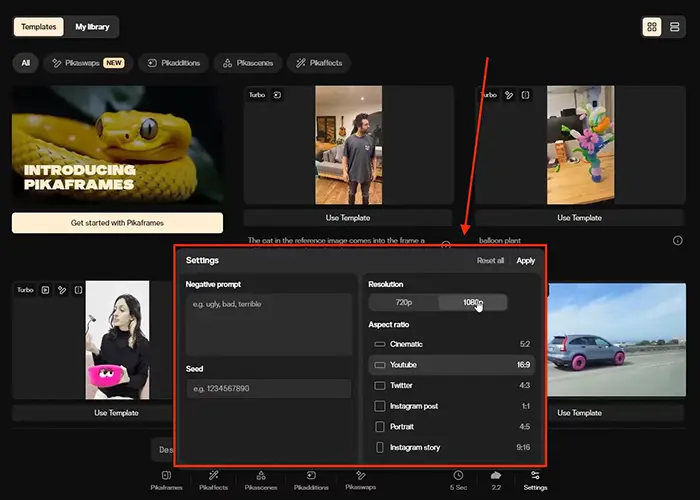
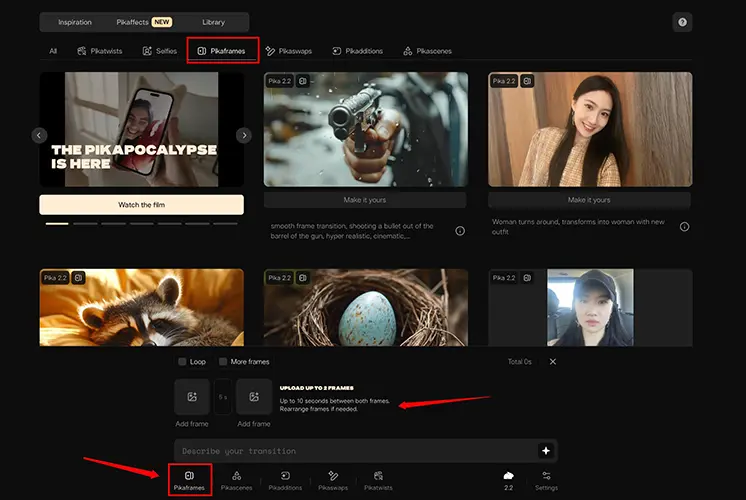
Pikaframes allows users to create video sequences by working with key visual frames. It can be used to create more controlled transitions and extend creative sequences beyond a single generated shot.

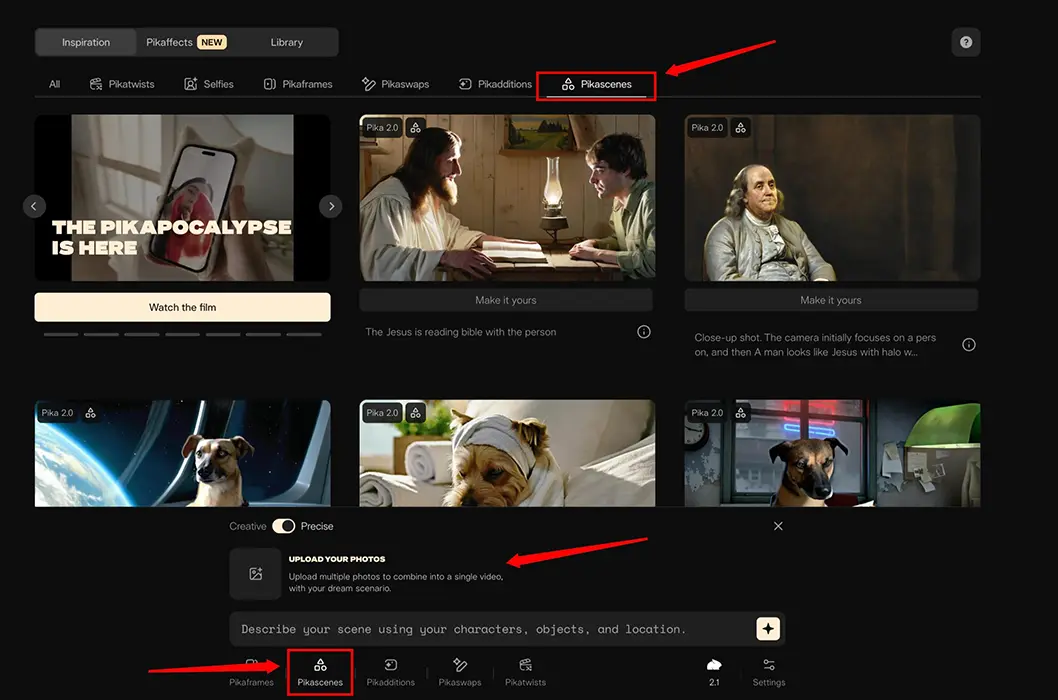
Pikascenes

Pikascenes allows creators to combine visual elements and generate scenes from multiple references, providing greater control over the composition of AI-generated videos.

Pikadditions & Pikaswaps

Pikadditions and Pikaswaps provide generative editing capabilities for adding, replacing, or transforming elements within visual content.

Pikaffects

Pikaffects provides a collection of generative visual effects that can transform images and videos into creative or stylized sequences.

Pikatwists

Pikatwists lets users apply creative transformations to visual content, making it easier to experiment with unusual video concepts and visual effects.

Pikaformance

Pikaformance uses audio-driven animation to animate visual characters and images based on speech or other audio input, making it useful for expressive character content.

AI Agents & Workflow Tools

Pika is expanding beyond individual generation tools with capabilities such as Pika Agent and Pika MCP, designed to connect Pika's generative media capabilities with AI-powered workflows and agents.

Pika uses a credit-based subscription model. The free plan provides a limited number of monthly credits, while paid plans increase the available credits and unlock higher resolutions, faster generation, and additional creative capabilities. Users on paid plans can also purchase extra credits that do not expire.

Pricing & Plans

Free $0/month

The free plan provides 150 monthly credits and gives users a way to try Pika's core video-generation capabilities. It is suitable for experimentation and occasional use, but the limited credit allowance makes it less practical for regular production.

Basic $8/month

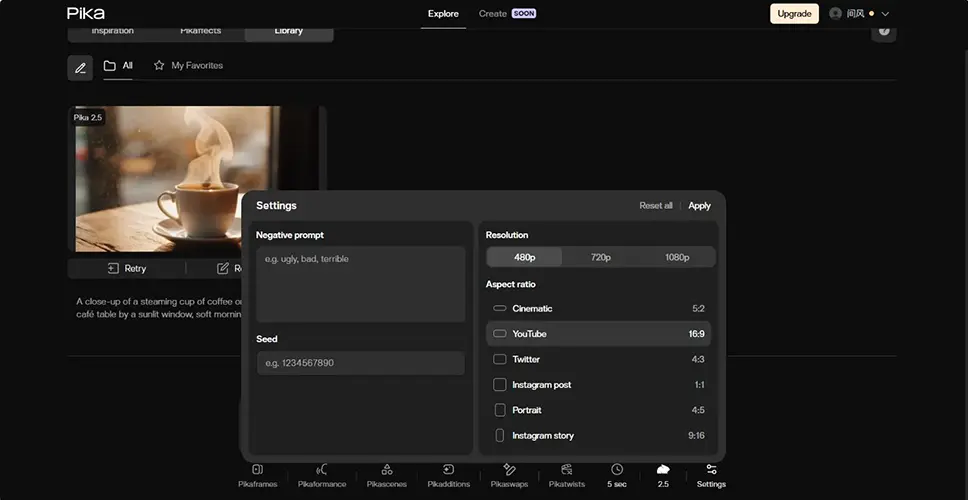
The Basic plan is the entry-level paid option and provides 80 monthly video credits. It includes access to Pika 2.5 at 480p, selected creative tools, watermark-free generations, and commercial use.

Standard $28/month

The Standard plan increases the allowance to 700 monthly credits and provides access to Pika 2.5 at higher resolutions, Pikaframes, additional creative effects, and faster generations. It is a better fit for creators who use Pika regularly.

Pro – $76/month

The Pro plan includes 2,300 monthly video credits, access to Pika 2.5 at all resolutions, Pikaframes, Pikascenes, Pikadditions, Pikaswaps, Pikatwists, and all Pikaffects. It also offers faster generations and no-watermark downloads, making it suitable for professional creators and heavier video-generation workflows.

Fancy Price varies by billing configuration

The Fancy plan provides 6,000 monthly credits and the fastest generation speeds available among Pika's subscription plans. It is intended for heavy users who need a larger generation allowance.

Pika API

Pika also offers a separate Pika API Club for developers and businesses. The API Club costs $10/month and uses a pay-as-you-go model, with generation charged according to the model and operation being used. For example, Pika 2.5 starts at $0.04 per second for supported video generation
Plan Monthly Price Monthly Credits Pika 2.5 Advanced Features Watermark Commercial Use Best For
Free $0 150 480p Limited Yes No Testing & experimentation
Basic $8 80 480p Selected tools No Yes Casual creators
Standard $28 700 All resolutions Pikaframes + All Pikaffects No Yes Regular creators
Pro $76 2,300 All resolutions Full access + faster generation No Yes Heavy users & professionals
Fancy — 6,000 All resolutions Full access + fastest generation No Yes High-volume creators

Which Pika Plan Should You Choose?

Free is best for trying Pika and experimenting with its AI video tools before committing to a paid plan.

Basic is suitable for casual creators who need occasional AI video generation and access to essential creative tools.

Standard is the most balanced option for regular creators. It provides substantially more credits, higher-resolution generation, and access to a broader range of Pika’s creative features.

Pro is better suited to professional creators and users who generate AI videos frequently and need a much larger monthly credit allowance.

Fancy is designed for high-volume users who need the largest credit allowance and fastest generation speeds.

For most individual creators, Standard offers the best balance between monthly credits, features, and price, while Basic is a reasonable entry point for lighter use.


User Environment

FAQ

What is Pika? +
Pika is an AI-powered creative platform for generating and transforming videos from text, images, and other visual inputs. It also provides generative effects and creative tools for modifying visual content.
Is Pika free? +
Yes. Pika offers a free plan that allows users to try its AI video generation and creative tools with limited usage. Paid plans provide additional credits, features, and higher generation capabilities.
What is Pika 2.5? +
Pika 2.5 is Pika's AI video generation model for creating videos from text and images. It supports both text-to-video and image-to-video generation and is available with different capabilities depending on the user's plan.
Can Pika generate videos from images? +
Yes. Pika supports image-to-video generation, allowing users to animate still images and turn them into short video clips.
Can Pika generate videos from text? +
Yes. Pika 2.5 can generate short videos from text prompts, allowing users to create visual scenes without starting with an existing image or video.
How long can Pika videos be? +
Pika primarily focuses on short-form AI video generation. Standard generations can produce short clips, while features such as Pikaframes can be used to create longer sequences depending on the selected settings and available credits.
Does Pika add a watermark? +
The free plan includes watermarked output, while eligible paid plans provide watermark-free generations.
Can Pika be used commercially? +
Yes. Paid Pika plans that include commercial-use rights can be used for commercial projects, subject to Pika's applicable terms and conditions.
Does Pika have an API? +
Yes. Pika provides API access through its separate API offering, with usage-based pricing and access to its generative media capabilities.
Is Pika good for social media videos? +
Yes. Pika is particularly suitable for short-form social media content because it can generate short videos, animate images, and apply creative visual effects without requiring a traditional video production workflow.
Is Pika better than Runway? +
Pika and Runway serve similar AI video creation markets but have different strengths. Pika is particularly focused on short-form generative video and creative effects, while Runway offers a broader creative production environment with more extensive video, image, and editing capabilities. The better choice depends on the type of content and workflow you need.

Pros & Cons

Pros

  • Easy-to-Use AI Video Creation: Pika makes AI video generation accessible without requiring advanced editing or animation skills.
  • Strong Creative Effects: Tools such as Pikaffects, Pikaswaps, and Pikatwists provide a wide range of creative transformations.
  • Text-to-Video & Image-to-Video: Users can create videos from prompts or animate existing images.
  • Wide Range of Generative Tools: Pika combines video generation, image animation, effects, and generative editing in one platform.
  • Good for Short-Form Content: Its workflow is well suited to social media clips and other short-form visual content.
  • Free Plan Available: Users can try Pika without immediately subscribing to a paid plan.
  • Commercial Use on Paid Plans: Eligible paid plans allow creators to use generated content for commercial projects.
Cons

  • Credit-Based Usage: Video generation and many creative features consume credits, which can limit frequent use.
  • Free Plan Is Limited: The free tier is mainly suitable for experimentation rather than regular production.
  • Short-Form Focus: Pika is primarily designed around short AI-generated video clips rather than complete long-form video production.
  • Generation Results Can Vary: AI-generated videos may not always accurately follow complex prompts or produce consistent results.
  • Higher Plans Can Be Expensive: Heavy users may need higher-tier subscriptions because of the credit-based system.
  • Some Features Are Plan-Dependent: Resolution, generation speed, and access to certain creative features depend on the subscription plan.
  • Limited Traditional Editing: Pika's main strength is generative video creation and transformation rather than serving as a full traditional video editor.

Reviews

There are no reviews yet.

Be the first to review “Pika”

Your email address will not be published. Required fields are marked *

two + 13 =