Home - AI Code Tools - Copilot
Copilot tool logo

Pricing model: $10.00 Per Month

Follow in social:

Copilot

Copilot: Explore AI-Powered Coding & Development

Copilot is an AI-powered coding assistant from GitHub that helps developers write, understand, debug, and improve code more efficiently. Explore Copilot’s AI coding features, code completion, agent capabilities, and developer tools to see how it can fit into your programming workflow.
AI Code Tools
Code Tools
AI Productivity Tools
Productivity Tools
Use Case
Coding & Development
Target Audience
Beginners
Developers
Business / Teams
Output Type
Text
Code
Pricing Model
Freemium
Subscription
Enterprise
Free Plan​
Limited
API Access
No
Platform / Access Type
Web App
Mobile App
Desktop App
Limitations
Free plan limited
Usage Limit
Feature Restrictions
Plan Restrictions
Team & Collaboration
Enterprise
Team Workspace

Tool Overview

What Is Copilot?

GitHub Copilot is an AI-powered coding assistant developed by GitHub that helps developers write, understand, modify, and improve code. It integrates AI assistance directly into popular development environments, GitHub, and the command line, allowing developers to work with AI throughout their coding workflow.

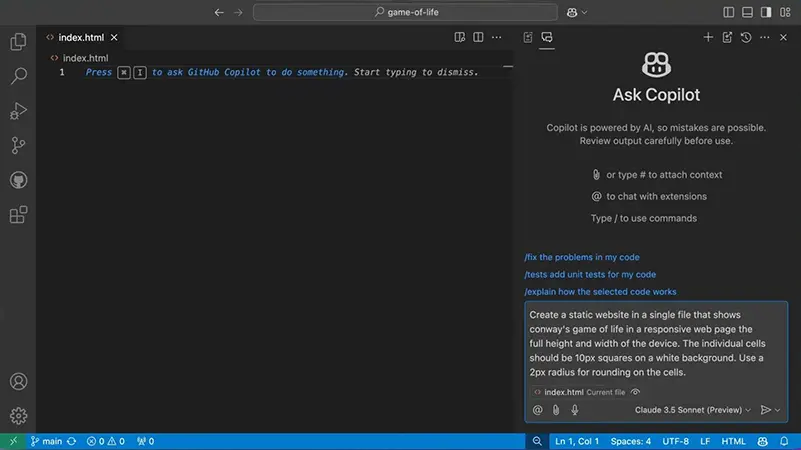
Copilot can generate code from natural-language instructions, provide real-time code suggestions, explain existing code, help debug problems, and assist with larger development tasks through its agent capabilities. It supports a wide range of programming languages and works with popular editors and IDEs such as Visual Studio Code, Visual Studio, JetBrains IDEs, Xcode, and Neovim.

Unlike a standalone AI chatbot, Copilot is designed specifically around software development. Its integration with GitHub also allows developers to use AI alongside repositories, pull requests, code review, and other parts of the development workflow.

GitHub Copilot is available through free and paid plans, with paid tiers providing higher usage allowances, additional models, and more advanced AI capabilities.

What Can You Use Copilot For?

GitHub Copilot can assist developers across many stages of the software development workflow, from writing individual lines of code to working on larger tasks and reviewing changes.

AI Code Generation

Generate code from natural-language instructions and use AI-powered suggestions while writing and editing software.

Code Completion

Get real-time code suggestions as you type, helping you write functions, complete statements, and reduce repetitive coding work.

Code Explanation

Ask Copilot to explain unfamiliar code, functions, classes, or project components and make complex implementations easier to understand.

Debugging & Error Fixing

Analyze errors and unexpected behavior, identify potential causes, and help implement solutions for bugs and coding problems.

Code Refactoring

Improve existing code by restructuring implementations, simplifying logic, and applying changes across a project.

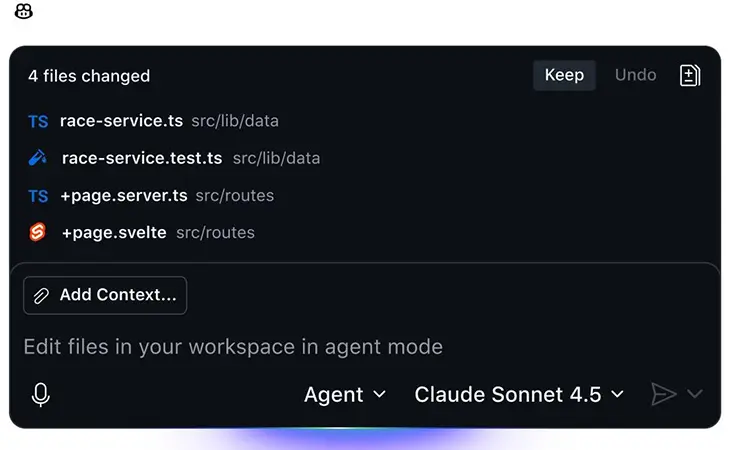
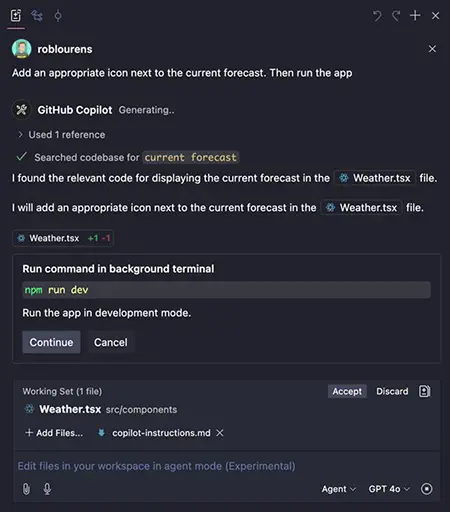
AI Coding Agents

Delegate larger, multi-step development tasks to Copilot’s AI agents. Agents can work through a task, modify code, and help move a feature or fix from an idea toward implementation.

Code Review

Use Copilot to review code changes, identify potential problems, and provide feedback before changes are merged.

Pull Request Assistance

Work with Copilot alongside GitHub pull requests to summarize changes, discuss implementations, and assist with reviewing development work.

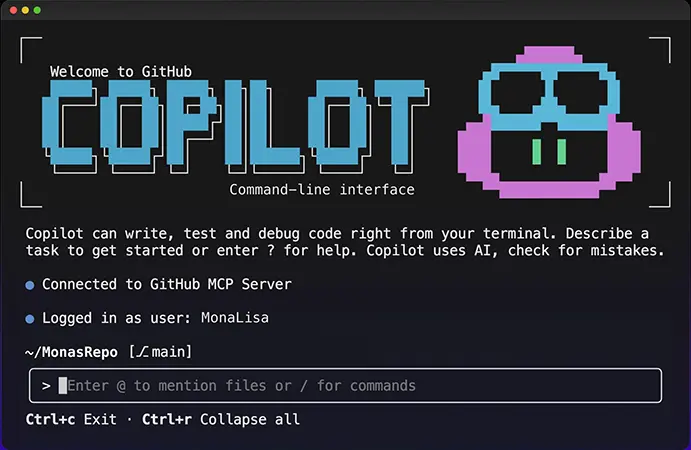
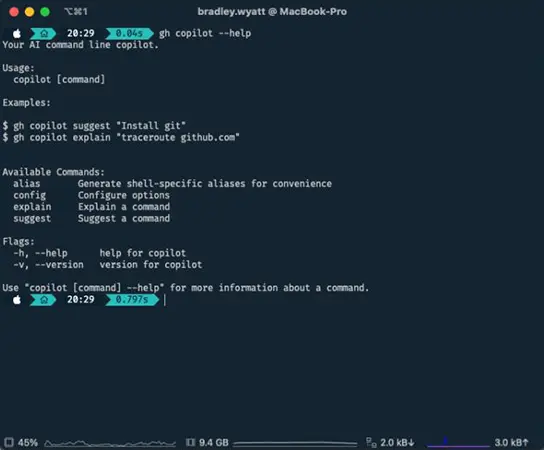
GitHub Copilot CLI

Use Copilot from the command line to get AI assistance while working with terminal commands, development tasks, and repositories.

Cloud-Based Development Tasks

Use Copilot’s cloud-based agent capabilities for certain development tasks that can be delegated to an AI agent while developers continue working on other parts of a project.

Documentation

Generate explanations, comments, documentation, and supporting technical content based on the code and project context.

Learning & Exploring Code

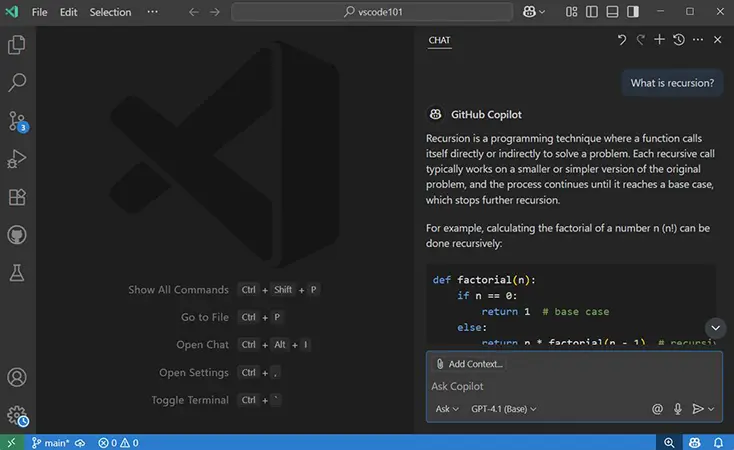
Ask questions about programming concepts, frameworks, libraries, and existing projects while working directly within the development workflow.

Who Is Copilot For?

GitHub Copilot is designed for developers and development teams who want to integrate AI assistance into their software development workflow. It can support beginners learning to code as well as experienced developers working on complex projects and large codebases.

Software Developers

Use Copilot to write, complete, explain, refactor, and debug code while working directly inside the development environment.

Web Developers

Build and maintain websites and web applications with AI-assisted coding, debugging, code generation, and feature development.

App Developers

Use Copilot to develop and modify applications across different programming languages, frameworks, and development environments.

Beginners & Students

Get help understanding programming concepts, learning unfamiliar code, generating examples, and troubleshooting errors while building projects. Verified students can also receive free access through GitHub Education.

Experienced Developers

Speed up repetitive coding tasks, explore unfamiliar codebases, generate implementations, review changes, and delegate more complex development tasks to AI agents.

Freelancers & Independent Developers

Use AI assistance to accelerate development work, reduce repetitive tasks, and move more quickly from ideas to working software.

Development Teams

Teams can use Copilot across their development workflow, with organizational features for managing access, policies, collaboration, and AI-assisted development.

Open-Source Maintainers

Eligible maintainers of popular open-source projects may receive free access to Copilot Pro, making AI-assisted development available for maintaining and improving open-source software.

Enterprise Development Organizations

Larger organizations can use Copilot with enterprise-level administration, governance, security controls, and deeper integration with organizational development workflows.

Key Features

AI Code Completion

Get real-time code suggestions while writing, helping developers complete functions, statements, and repetitive coding tasks faster.

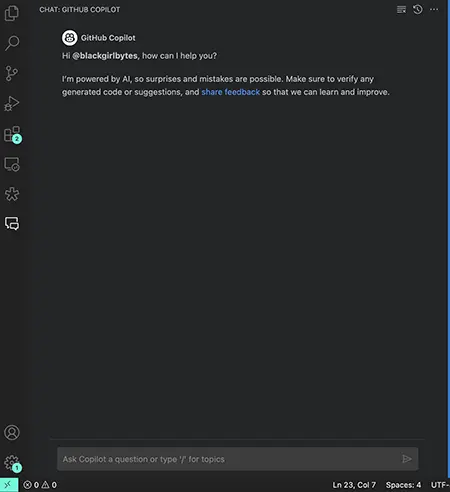
GitHub Copilot Chat

Ask questions about code, errors, programming concepts, and development tasks using natural-language conversations directly within supported development environments.

Agent Mode

Delegate multi-step coding tasks to Copilot and let the AI analyze the task, modify code, and work through the required changes.

Coding Agent

Assign development tasks to Copilot that can involve exploring a repository, making code changes, and preparing work for developer review.

Code Review

Use Copilot to analyze code changes and identify potential issues, helping developers review implementations before merging them.

Codebase Context

Copilot can use relevant project and repository context to provide more useful suggestions, explanations, and code changes.

GitHub Integration

Work with AI assistance alongside repositories, issues, pull requests, and other parts of the GitHub development workflow.

GitHub Copilot CLI

Use Copilot from the command line to get AI assistance with terminal-based development tasks, commands, and repository workflows.

Cloud Agent

Delegate certain coding tasks to a cloud-based agent that can work on development tasks while you continue working on other activities.

Multiple AI Models

Choose between supported AI models for different coding tasks and workflows, depending on the capabilities and usage options available in your plan.

Code Explanation & Documentation

Generate explanations, comments, documentation, and technical descriptions based on code and its surrounding context.

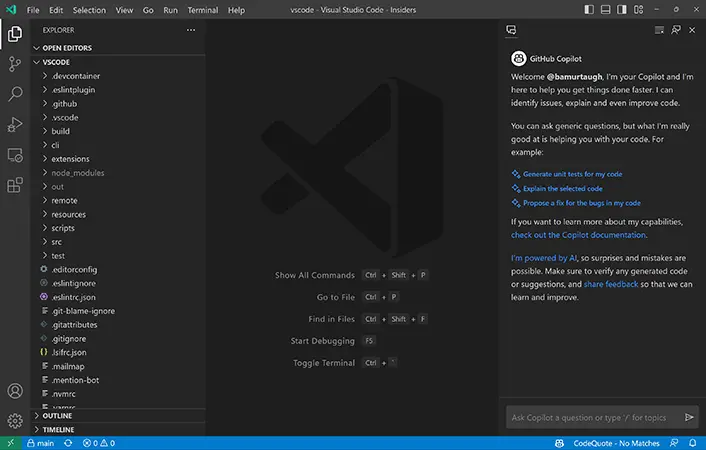
IDE Integration

Use Copilot across popular development environments, including Visual Studio Code, Visual Studio, JetBrains IDEs, Xcode, and Neovim.

GitHub Copilot offers free and paid plans for individual developers, teams, and organizations. The plans differ mainly in AI usage allowances, access to advanced models and features, and organizational controls.

Pricing & Plans

Free — $0/month

A free plan for users who want to try Copilot with limited AI usage and access to core coding assistance.

Pro — $10/month

Designed for individual developers who want higher usage limits and broader access to Copilot's AI coding capabilities.

Pro+ — $39/month

A higher-tier individual plan for developers who use AI more extensively and need greater access to advanced models and features.

Max — $100/month

Designed for developers with particularly high AI usage who want substantially higher allowances for advanced Copilot capabilities.

Business — $19/user/month

Designed for organizations and development teams that need centralized administration, policy controls, and organizational management alongside Copilot's AI features.

Enterprise — $39/user/month

Designed for larger organizations that require advanced enterprise capabilities, administration, security, and deeper integration with GitHub's development platform.

Pricing, included usage, and available AI models can change as GitHub updates Copilot’s plans and usage-based billing structure, so users should check the current GitHub pricing before subscribing.

Feature Free Pro Pro+ Max Business Enterprise
Monthly Price $0 $10 $39 $100 $19/user $39/user
AI Coding Limited
Premium Requests Limited Included Higher Limit Highest Individual Limit Included Included
Advanced AI Models Limited
Agent Features Limited
Code Review Limited
Organization Management
Best For Trying Copilot Individual Developers Heavy AI Users Power Users Development Teams Large Organizations

User Environment

FAQ

What is GitHub Copilot? +
GitHub Copilot is an AI-powered coding assistant from GitHub that helps developers write, understand, modify, debug, and review code throughout the software development workflow.
Is GitHub Copilot free? +
Yes. GitHub Copilot offers a Free plan with limited usage. Paid plans provide higher usage allowances and access to additional AI models and capabilities.
What is GitHub Copilot Agent Mode? +
Agent Mode allows Copilot to work on more complex, multi-step coding tasks. It can analyze a task, make changes to code, use development tools, and help move an implementation toward completion.
Can GitHub Copilot write code? +
Yes. Copilot can generate code from natural-language instructions and provide real-time code suggestions while developers work in supported editors and IDEs.
Can GitHub Copilot understand my codebase? +
Yes. Copilot can use relevant files, project context, and repository information to provide more contextual answers, suggestions, and code changes.
Does GitHub Copilot work with Visual Studio Code? +
Yes. GitHub Copilot integrates with Visual Studio Code as well as several other popular development environments, including Visual Studio, JetBrains IDEs, Xcode, and Neovim.
Does GitHub Copilot have a CLI? +
Yes. GitHub Copilot CLI allows developers to use AI assistance directly from the command line for development and repository-related tasks.
Can GitHub Copilot review code? +
Yes. Copilot includes AI-powered code review capabilities that can analyze changes and provide feedback about potential issues in code.
Can GitHub Copilot create pull requests? +
Copilot can assist with pull request workflows and, through its coding-agent capabilities, can work on assigned development tasks and prepare changes for developer review.
Which programming languages does GitHub Copilot support? +
Copilot supports many programming languages, including widely used languages such as Python, JavaScript, TypeScript, Java, C++, C#, Go, Ruby, PHP, and others. The quality of assistance can vary depending on the language and available context.
Is GitHub Copilot good for beginners? +
Yes. Copilot can explain code, answer programming questions, generate examples, and help beginners troubleshoot errors. However, beginners should still learn the underlying concepts and review AI-generated code rather than relying on it blindly.
Is GitHub Copilot better than Cursor? +
It depends on the developer's workflow. Copilot is deeply integrated with GitHub and supports a broad range of development environments, while Cursor is built around an AI-native coding environment with strong codebase and agent capabilities. The better choice depends on the features and workflow a developer prefers.

Pros & Cons

Pros

  • Strong AI Coding Assistance: Provides code completion, generation, explanation, and debugging support directly within the development workflow.
  • Deep GitHub Integration:‌ Works closely with repositories, pull requests, issues, code review, and other GitHub development workflows.
  • Multiple Development Environments: Available across popular IDEs and editors, making it easier to use Copilot without changing the entire development environment.
  • Powerful Agent Capabilities: Can handle more complex, multi-step coding tasks rather than being limited to simple code suggestions.
  • Code Review Support: Helps developers identify potential issues and review code changes with AI assistance.
  • Copilot CLI: Extends AI coding assistance to terminal-based development workflows.
  • Multiple AI Models: Provides access to different supported models for various coding tasks and usage requirements.
  • Free Plan Available: Users can try Copilot without committing to a paid subscription.
Cons

  • Usage Limits: Free and paid plans have usage allowances that can affect developers who rely heavily on AI features.
  • Premium Features Can Increase Costs: Developers with high AI usage may need more expensive plans or additional usage.
  • AI-Generated Code Requires Review: Copilot can produce incorrect, incomplete, or inefficient code, so developers still need to test and review its output.
  • Quality Can Vary by Task: The usefulness of suggestions depends on the programming language, project context, and complexity of the task.
  • Advanced Features Can Be Complex: Agent-based workflows and other advanced capabilities may require time to learn and configure effectively.
  • GitHub-Centered Ecosystem: Developers who do not use GitHub extensively may not benefit as much from some of Copilot's deeper integrations.
  • Rapidly Changing Plans & Features:  Copilot's models, usage limits, and pricing structure can change as GitHub continues to evolve the service.

Reviews

There are no reviews yet.

Be the first to review “Copilot”

Your email address will not be published. Required fields are marked *

nine + 3 =