Home - AI Video Tools - PixVerse
PixVerse AI tool logo

Pricing model: $10.00 Per Month

Follow in social:

PixVerse

Explore AI Video Creation & Filmmaking Tools

PixVerse is an AI-powered creative platform for generating and producing video content from text, images, and other creative inputs. It combines AI video generation with creative workflows such as templates, character consistency, lip sync, marketing tools, and AI-assisted video production, helping creators and businesses turn ideas into engaging visual content.
Use Case
Image Generation
Video Creation
Target Audience
Beginners
Marketers
Designers / Creators
Business / Teams
Output Type
Image
Video
Pricing Model
Freemium
Subscription
Pay-as-you-go
Enterprise
Free Plan​
Yes
API Access
Yes
Limited / Paid
Platform / Access Type
Web App
Mobile App
Limitations
Free plan limited
Quality limits
Usage Limit
Plan Restrictions
Team & Collaboration
Enterprise
Team Workspace

Tool Overview

What Is PixVerse?

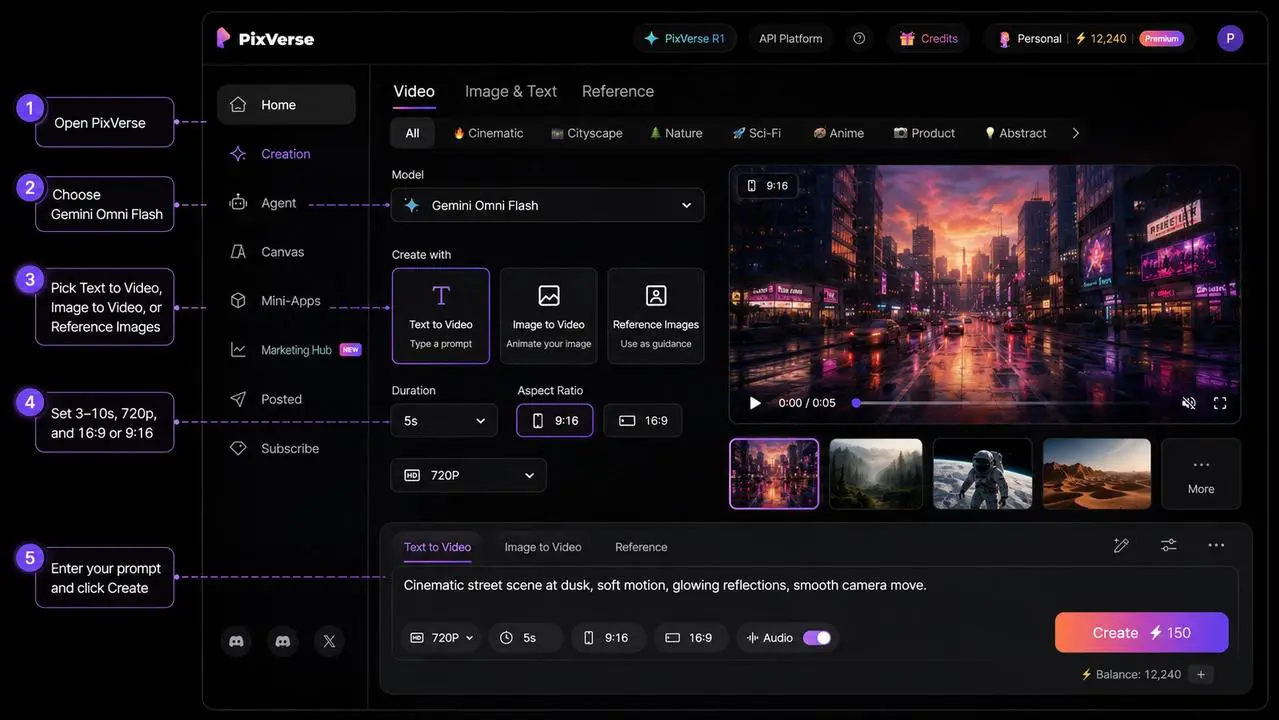
PixVerse is an AI-powered video creation and production platform that helps users turn text prompts, images, and creative references into videos. It combines AI video generation with tools for directing, refining, organizing, and scaling video projects, making it useful for everything from short social clips and product videos to more structured cinematic workflows.

Its current platform goes beyond basic text-to-video generation. PixVerse includes tools such as AI Agent for creating and refining videos through natural-language instructions, Canvas for organizing complex video workflows, Marketing Hub for creating promotional content, Character for maintaining character consistency, and Lip Sync for combining voice, movement, and sound. It also provides API and developer tools for integrating its generative media capabilities into other products and workflows.

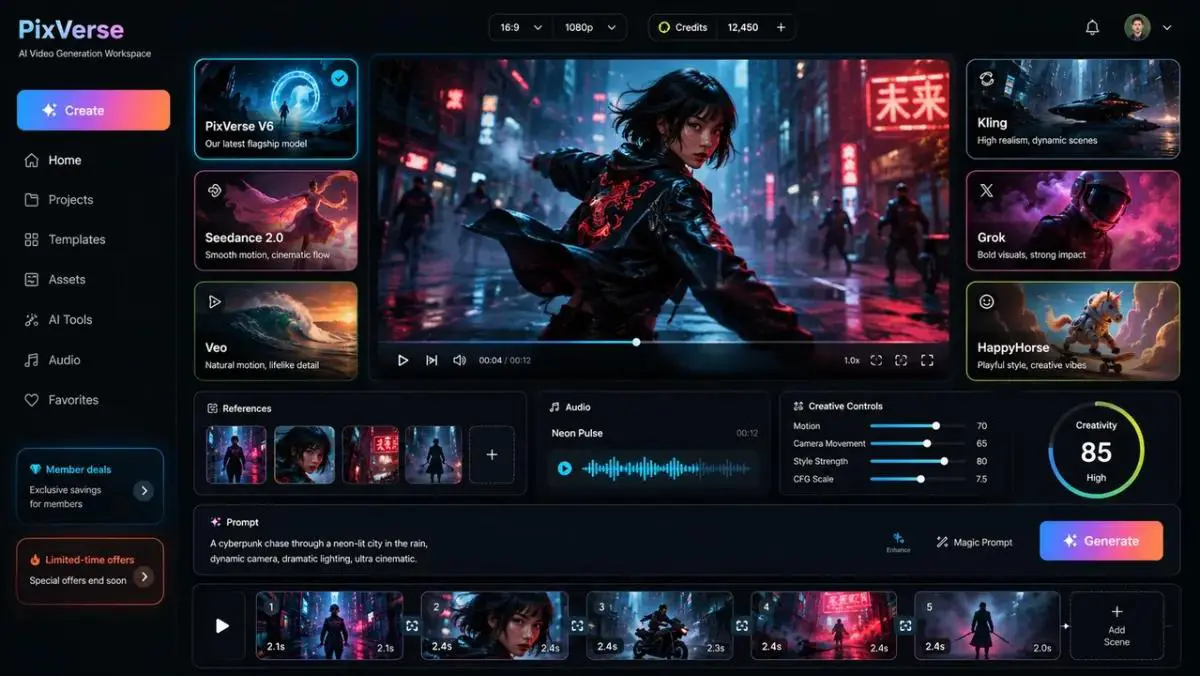
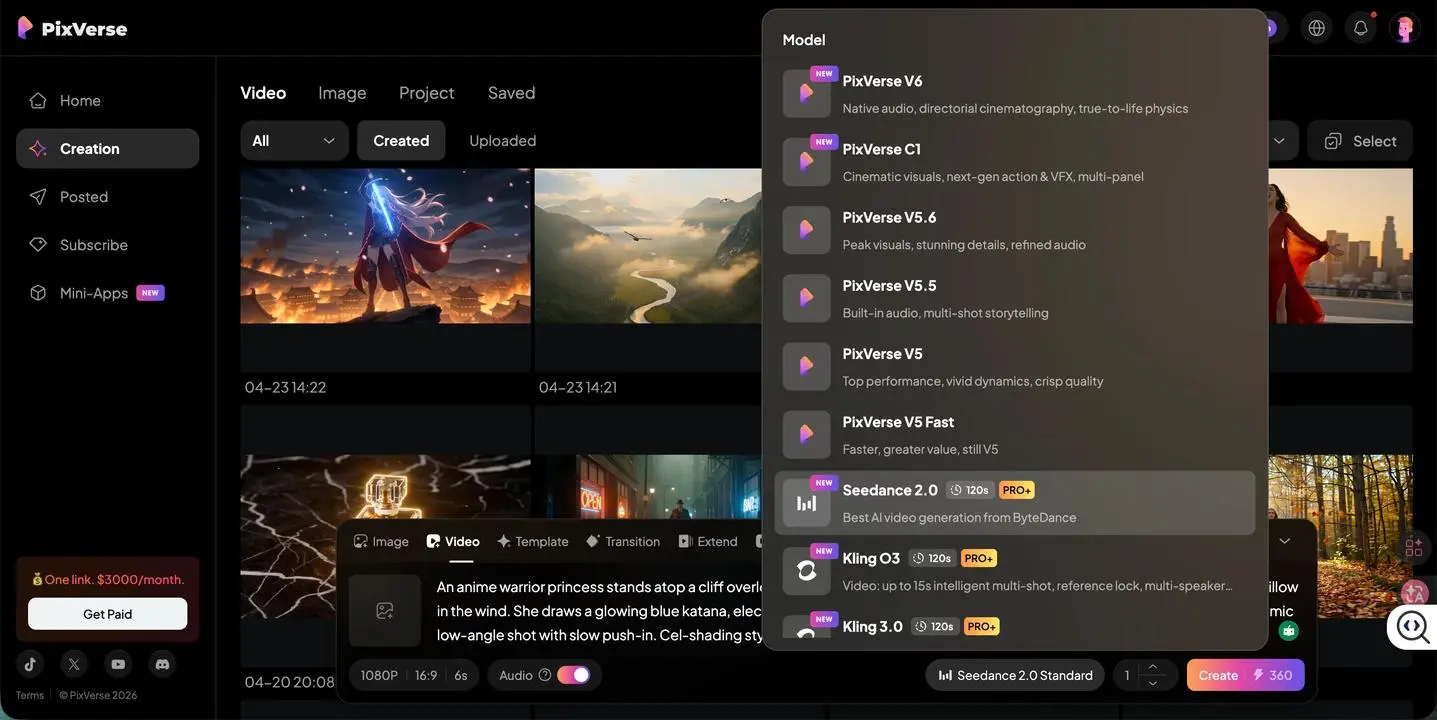
PixVerse also develops its own video generation models, including PixVerse V6, which supports text-to-video, image-to-video, reference-based generation, transitions, and multi-shot video creation. V6 can generate videos with synchronized audio and supports resolutions up to 1080p.

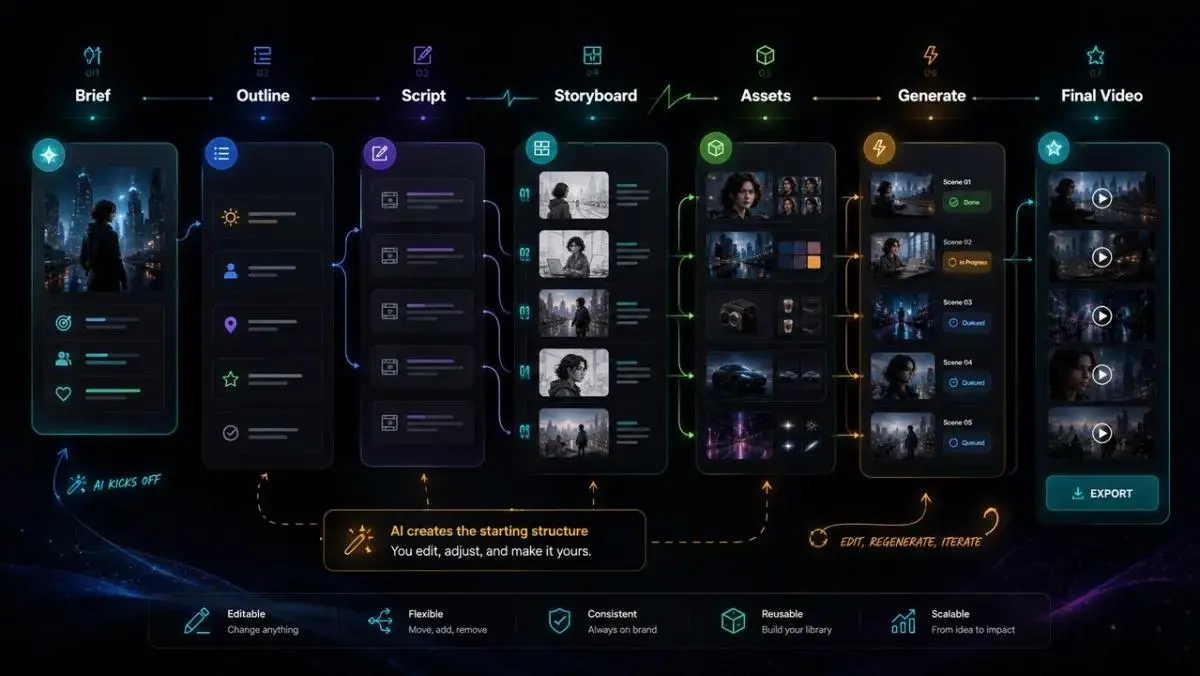
Overall, PixVerse is designed to cover more of the AI video production process—from generating an initial idea to directing scenes, maintaining visual consistency, creating marketing content, and building repeatable production workflows.

What Can You Use PixVerse For?

PixVerse can support different stages of AI video creation, from generating individual clips to building more structured video workflows. Its combination of video generation, creative controls, marketing tools, and workflow features makes it useful for creators, marketers, and teams.

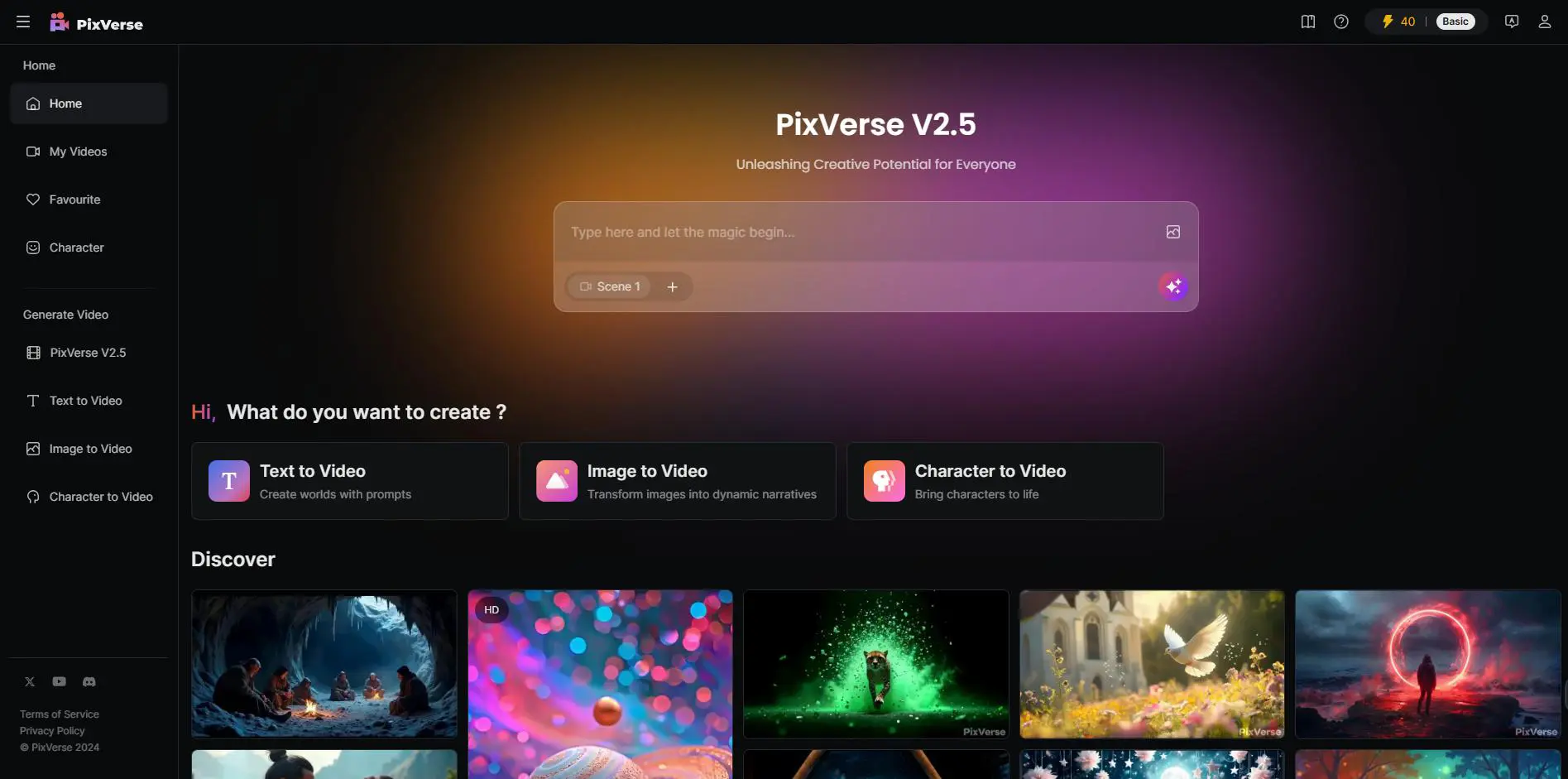
Generate Videos from Text

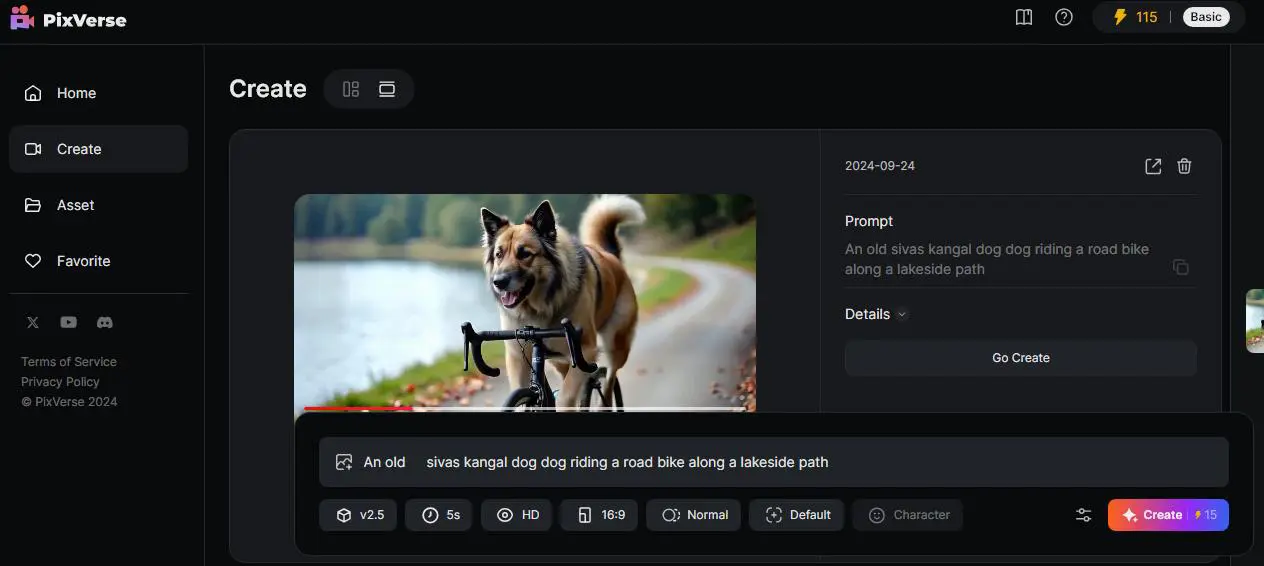
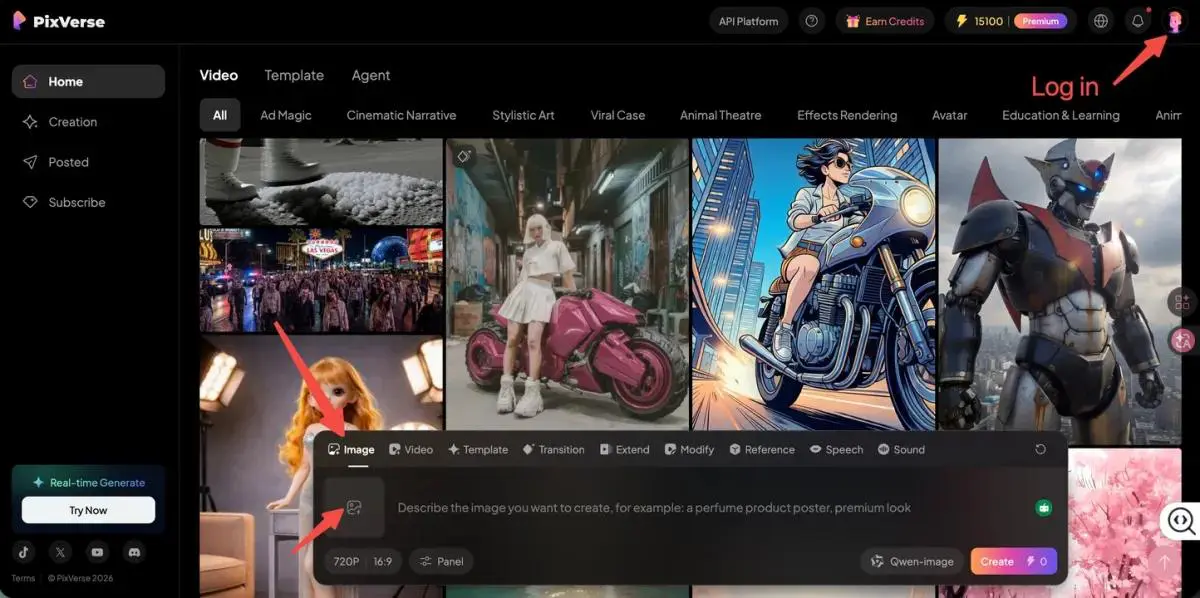
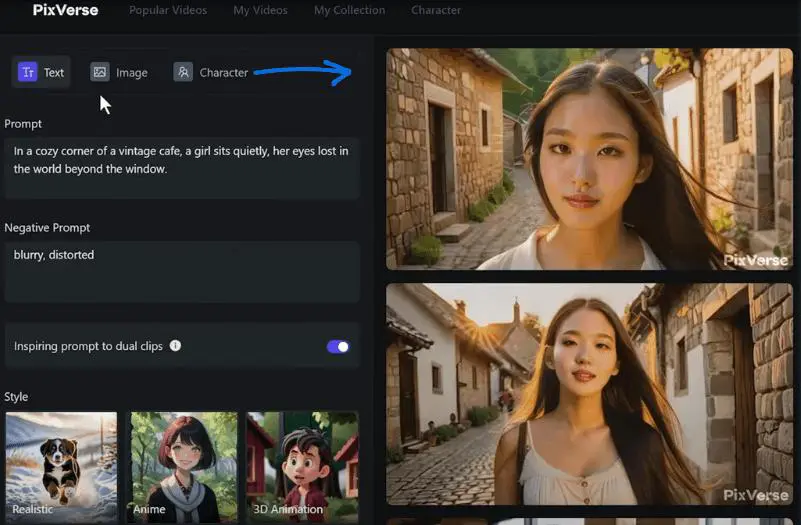
Turn written prompts into short AI-generated videos with control over scenes, camera movement, visual style, and motion. PixVerse supports text-to-video generation through models such as V6 and C1.

Animate Images

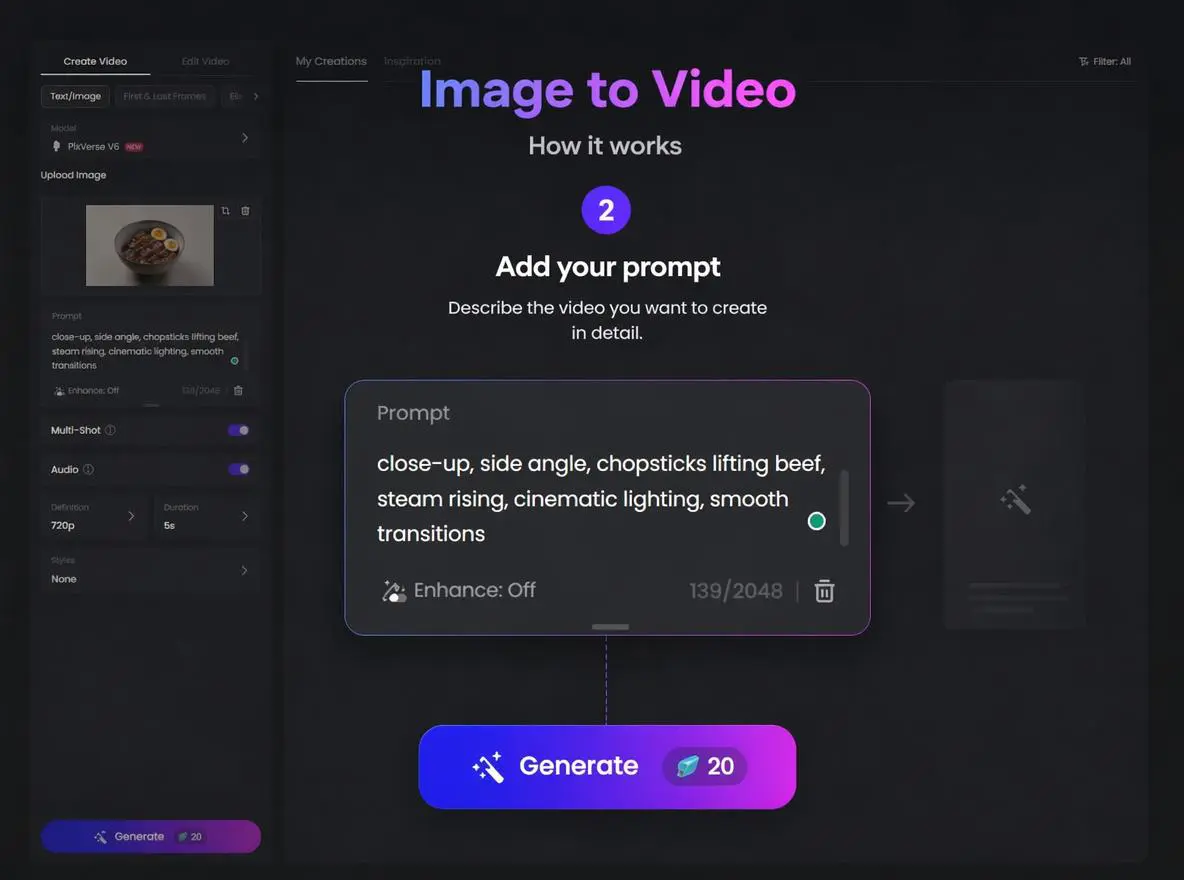
Upload an image and transform it into a moving video. Image-to-video generation can add camera movement, character motion, environmental effects, and other dynamic elements while using the original image as a visual reference.

Create Multi-Shot Videos

Create videos containing multiple shots and scenes from a single creative direction. PixVerse supports multi-shot generation, making it useful for cinematic sequences, product presentations, and short-form storytelling.

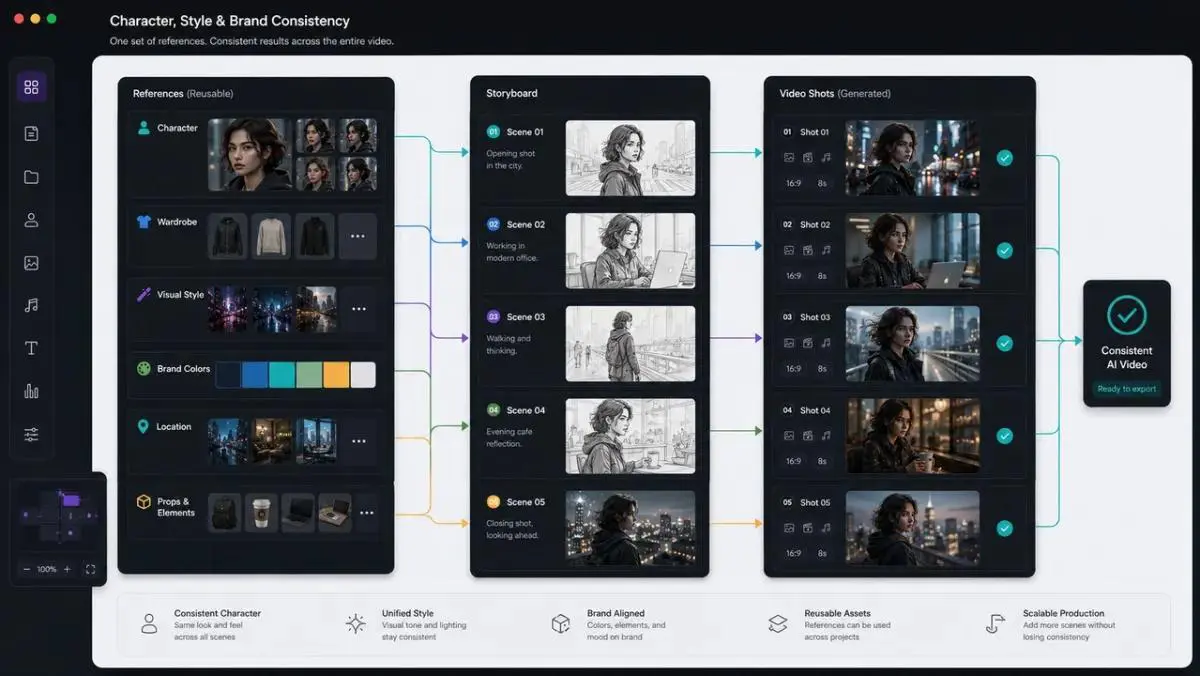
Maintain Character Consistency

Use reference-based generation and PixVerse’s Character tools to keep characters visually consistent across different scenes and video generations. This can be especially useful for recurring characters and story-driven content.

Create Marketing & Product Videos

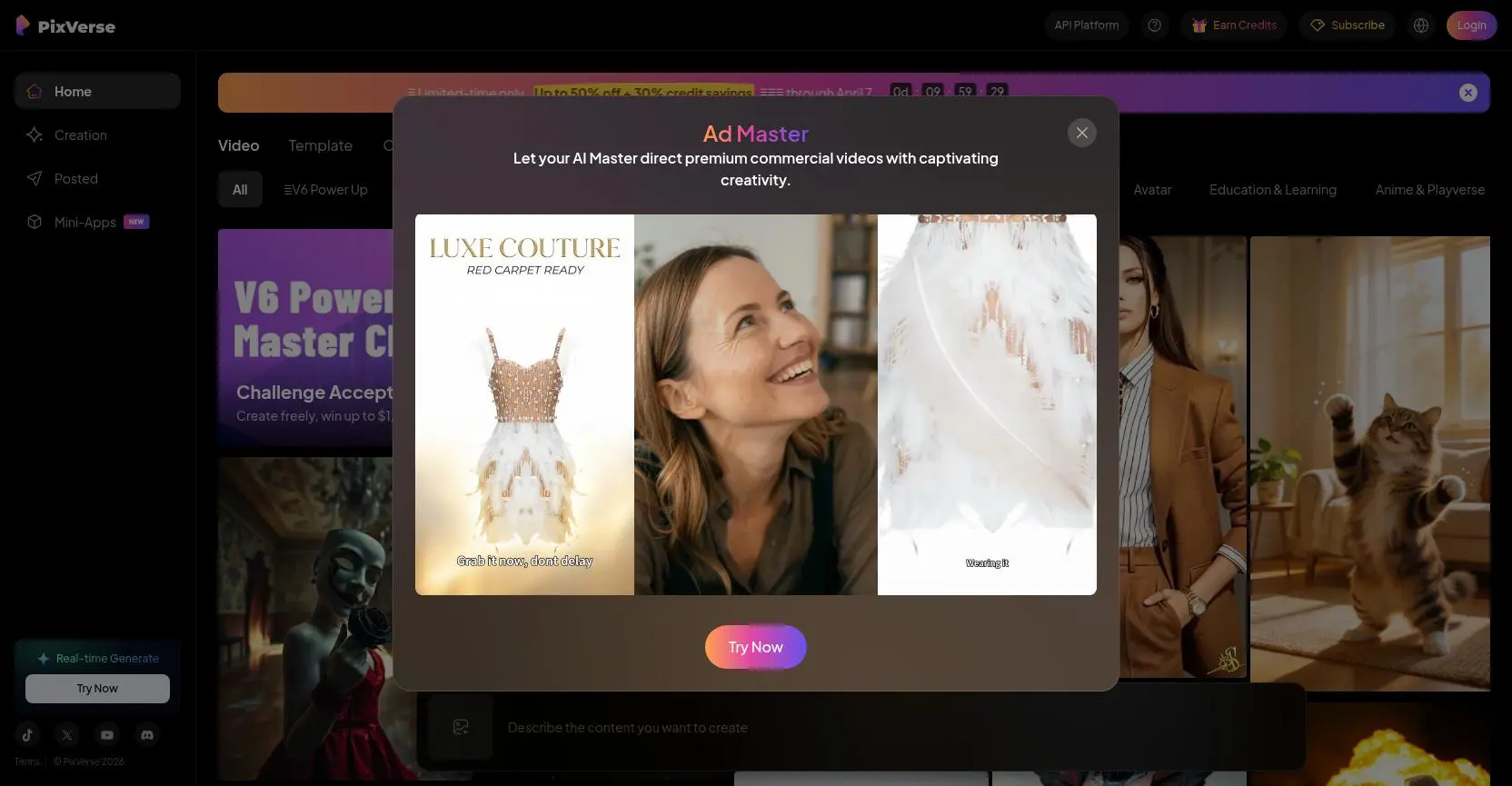
Marketing Hub provides guided workflows for creating promotional and e-commerce videos from product images, URLs, and other product information. This can help marketers produce social ads, product showcases, and short promotional content without building every workflow from scratch.

Direct and Refine Videos with AI

PixVerse Agent lets users work with video generation through natural-language instructions. Instead of repeatedly rebuilding prompts, you can describe changes, refine motion, and continue developing the same creative direction through conversation.

Build Repeatable Video Workflows

PixVerse Canvas provides a visual workspace for connecting prompts, references, assets, generated videos, and other tasks. It can be used to organize storyboards, manage multiple shots, compare outputs, and create more repeatable production workflows.

Create Lip-Synced Videos

PixVerse includes Lip Sync tools for matching speech to mouth movement. This can be useful for character videos, talking-head content, promotional videos, and other projects where synchronized dialogue is important.

Generate Videos for Different Content Formats

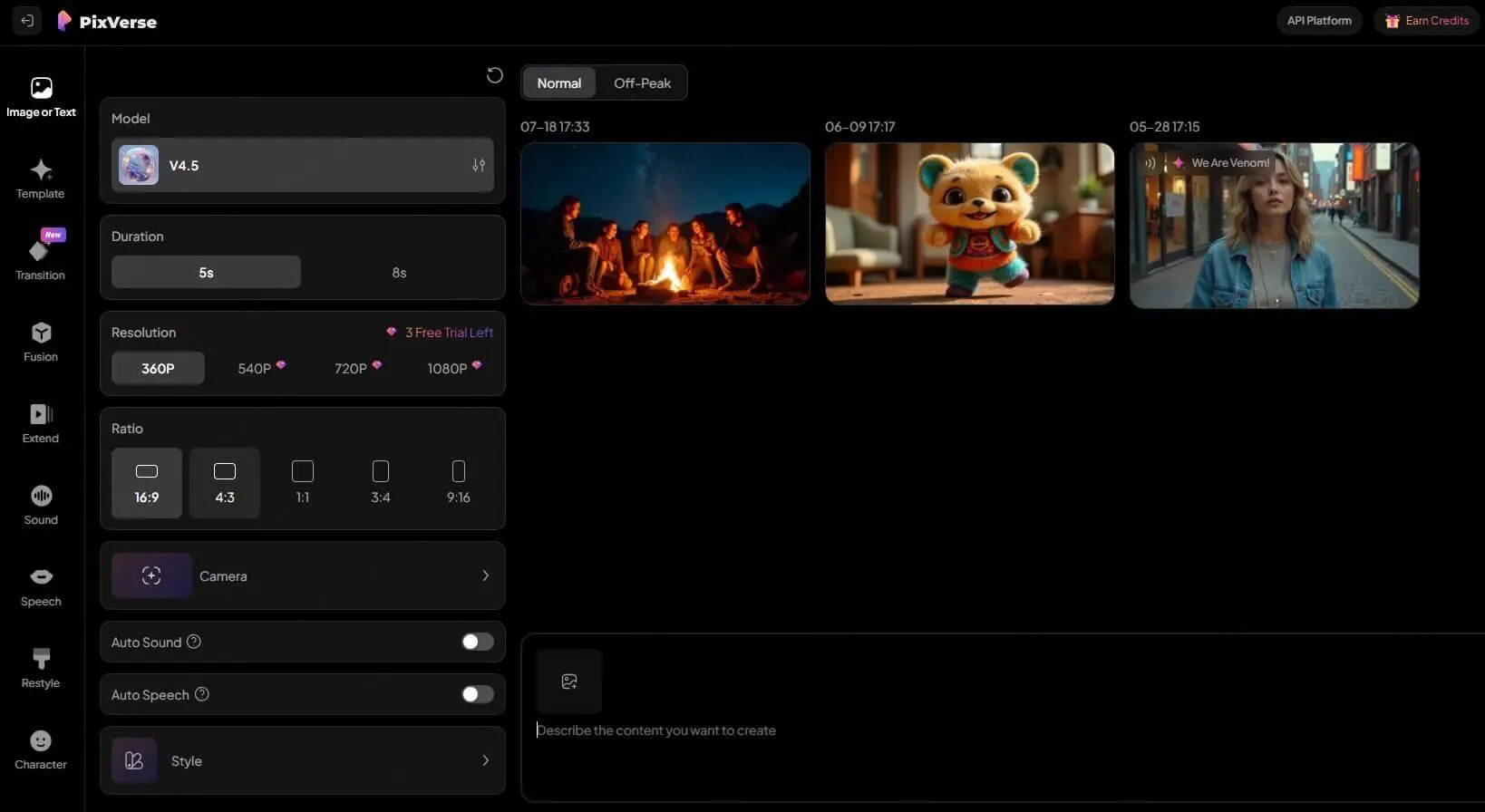
PixVerse supports different aspect ratios and production workflows, making it suitable for content designed for social media, advertising, product presentations, and other digital channels.

Who Is PixVerse For?

PixVerse is designed for a broad range of users who want to create, manage, or integrate AI-generated video content. Its combination of creative tools, production workflows, marketing features, and developer integrations makes it suitable for both individual creators and professional teams.

Content Creators

Creators can use PixVerse to generate short videos, animate images, experiment with visual ideas, and produce content for social media and other digital platforms.

Filmmakers & Visual Storytellers

Filmmakers and visual creators can use features such as multi-shot generation, character consistency, AI Agent, and Canvas to develop more structured scenes and storytelling workflows.

Marketers & E-commerce Teams

Marketing teams can use PixVerse to create product videos, advertising creatives, social media content, and localized campaign variations. Its Marketing Hub is specifically designed for producing marketing and e-commerce videos at scale.

Designers & Creative Professionals

Designers can turn static images and visual concepts into animated content, explore different creative directions, and combine references with generated video inside PixVerse’s visual workflows.

Agencies & Production Teams

Agencies and professional production teams can use shared workspaces, batch generation, reusable workflows, and team-oriented features to manage larger volumes of AI-generated content. PixVerse also offers team plans with shared assets, credits, and permissions.

Businesses & Brands

Businesses can use PixVerse to produce promotional videos, product demonstrations, advertising creatives, and other branded visual content without relying entirely on traditional video production workflows.

Developers & Product Teams

Developers can integrate PixVerse’s video and image generation capabilities into their own applications, products, and automated workflows through its API and developer tools.

Beginners Exploring AI Video

Beginners can start with text-to-video and image-to-video generation without needing advanced video production skills, then gradually explore more advanced tools such as Agent, Canvas, and specialized workflows.

Key Features

Text & Image to Video

Generate videos from text prompts or reference images, with control over visual style, motion, composition, and scene direction.

PixVerse V6

Use PixVerse's V6 video generation model for cinematic video creation, realistic motion, expressive characters, multi-shot sequences, and native audio generation.

AI Agent

Create and refine videos through natural-language conversations. The AI Agent can interpret creative instructions, adjust scenes and motion, and maintain the direction of a project across iterations.

Canvas

Organize prompts, references, generated assets, and creative tasks in a visual node-based workspace. Canvas helps users build, modify, and rerun more complex video workflows.

Character Consistency

Use character references and dedicated tools to maintain a consistent visual identity across different scenes and generations.

Marketing Hub

Create marketing and e-commerce videos through guided workflows. Users can provide product information and generate multiple creative variations for different markets, formats, and campaigns.

Multi-Shot Video Generation

Generate sequences containing multiple shots and transitions from a unified creative direction, making PixVerse suitable for short-form storytelling and cinematic content.

Lip Sync & Native Audio

Create videos with synchronized speech, sound, and character lip movements. PixVerse also supports native audio generation in its latest video models.

Templates & Mini-Apps

Start from ready-made templates or use specialized Mini-Apps for specific creative tasks, effects, and video formats without building every generation from scratch.

API & Developer Tools

Integrate PixVerse's video generation capabilities into applications, products, and automated workflows through its API, CLI, and developer-oriented tools.

PixVerse uses a credit-based pricing system combined with monthly subscriptions. The free Basic plan provides daily credits, while paid plans increase the monthly credit allowance, generation speed, resolution, concurrency, and access to additional models. Subscribers can also purchase additional credit packs when they need more generation capacity.

Pricing & Plans

Basic - $0/month

The free plan includes 60 initial credits and 30 daily credits that reset every day. Videos can be generated at up to 540P, with two concurrent generations available.

Standard - $10/month

The Standard plan provides 60 daily credits and 1,200 membership credits every 30 days. It supports video generation up to 720P, three concurrent generations, faster generation speeds, and additional benefits when purchasing credit packs. Annual billing: $8/month, billed at $96/year.

Pro - $30/month

The Pro plan includes 60 daily credits and 6,000 membership credits every 30 days. It supports up to 4K video generation, five concurrent generations, batch creation, faster generation, and access to additional video models. Annual billing: $24/month, billed at $288/year.

Premium - $60/month

The Premium plan includes 60 daily credits and 15,000 membership credits every 30 days. It supports up to 4K output, eight concurrent generations, batch creation, additional video models, and larger discounts on selected generation modes. Annual billing: $48/month, billed at $576/year.

Ultra - $249/month

The Ultra plan includes 60 daily credits and 25,000 membership credits every 30 days. It supports up to 4K video generation, eight concurrent generations, batch creation, access to additional video models, and unlimited free off-peak generations for PixVerse models. Annual billing: $149/month, billed at $1,788/year.

Team Ultra - $199 per seat/month

Team Ultra is designed for teams that need a shared production environment. It includes a shared credit pool, unified workspace, shared assets, role-based member management, usage analytics, centralized billing, and up to 12 concurrent generations. Annual billing: $149 per seat/month, billed at $1,788/year.

Enterprise - Starting from $100

Enterprise plans are designed for organizations requiring API access, higher concurrency, volume-based pricing, usage analytics, monitoring, and custom configurations. Pricing and implementation details depend on the organization's requirements.

Credit Packs

PixVerse also offers additional credit packs for users who need more credits beyond their included allowance:

  • 500 Credits: $5
  • 2,000 Credits: $20
  • 5,000 Credits: $50
  • 10,000 Credits: $100

Purchased credits can be used in addition to subscription credits and do not expire.

Plan Monthly Price Credits / 30 Days Daily Credits Max Resolution Concurrent Generations Batch Creation
Basic $0 — 30 Up to 540P 2 —
Standard $10/mo 1,200 60 Up to 720P 3 —
Pro $30/mo 6,000 60 Up to 4K 5 Up to 4
Premium $60/mo 15,000 60 Up to 4K 8 Up to 4
Ultra $249/mo 25,000 60 Up to 4K 8 Up to 4
Team Ultra $199/seat/mo 25,000 — Up to 4K 12 Up to 4
Prices shown are monthly rates. Annual billing offers lower effective monthly pricing.
PixVerse also offers additional credit packs starting at $5.

User Environment

FAQ

Is PixVerse free to use? +
Yes. PixVerse offers a free Basic plan with 30 daily credits. New users also receive 60 initial credits. Free users can generate videos with limitations on resolution, concurrency, and other features.
How do PixVerse credits work? +
PixVerse uses credits for video generation. Daily credits reset every day and expire if unused. Subscription credits refresh every 30 days, while purchased credits do not expire. The number of credits required depends on the selected model, resolution, duration, and generation settings.
Can PixVerse generate videos from text? +
Yes. PixVerse supports text-to-video generation, allowing users to describe a scene or concept with a prompt and turn it into an AI-generated video.
Can PixVerse turn images into videos? +
Yes. PixVerse supports image-to-video generation, allowing users to upload an image and use prompts and generation settings to add motion and transform it into a video.
Does PixVerse support 4K video generation? +
Yes. Paid plans such as Pro, Premium, Ultra, and Team Ultra support video generation at resolutions up to 4K. The available resolution can also depend on the selected model and generation mode.
Does PixVerse have an API? +
Yes. PixVerse provides an API for integrating video and image generation into applications, products, and automated workflows. API usage is separately managed and has its own credits, limits, documentation, and access requirements.
Does PixVerse have a mobile app? +
Yes. PixVerse has both web and mobile versions. The same account can be used across the app and web platform, with membership benefits, credits, and generation history synchronized between them.
Can PixVerse maintain character consistency? +
Yes. PixVerse provides reference-based generation and dedicated Character tools designed to help maintain a consistent character appearance across different generations and scenes.
Can PixVerse create marketing videos? +
Yes. Marketing Hub provides guided workflows for creating marketing and e-commerce videos using product images, URLs, and other product information. It is designed to help businesses create promotional content more efficiently.
Does PixVerse support AI Agent and Canvas? +
Yes. AI Agent allows users to create and refine videos through natural-language instructions, while Canvas provides a visual workspace for organizing prompts, references, assets, and creative tasks.
Can PixVerse generate audio or lip-synced content? +
Yes. PixVerse supports audio and character-oriented workflows, including lip-sync capabilities. Availability and supported features can vary depending on the selected model and workflow.

Pros & Cons

Pros

  • Multiple AI Video Generation Workflows: PixVerse supports text-to-video, image-to-video, reference-based generation, multi-shot creation, and other video workflows in one platform.
  • Advanced Creative Controls: Features such as AI Agent, Canvas, Character, and Marketing Hub provide more control than a basic text-to-video generator.
  • Strong Model Variety: Users can choose between different PixVerse models and generation approaches depending on the type of video they want to create.
  • Character & Reference Support: Reference-based workflows and Character tools can help maintain visual consistency across different generations and scenes.
  • Marketing-Focused Tools: Marketing Hub provides dedicated workflows for creating product and promotional videos, making PixVerse useful beyond entertainment and social content.
  • API & Developer Access: PixVerse provides API and developer tools for integrating generative video capabilities into applications and automated workflows.
  • Free Entry Point: Users can try PixVerse without a paid subscription through its free plan and daily credits.
Cons

  • Credit System Can Be Complex: The number of credits required can vary depending on the model, resolution, duration, audio, and other generation settings, making costs harder to estimate before generating.
  • Advanced Features Require More Credits: Higher-resolution output and more advanced generation modes can consume credits quickly, especially for frequent video production.
  • Generation Results Can Vary: Like other generative video platforms, complex motion, fine details, characters, and scene consistency can require multiple generations and iterations.
  • Commercial Use Requires Careful Review: PixVerse's consumer Terms place restrictions on commercial use in some circumstances, so users should review the applicable terms and licensing conditions before using generated content commercially.
  • Different Models Suit Different Workflows: V6, C1, and other available models have different strengths, which can make choosing the right model less straightforward for beginners.
  • API Has Separate Requirements:‌ API access involves separate documentation, usage rules, credits, and technical requirements compared with normal web-app usage.

Reviews

There are no reviews yet.

Be the first to review “PixVerse”

Your email address will not be published. Required fields are marked *

three × two =