Home - AI Image Tools - Kling
Kling AI Tool Logo

Pricing model: $6.99 Per Month

Follow in social:

Kling

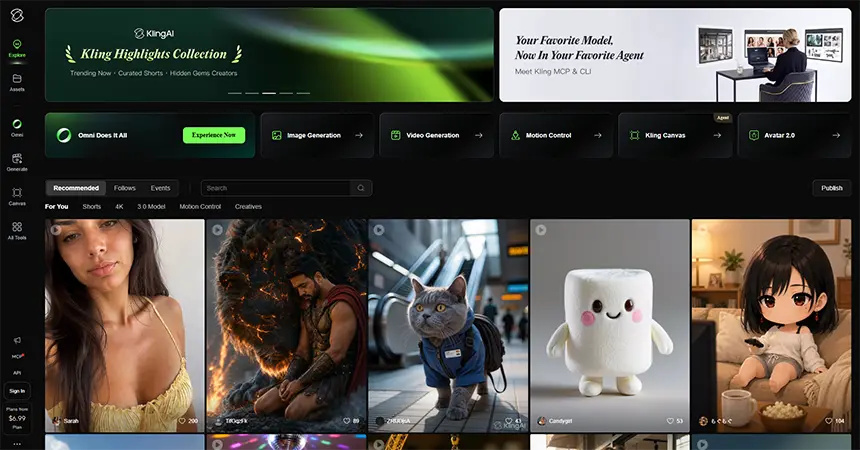
Kling: Explore AI Video Generation & Creative Tools

Kling is an AI-powered creative platform for generating, editing, and transforming videos with advanced control over motion, characters, scenes, and audio. Explore Kling’s AI video models, creative tools, features, and capabilities to see how it fits your video production workflow.
AI Audio Tools
Audio Tools
AI Video Tools
Video Tools
AI Image Tools
Image Tools
Use Case
Image Generation
Video Creation
Target Audience
Beginners
Marketers
Designers / Creators
Business / Teams
Output Type
Image
Video
Audio
Pricing Model
Freemium
Subscription
Free Plan​
Limited
API Access
Yes
Platform / Access Type
Web App
Mobile App
Limitations
Free plan limited
Usage Limit
Feature Restrictions
Plan Restrictions
Team & Collaboration
Basic Collaboration

Tool Overview

What Is Kling?

Kling is an AI-powered creative platform for generating and editing images and videos from text, images, and other visual references. Its video models can create cinematic scenes with controlled motion, consistent characters and elements, multi-shot narratives, and native audio. Kling also includes dedicated image generation and editing tools, making it useful for creators who want to build and refine visual content within a single platform.

What Can You Use Kling For?

Kling can be used for a wide range of visual content workflows, from creating short AI-generated clips to developing more structured scenes and stories.

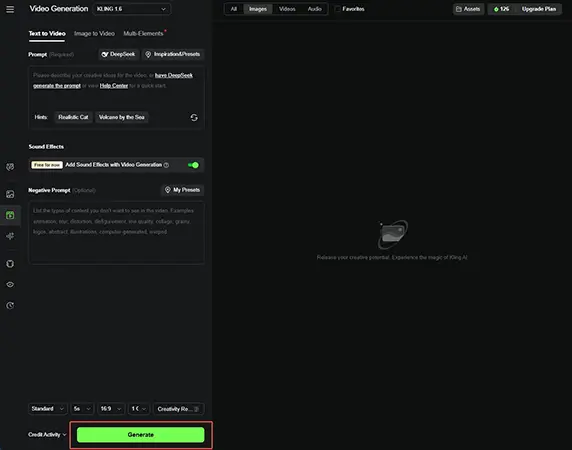
AI Video Generation

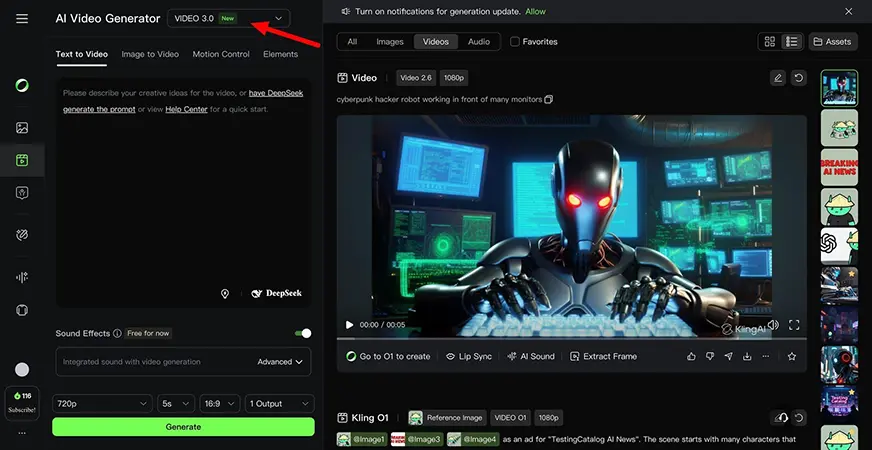
Create videos from text prompts or images, turning ideas and visual references into dynamic scenes with controlled motion and camera movement.

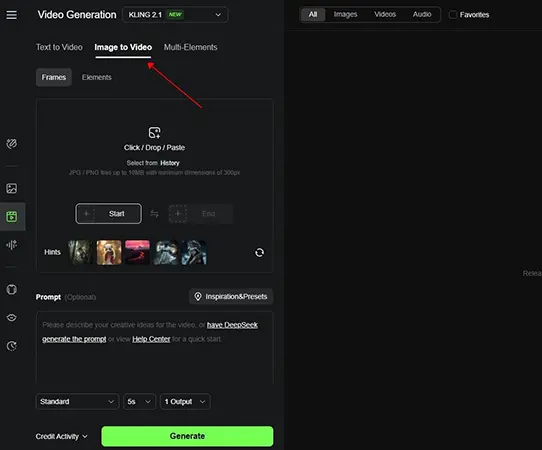
Image-to-Video

Animate still images and bring characters, products, illustrations, and other visual assets to life while maintaining their overall appearance.

Cinematic & Storytelling Content

Create multi-shot sequences, narrative scenes, and more complex visual stories with greater control over characters, environments, and camera direction.

Product & Marketing Videos

Turn product concepts and visual assets into promotional videos, social media content, advertisements, and other marketing materials.

Character & Creative Content

Create scenes featuring consistent characters and visual elements for social media, creative projects, storytelling, and entertainment.

AI Image Generation

Generate and refine images that can be used as standalone visual content or as source material for video generation.

Audio-Visual Content

Generate videos with native audio, including dialogue, sound effects, and other audio elements, without relying entirely on separate audio-generation tools.

Who Is Kling For?

Kling is designed for creators, marketers, filmmakers, and businesses that want to produce high-quality visual content with AI.

Content Creators

Create engaging videos and images for social media, YouTube, short-form content, and other digital platforms.

Filmmakers & Storytellers

Develop cinematic scenes, visualize ideas, prototype storyboards, and create narrative sequences with greater control over characters, motion, and camera direction.

Marketers & Advertisers

Create product videos, advertisements, promotional content, and visual campaigns without relying entirely on traditional production workflows.

Designers & Visual Creators

Generate images, animate existing artwork, experiment with visual concepts, and turn static ideas into dynamic content.

Businesses & Teams

Use AI-generated visuals for marketing, e-commerce, presentations, campaigns, and creative production workflows.

Key Features

AI Video Generation

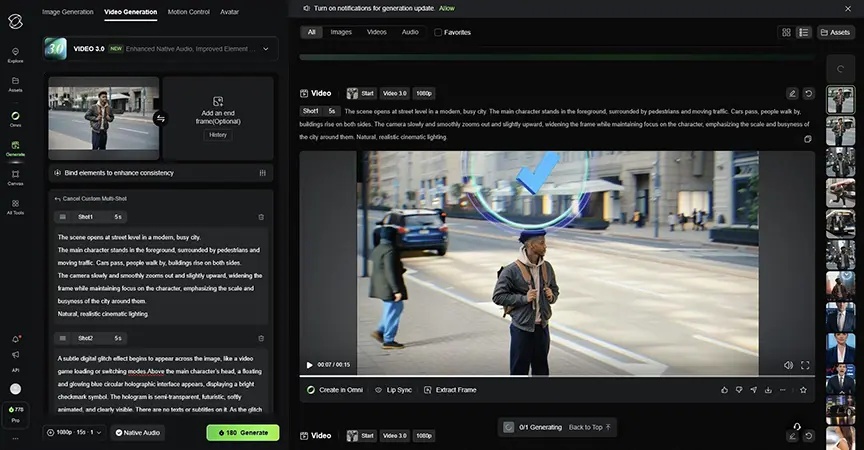
Generate videos from text prompts and visual references with control over scenes, motion, camera direction, and visual details.

Image-to-Video

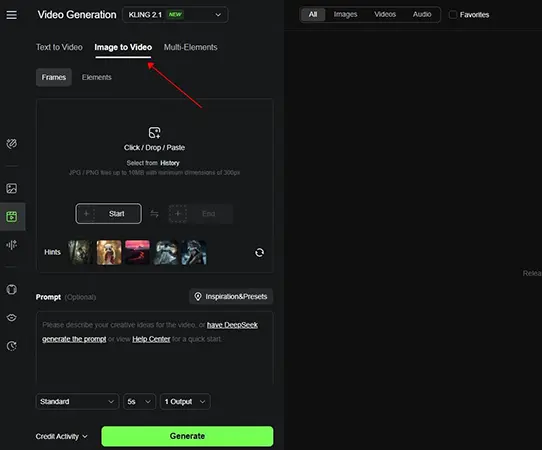
Turn still images into dynamic video scenes while preserving important visual elements and character details.

AI Image Generation

Create images from text prompts and visual references for standalone artwork or as source material for video generation.

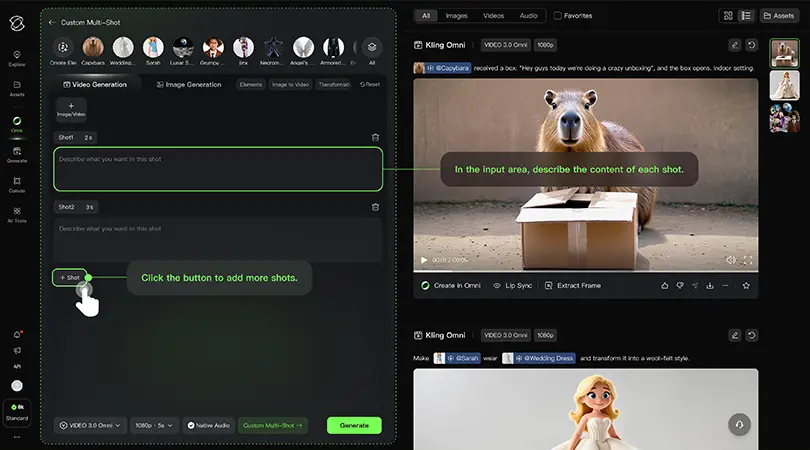
Multi-Shot Generation

Build sequences with multiple shots, camera angles, and narrative beats within a more structured generation workflow.

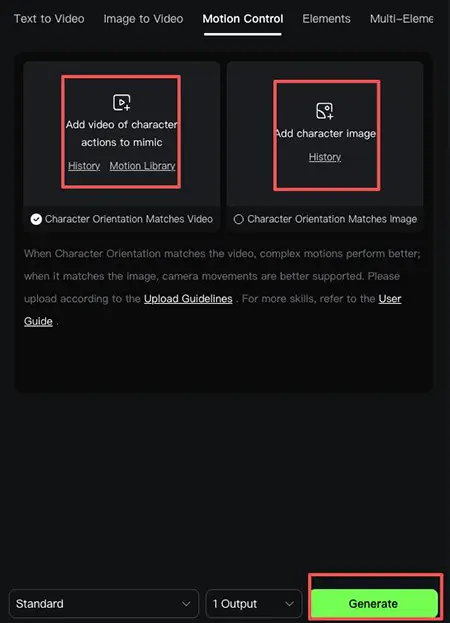
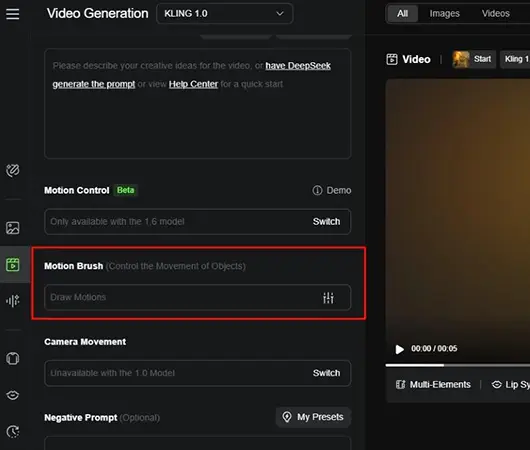
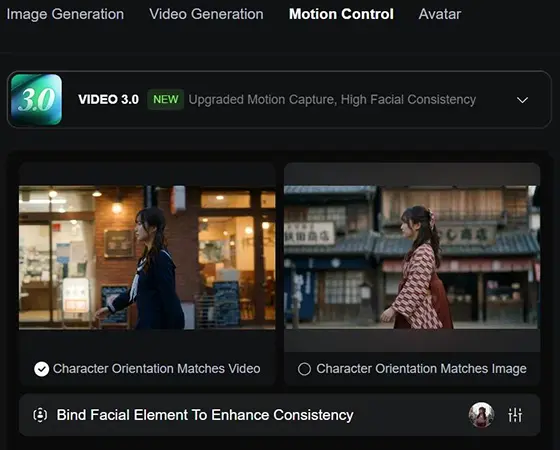
Motion Control

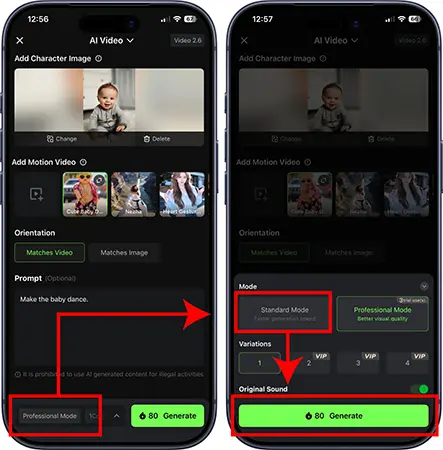
Guide character and subject movement using reference inputs for more precise and controllable animation.

Native Audio

Generate dialogue, ambient sound, and sound effects alongside supported video generations, helping create more complete audio-visual scenes.

AI Video Editing

Modify existing footage, replace subjects or backgrounds, restyle scenes, and extend video clips using AI-powered editing tools.

AI Avatars & Lip Sync

Create presenter-style videos and synchronize dialogue with characters using AI avatars and lip-sync capabilities.

Kling uses a credit-based subscription system, with different plans providing monthly credits for AI video, image, audio, and other creative tools. Higher-tier plans offer more credits and greater access to advanced generation features.

Pricing & Plans

Free Plan $0/month

A limited free option for exploring Kling's AI generation tools before subscribing to a paid plan.

Standard $6.99/month

A suitable option for casual creators who need regular access to Kling's AI video and image generation tools.

Pro $25.99/month

Designed for active creators who need more monthly credits and greater access to advanced generation capabilities.

Premier $64.99/month

Built for professional creators and heavier production workflows that require a substantially larger monthly credit allowance.

Ultra $127.99/month

Kling's highest-tier plan for high-volume users who need the largest credit allowance and extensive access to its AI generation capabilities.

Pricing, credits, and available features may change as Kling introduces new models and generation capabilities.

Compare Kling Plans

Kling’s plans mainly differ in their monthly credit allowance, generation limits, and access to advanced creative features. The higher-tier plans are designed for users who create AI videos and images more frequently and need greater production capacity.

Feature Free Standard Pro Premier Ultra
Monthly Price $0 $6.99 $25.99 $64.99 $127.99
Monthly Credits Limited 660 3,000 8,000 26,000
1080p Video Generation Limited
Image Upscaling Limited
Video Extension Limited
Watermark Removal
Fast-Track Generation
Element Library Limited Up to 50 Up to 150 Up to 150 Up to 500
Priority Access to New Features
Commercial Use Limited
Best For Trying Kling Casual Creators Active Creators Professional Creators High-Volume Production

User Environment

FAQ

What is Kling AI? +
Kling is an AI-powered creative platform for generating and editing images and videos from text, images, and other visual references. It also offers AI audio and other creative tools.
Is Kling good for AI video generation? +
Yes. Kling is particularly strong for AI video generation, with support for text-to-video, image-to-video, multi-shot scenes, character consistency, motion control, and native audio.
Can Kling generate videos from images? +
Yes. Kling can turn still images into animated video clips while maintaining key visual elements such as characters and objects.
Can Kling generate images? +
Yes. Kling includes AI image generation and editing tools in addition to its video generation capabilities.
Does Kling generate audio? +
Yes. Kling 3.0 supports native audio generation, allowing supported videos to include elements such as dialogue, sound effects, and ambient audio.
How long can Kling AI videos be? +
Kling 3.0 and 3.0 Omni can generate videos up to 15 seconds in a single generation, with flexible duration controls and multi-shot capabilities.
Does Kling support character consistency? +
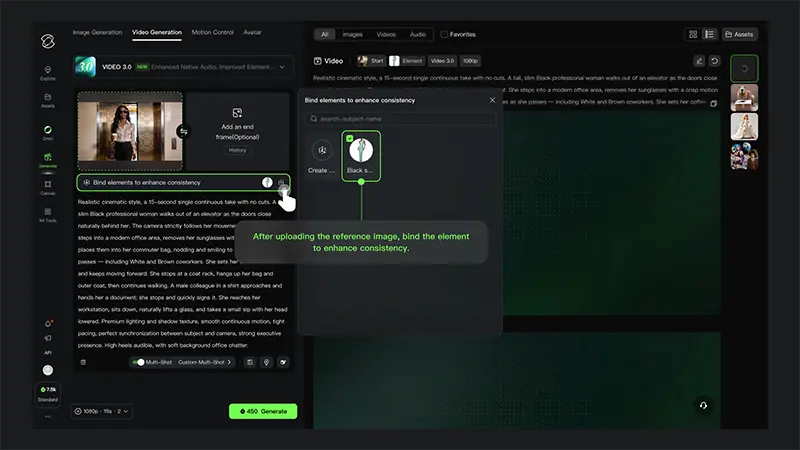
Yes. Kling 3.0 and 3.0 Omni can use image, video, and element references to maintain the appearance of characters and other important subjects across generated scenes.
Can Kling create multi-shot videos? +
Yes. Kling 3.0 supports Multi-Shot and Custom Multi-Shot generation, allowing users to create sequences with multiple shots, camera angles, and scene transitions.
Does Kling have a free plan? +
Yes. Kling offers a free tier that lets users try its AI generation tools, although free usage is limited and generated videos may include a watermark.
Can Kling AI be used for commercial projects? +
Kling can be used for commercial content such as marketing videos, advertisements, social media content, and other creative projects, subject to its current terms and the specific plan or service being used.
Is Kling better than Runway? +
It depends on the workflow. Kling is particularly appealing for character consistency, motion, multi-shot generation, and native audio, while Runway offers its own broader set of video generation, editing, and creative workflow tools. The better choice depends on the type of content you want to create.

Pros & Cons

Pros

  • Strong AI Video Quality: Kling can produce highly detailed and realistic video with convincing motion and visual coherence.
  • Excellent Character Consistency: Reference-based generation helps maintain the appearance of characters and important elements across scenes.
  • Advanced Motion Control: Users have greater control over subject movement, camera direction, and scene dynamics.
  • Multi-Shot Video Generation: Kling can create multiple shots and cinematic sequences within a single generation workflow.
  • Native Audio Generation: Supported video generations can include dialogue, sound effects, and ambient audio without requiring a separate audio tool.
  • Image & Video Generation: Kling combines AI image generation with its core video creation capabilities.
  • Strong Creative Control: Reference images, elements, start and end frames, and other inputs provide more control over the final result.
Cons

  • Credit-Based Usage: Video and image generation consume credits, so frequent users can use their monthly allowance quickly.
  • Free Plan Is Limited: The free tier is useful for testing Kling but has restrictions and watermarked output.
  • High-End Plans Can Be Expensive: Users with heavy video-generation needs may need a higher-tier subscription to get enough credits.
  • Generation Results Can Vary: Complex prompts, characters, motion, and multi-element scenes may still produce inconsistent results.
  • Longer & Complex Generations Cost More: Higher-quality, longer, and more advanced generations can consume substantially more credits.
  • Advanced Features Have Learning Curves: Features such as Elements, Motion Control, and Multi-Shot offer more control but can require experimentation to use effectively.
  • Video Generation Remains Resource-Intensive: Generating high-quality video can take longer and requires considerably more resources than generating a simple image.

Reviews

There are no reviews yet.

Be the first to review “Kling”

Your email address will not be published. Required fields are marked *

sixteen − six =